screenpipe/screenpipe
Your desktop’s black box, but you own the tape
screenpipe continuously records your screen and audio locally so AI can search, summarize, and act on everything you’ve done without sending data to the cloud.
Velocity · 7d
+13
★ / day
Trend
↗accelerating
star history
What it does
screenpipe is a Rust-based desktop application that acts as a continuous, local memory layer for your computer. It captures screenshots triggered by meaningful UI events—app switches, clicks, typing pauses—and pairs them with the OS accessibility tree, falling back to OCR when needed. It also transcribes microphone and system audio locally using Whisper, storing everything in a local SQLite database that AI agents can query through a REST API or MCP server.
The interesting bit
Instead of dumbly recording video, it treats your activity as structured data: the accessibility tree gives it semantically rich text—buttons, labels, URLs—for free, while “pipes” let you write markdown-based agent schedules that react to your work history with deterministic, OS-enforced data permissions. It is essentially an open-source, self-hosted alternative to Rewind.ai and Microsoft Recall.
Key highlights
- Event-driven capture pulls the accessibility tree and falls back to OCR, avoiding thousands of identical frames.
- Audio transcription with local Whisper, speaker diarization, and per-app audio exclusion on macOS.
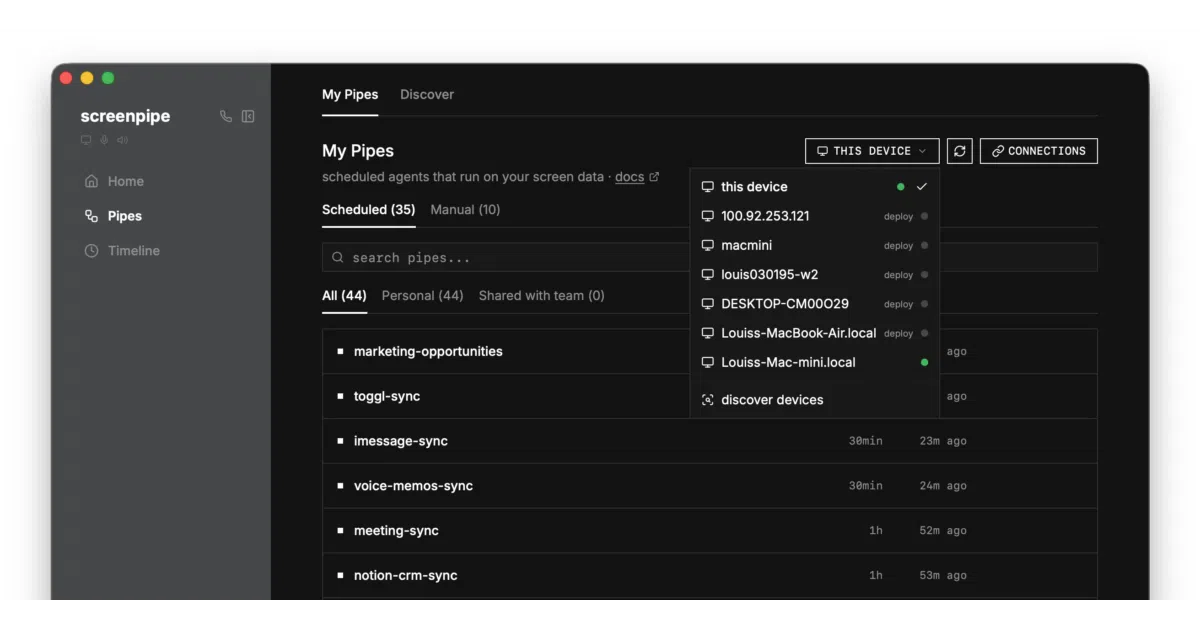
- “Pipes” are markdown-defined agents that query your history and call APIs, gated by YAML permission rules.
- Runs fully offline with optional encryption at rest; data never leaves the machine by default.
- Ships SDKs for Tauri, Electron, and Swift, plus an MCP server for Claude, Cursor, and VS Code extensions.
Caveats
- Storage estimates vary in the README (~5–10 GB vs. ~20 GB per month), so actual disk usage is unclear.
- Linux support requires building from source; macOS and Windows get native installers.
- Some audio exclusion features depend on experimental macOS flags and specific TCC permissions.
Verdict
Worth a look if you want local AI assistants to have full context of your digital life without cloud dependency; avoid it if an always-on screen logger—even one you control—feels creepy.
Frequently asked
- What is screenpipe/screenpipe?
- screenpipe continuously records your screen and audio locally so AI can search, summarize, and act on everything you’ve done without sending data to the cloud.
- Is screenpipe open source?
- Yes — screenpipe/screenpipe is an open-source project tracked on heatdrop.
- What language is screenpipe written in?
- screenpipe/screenpipe is primarily written in Rust.
- How popular is screenpipe?
- screenpipe/screenpipe has 22.1k stars on GitHub and is currently accelerating.
- Where can I find screenpipe?
- screenpipe/screenpipe is on GitHub at https://github.com/screenpipe/screenpipe.