jegly/Box
Google's AI Gallery, but make it paranoid and useful
A privacy-first Android fork that runs LLMs, image generation, and speech AI entirely offline, then locks itself behind your fingerprint.
Not currently ranked — collecting fresh signals.
star history
What it does
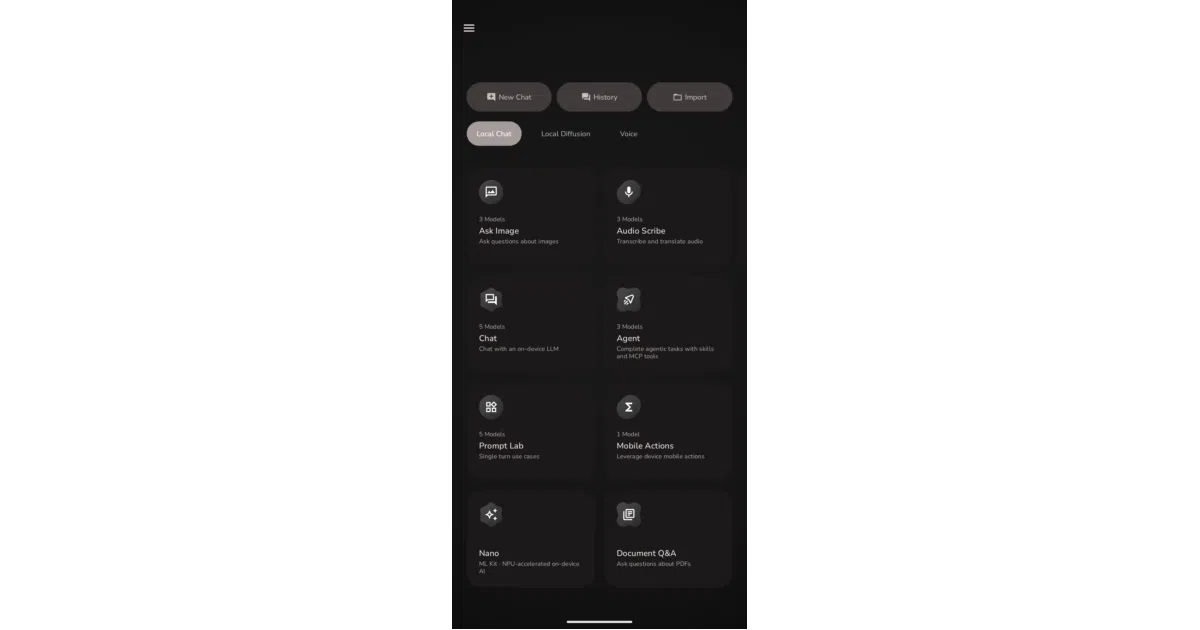
Box is a hard-fork of Google’s AI Edge Gallery that crams a surprising amount of local AI into an Android app. It runs language models via llama.cpp, generates images with stable-diffusion.cpp, transcribes speech through whisper.cpp and SenseVoice, speaks back with Supertonic TTS, and will even upscale your photos 4× — all without a network packet. A biometric gate and SQLCipher-encrypted history keep your conversations yours.
The interesting bit
The fork didn’t just add features; it added escape hatches. “Hard Offline Mode” physically disables MCP server calls. NPU init crashes on Snapdragon Elite or Tensor devices silently fall back to GPU rather than faceplanting. There’s even a separate APK build for GrapheneOS and LineageOS users who’ve exorcised Google services entirely. The upstream project wanted to show off LiteRT; this fork treats your phone like a pocket fortress that happens to do AI.
Key highlights
- Hybrid engine: LiteRT for NPU/GPU acceleration on supported chips, llama.cpp as the universal fallback
- GGUF import: Bring your own models; not locked to a curated store
- Vision overlays: Pose skeletons and 468-point face meshes rendered live on camera preview, with adjustable refresh rates
- MCP server support: Optional, per-call permission dialogs, disabled entirely in offline mode
- Custom ROM parallel build: Explicit support for GrapheneOS, LineageOS, CalyxOS without Google dependencies
Caveats
- The in-app version number (1.0.15) tracks upstream Google AI Edge Gallery, while actual Box releases use separate GitHub tags — a recipe for confusion
- Some vision/audio sub-backends only recently started following the primary NPU path; prior crashes required point-release fixes
Verdict
Grab this if you want a single Android app that replaces half a dozen cloud AI subscriptions and actually respects airplane mode. Skip it if you’re looking for a clean-room implementation — this is a hard fork with Google’s bones still clearly visible under the skin.
Frequently asked
- What is jegly/Box?
- A privacy-first Android fork that runs LLMs, image generation, and speech AI entirely offline, then locks itself behind your fingerprint.
- Is Box open source?
- Yes — jegly/Box is an open-source project tracked on heatdrop.
- What language is Box written in?
- jegly/Box is primarily written in Kotlin.
- How popular is Box?
- jegly/Box has 942 stars on GitHub.
- Where can I find Box?
- jegly/Box is on GitHub at https://github.com/jegly/Box.