MiniMax-AI/cli
A CLI that generates music, video, and cat-in-spacesuit images
MiniMax's official CLI wraps its entire generative AI platform into terminal commands and agent skills.
Not currently ranked — collecting fresh signals.
star history
What it does
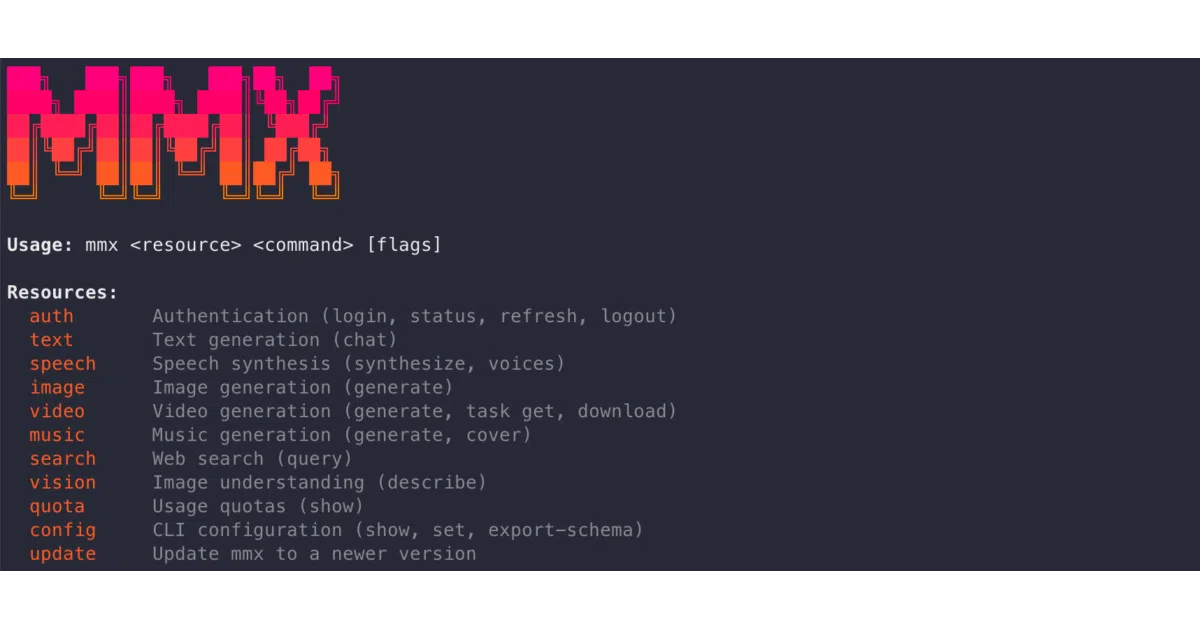
mmx-cli is the official command-line interface for MiniMax’s AI platform. It exposes text chat, image generation, video creation, speech synthesis, music generation, vision analysis, and web search as straightforward terminal commands. You can install it globally via npm or add it as a skill to AI agents like Cursor or Claude Code.
The interesting bit
The auth design is unusually thoughtful for a vendor CLI. It supports OAuth 2.0 Device Authorization Grant with automatic token refresh, API keys with auto-region detection (probing both Global and China endpoints), and explicit credential priority when both are present. The music commands go beyond basic TTS: auto-generated lyrics, instrumental mode, and cover generation from reference audio files.
Key highlights
- Multi-modal in one tool: text, image, video, speech, music, vision, and search under a single
mmxnamespace - Agent-native: installable via
npx skills addfor OpenClaw, Cursor, Claude Code, etc. - Dual-region support: explicit Global (
api.minimax.io) and China (api.minimaxi.com) endpoints with auto-detection for API keys - Streaming-friendly: text streaming, speech streaming to stdout (pipe to
mpv), and async video with progress tracking - Music generation with lyrics control: manual lyrics, auto-generated lyrics, instrumental mode, and audio-to-audio cover generation
Caveats
- Requires a paid MiniMax Token Plan; no free tier mentioned in the README
- OAuth and API key are mutually exclusive—switching auth methods clears the previous credentials
- Node.js 18+ required; no mention of other runtime support
Verdict
Worth a look if you’re already using MiniMax’s platform or want to prototype multi-modal pipelines from a terminal. Skip it if you need a provider-agnostic tool or aren’t prepared to buy tokens.
Frequently asked
- What is MiniMax-AI/cli?
- MiniMax's official CLI wraps its entire generative AI platform into terminal commands and agent skills.
- Is cli open source?
- Yes — MiniMax-AI/cli is an open-source project tracked on heatdrop.
- What language is cli written in?
- MiniMax-AI/cli is primarily written in TypeScript.
- How popular is cli?
- MiniMax-AI/cli has 2.2k stars on GitHub.
- Where can I find cli?
- MiniMax-AI/cli is on GitHub at https://github.com/MiniMax-AI/cli.