zhongerxin/iPhone-use
Codex gets a real iPhone in its hands — over USB
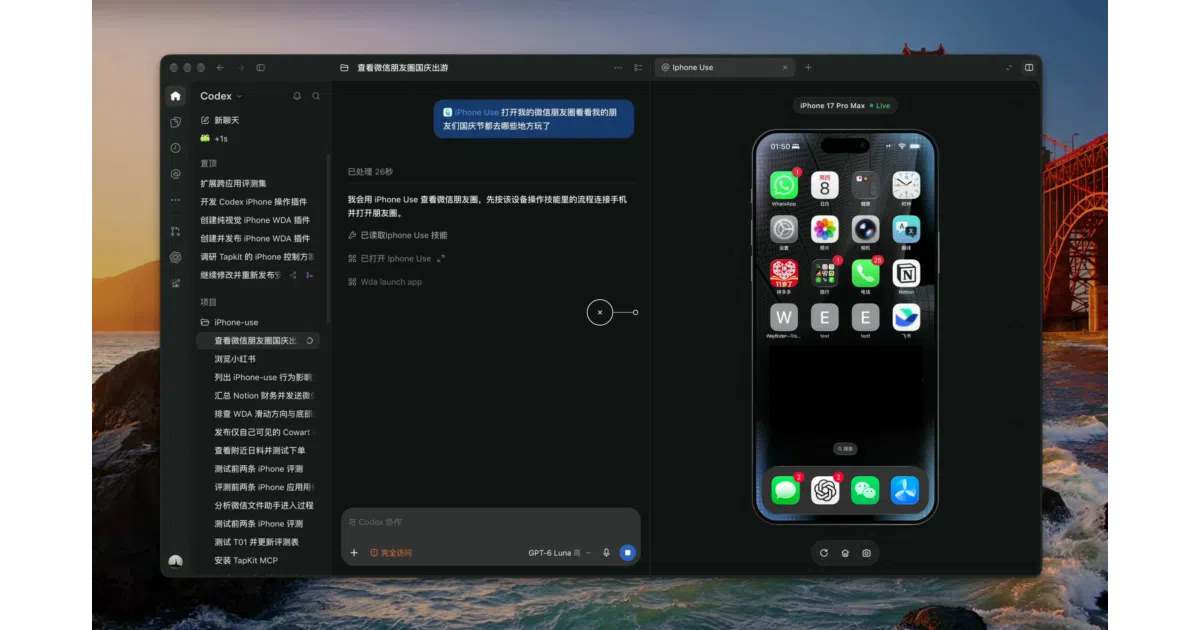
iPhone Use wires Codex into a physical iPhone via WebDriverAgent, so natural-language tasks become taps, swipes, and typed text on actual hardware.
Collecting fresh signals — velocity needs a few days of history.
collecting data…
star history
What it does
It’s a local MCP service plus Codex plugin that lets an AI agent drive a real, USB-connected iPhone: launch apps, read control trees, tap, swipe, type Unicode text, and collect scrolling lists — with a live screen preview in the sidebar. The phone side runs Appium’s WebDriverAgent, which you sign and install with your own Apple developer team (no jailbreak, no Appium server). The setup flow is itself delegated to Codex: a prompt guides the agent through diagnostics, signing, building, and launching WDA.
The interesting bit
The fallback design is the smart part. When element lookup fails, the tool returns a screenshot and instructs the model to convert pixels to point coordinates via image.pixel_to_point and tap with pua_tap — no blind retries. It also refuses to replay uncertain actions after timeouts, forcing the model to re-read actual state first.
Key highlights
- 17 model-facing tools, including
pua_batchfor combining steps andpua_scroll_find/pua_collect_listfor bounded scrolling with dedup — fewer model round-trips. - Reuses existing HTTP connections, WDA sessions, and builds; setup jobs run asynchronously with queryable job IDs.
- Live screen widget with click/drag indicators; the stream never touches disk and can be paused or refreshed.
- Authentication (passwords, Face ID, verification codes) is explicitly left to the human, with preview pausable during takeover.
- Runs fully local: loopback-only WDA forwarding (port 18100), remote addresses rejected, state under
~/.local/share/iphone-use/with 700/600 permissions.
Caveats
- Heavy prerequisites: full Xcode (Command Line Tools won’t do), a signing-capable Apple account, and a USB-tethered, unlocked iPhone with developer mode enabled.
- Anonymous usage stats go to a separate PostHog project by default (opt out with
IPHONE_USE_ANALYTICS=0); no screen content or device identifiers are sent. - The repo is currently private — you need GitHub access or a pre-built source package.
Verdict
Worth a look if you do iOS QA or app-adjacent automation and already live in Codex on a Mac. If you’re not in that Apple-shaped corner of the world, this one isn’t for you.
Frequently asked
- What is zhongerxin/iPhone-use?
- iPhone Use wires Codex into a physical iPhone via WebDriverAgent, so natural-language tasks become taps, swipes, and typed text on actual hardware.
- Is iPhone-use open source?
- Yes — zhongerxin/iPhone-use is open source, released under the MIT license.
- What language is iPhone-use written in?
- zhongerxin/iPhone-use is primarily written in Python.
- How popular is iPhone-use?
- zhongerxin/iPhone-use has 1.8k stars on GitHub.
- Where can I find iPhone-use?
- zhongerxin/iPhone-use is on GitHub at https://github.com/zhongerxin/iPhone-use.