trycua/cua
Give your AI a mouse, a sandbox, and a scorecard
Open-source infrastructure for building, benchmarking, and deploying AI agents that control real macOS, Linux, and Windows desktops.
Feature · 21 Sep 2026
The Infrastructure Layer AI Agents Did Not Know They Needed
CUA is an open-source stack that provides the virtual machines, drivers, and benchmarks that let autonomous agents safely interact with desktop operating systems—so agent builders do not have to reinvent the computer.
Read the in-depth article →
Velocity · 7d
+116
★ / day
Trend
↗accelerating
star history
What it does
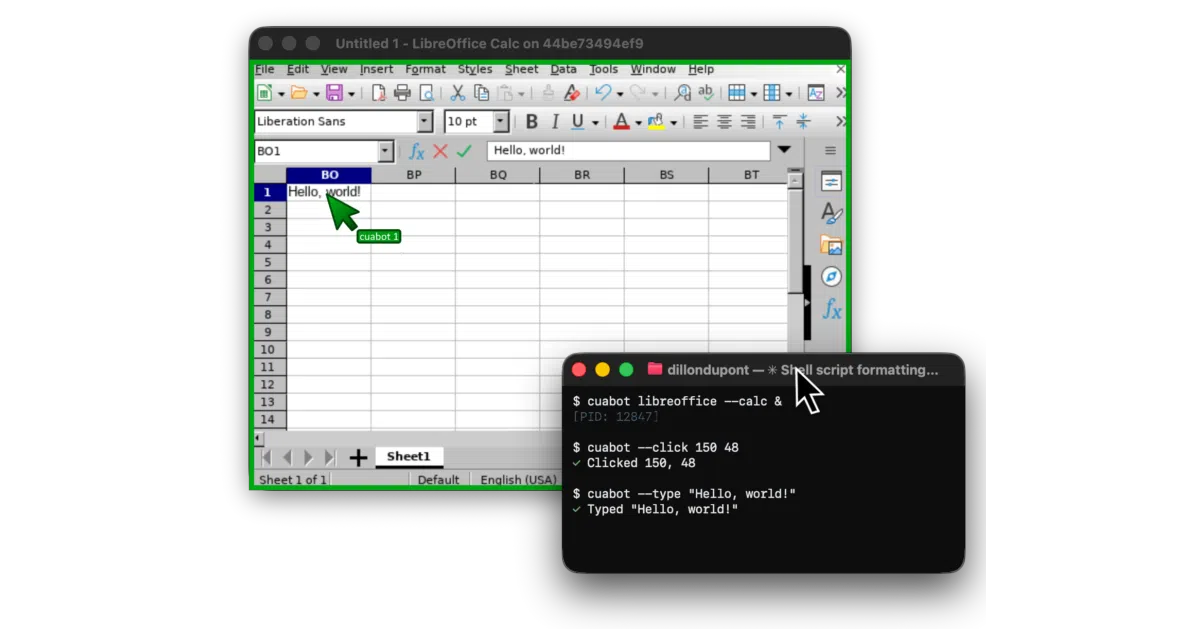
This monorepo gives computer-use agents a full habitat. cua-driver runs native macOS and Windows apps in the background so the agent can click and type without commandeering your cursor. cua-sandbox offers a single async Python API to spin up ephemeral Linux, macOS, Windows, or Android boxes locally via QEMU or through the project’s cloud tier. Rounding out the stack, cua-bench evaluates agents on standard benchmarks like OSWorld and Windows Arena, while lume builds near-native Apple-Silicon VMs using Apple’s own Virtualization.Framework.
The interesting bit Most agent frameworks treat the OS as a dumb terminal. Cua treats it as a first-class citizen, virtualizing entire desktops so agents interact with real GUIs instead of REST stubs. The background driver is the subtle hero here: you can actually keep working while your agent fumbles through a spreadsheet in its own invisible session.
Key highlights
- One
SandboxAPI abstracts Linux containers, macOS VMs, Windows desktops, and even Android devices. - Background computer-use on macOS and Windows means the agent does not hijack your mouse or keyboard.
- Built-in benchmarks cover OSWorld, ScreenSpot, and Windows Arena, with trajectory export for RL training.
lumeleverages Apple’s Virtualization.Framework for near-native macOS VM performance on Apple Silicon.cuabotsurfaces sandboxed apps as native-ish desktop windows with H.265 streaming, shared clipboard, and audio.
Caveats
- Linux support for the background driver is still pre-release.
- Optional
cua-agent[omni]pulls inultralyticsunder AGPL-3.0, which can trip up commercial licensing. - Several architecture diagrams in the README are currently commented out, suggesting the docs are still catching up to the code.
Verdict Grab it if you are researching or building agents that need to manipulate real operating systems. Pass if you just need a lightweight web-automation wrapper.
Frequently asked
- What is trycua/cua?
- Open-source infrastructure for building, benchmarking, and deploying AI agents that control real macOS, Linux, and Windows desktops.
- Is cua open source?
- Yes — trycua/cua is open source, released under the MIT license.
- What language is cua written in?
- trycua/cua is primarily written in Rust.
- How popular is cua?
- trycua/cua has 31k stars on GitHub and is currently accelerating.
- Where can I find cua?
- trycua/cua is on GitHub at https://github.com/trycua/cua.