sugyan/tensorflow-mnist
TensorFlow MNIST, now with a web UI and Heroku one-click deploy
A classic tutorial wrapped in a Flask app so you can draw digits in your browser instead of staring at loss curves.
Not currently ranked — collecting fresh signals.
star history
What it does
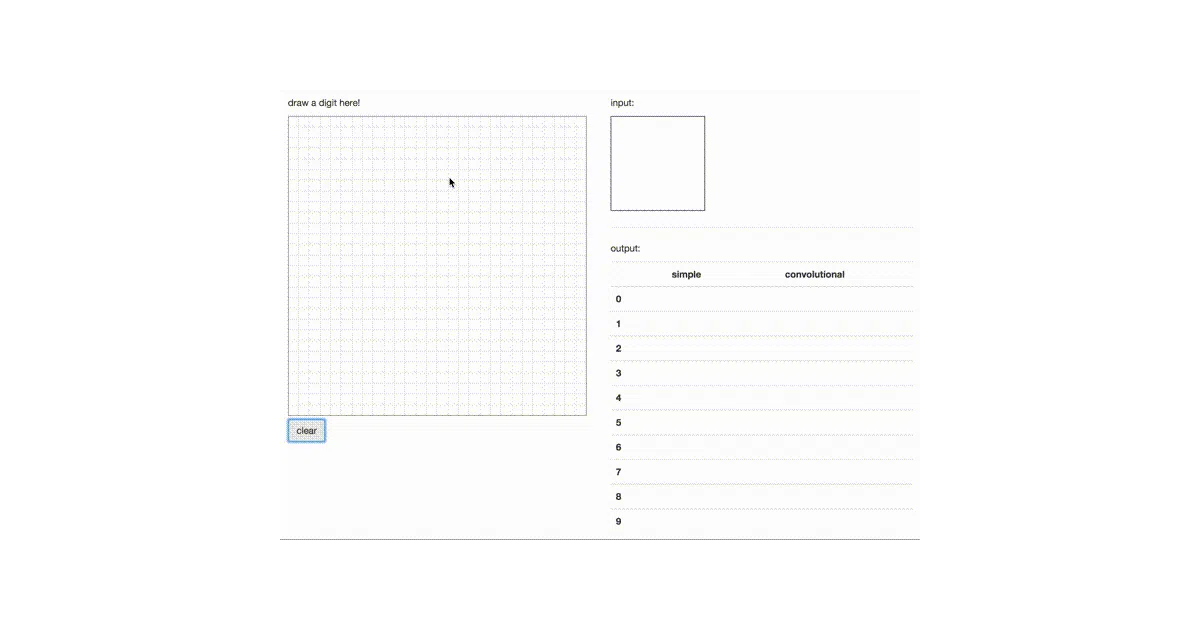
This repo packages TensorFlow’s two canonical MNIST tutorials—“beginners” and “experts”—into a small web application. You draw a digit, it predicts what you wrote. The backend runs TensorFlow, the frontend is JavaScript, and the whole thing deploys to Heroku with a button click.
The interesting bit
The value isn’t the model; it’s the plumbing. Most people run MNIST in a notebook and move on. Here, someone did the boring work of wiring TensorFlow to a web server (Flask/Gunicorn), adding a canvas UI, and documenting Heroku buildpack ordering—Python after Node, or it breaks. That last part is the kind of detail you learn from pain.
Key highlights
- Two model implementations: basic softmax regression and the deeper convnet from TensorFlow’s “experts” tutorial
- Browser-based drawing interface (shown in the screencast GIF)
- One-click Heroku deploy with proper multi-buildpack setup
- Requires Python 2.7+/3.4+ and Node 6.9+ for local development
Caveats
- README pins TensorFlow >=1.0, which is ancient; you’ll likely need to bump versions or use a legacy environment
- No mention of model accuracy, test coverage, or whether the convnet actually runs on Heroku’s free tier without timing out
Verdict
Good for someone who wants to see a full-stack ML toy in one repo, or needs a Heroku deployment template to crib from. Skip it if you’re looking for modern TensorFlow 2.x code or production patterns.
Frequently asked
- What is sugyan/tensorflow-mnist?
- A classic tutorial wrapped in a Flask app so you can draw digits in your browser instead of staring at loss curves.
- Is tensorflow-mnist open source?
- Yes — sugyan/tensorflow-mnist is open source, released under the MIT license.
- What language is tensorflow-mnist written in?
- sugyan/tensorflow-mnist is primarily written in Python.
- How popular is tensorflow-mnist?
- sugyan/tensorflow-mnist has 896 stars on GitHub.
- Where can I find tensorflow-mnist?
- sugyan/tensorflow-mnist is on GitHub at https://github.com/sugyan/tensorflow-mnist.