rookiestar28/ComfyUI-OpenClaw
ComfyUI with a threat model and a chatbot
Wraps ComfyUI in a hardened automation layer—complete with admin console, secure API, and chatbot connectors—so image pipelines can be triggered remotely without leaving the front door open.
Not currently ranked — collecting fresh signals.
star history
What it does
ComfyUI-OpenClaw embeds inside ComfyUI to add an admin dashboard, a secure HTTP API, and LLM-assisted helper nodes. It exposes automation primitives—webhooks, schedules, approvals, presets, and model management—while routing chat commands from eight platforms through an optional sidecar process. The goal is to turn a local image-generation workspace into a remotely operable, gated service.
The interesting bit
Most ComfyUI extensions optimize for convenience; this one optimizes for distrust. It treats every automation surface as a potential attack vector, layering RBAC, CSRF tokens, HMAC signing, SSRF guards, audit logging, and replay protection onto a tool usually run on a trusted laptop. The control plane is deliberately split so high-risk admin functions live on an externalized surface while the embedded UI stays inside the familiar Comfy sidebar.
Key highlights
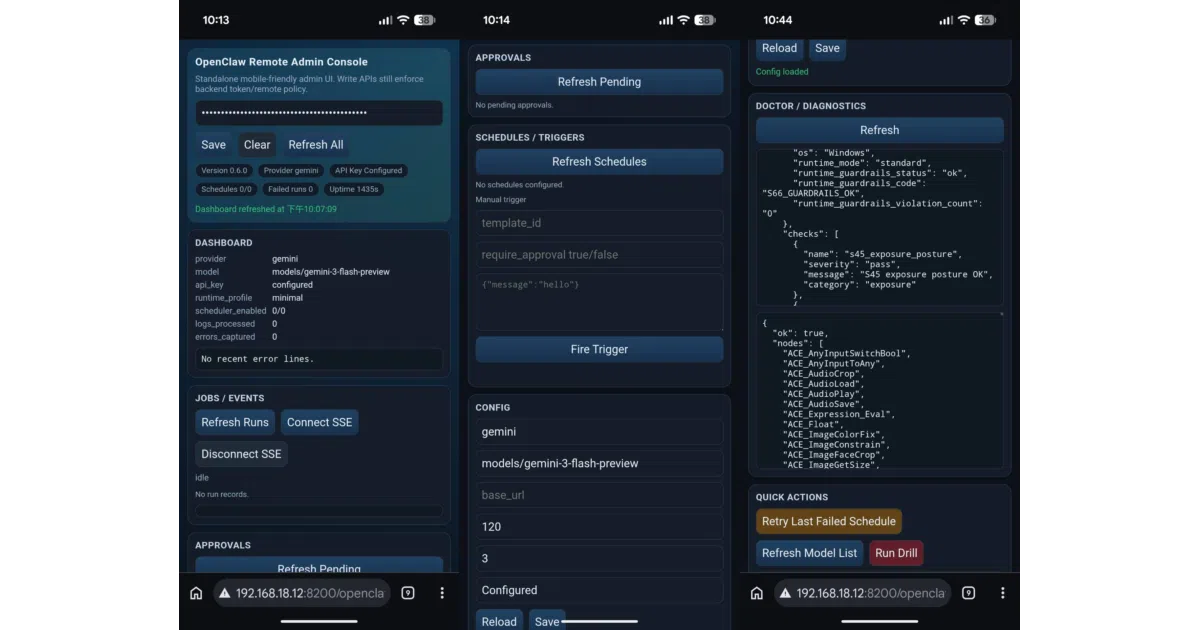
- Embeds directly into ComfyUI’s existing web server, adding managed routes, a sidebar panel, and a mobile-friendly remote admin console at
/openclaw/admin. - Ships LLM-assisted nodes—planner, refiner, vision, and batch variants—for workflow generation and refinement.
- Exposes a secure-by-default HTTP API for webhooks, triggers, schedules, approvals, and rewrite recipes.
- Bridges to eight chat platforms via an optional connector sidecar, preserving threads, topics, and workspace context.
- Carries an explicit threat model, supply-chain hardening checks, and “fail-closed” defaults for public-facing deployments.
Caveats
- Connector packaging is still being extracted and carries documented “split-package seams” per the project’s own architecture records.
- Because it runs inside ComfyUI’s single Python process, its security model relies on hardening controls rather than physical process isolation.
Verdict
Worth a look if you are trying to expose ComfyUI to a team, a Discord server, or scheduled automation without treating security as an afterthought. Skip it if you just want a quick, ungated webhook for personal use—the guardrails will get in the way.
Frequently asked
- What is rookiestar28/ComfyUI-OpenClaw?
- Wraps ComfyUI in a hardened automation layer—complete with admin console, secure API, and chatbot connectors—so image pipelines can be triggered remotely without leaving the front door open.
- Is ComfyUI-OpenClaw open source?
- Yes — rookiestar28/ComfyUI-OpenClaw is open source, released under the MIT license.
- What language is ComfyUI-OpenClaw written in?
- rookiestar28/ComfyUI-OpenClaw is primarily written in Python.
- How popular is ComfyUI-OpenClaw?
- rookiestar28/ComfyUI-OpenClaw has 559 stars on GitHub.
- Where can I find ComfyUI-OpenClaw?
- rookiestar28/ComfyUI-OpenClaw is on GitHub at https://github.com/rookiestar28/ComfyUI-OpenClaw.