re4/LibreCode
AI editor that decompiles binaries and writes anti-debug patches
A native, fully local AI code editor that treats reverse engineering and anti-debug evasion as first-class features instead of afterthoughts.
Feature · 15 Jul 2026
LibreCode Bets AI Editing Is Native, Local, and Slightly Paranoid
A cross-platform .NET editor wraps local Ollama agents around ILSpy decompilers, WASM debuggers, and anti-debug scanners—though its license demands all contributions while forbidding forks.
Read the in-depth article →
Not currently ranked — collecting fresh signals.
star history
What it does
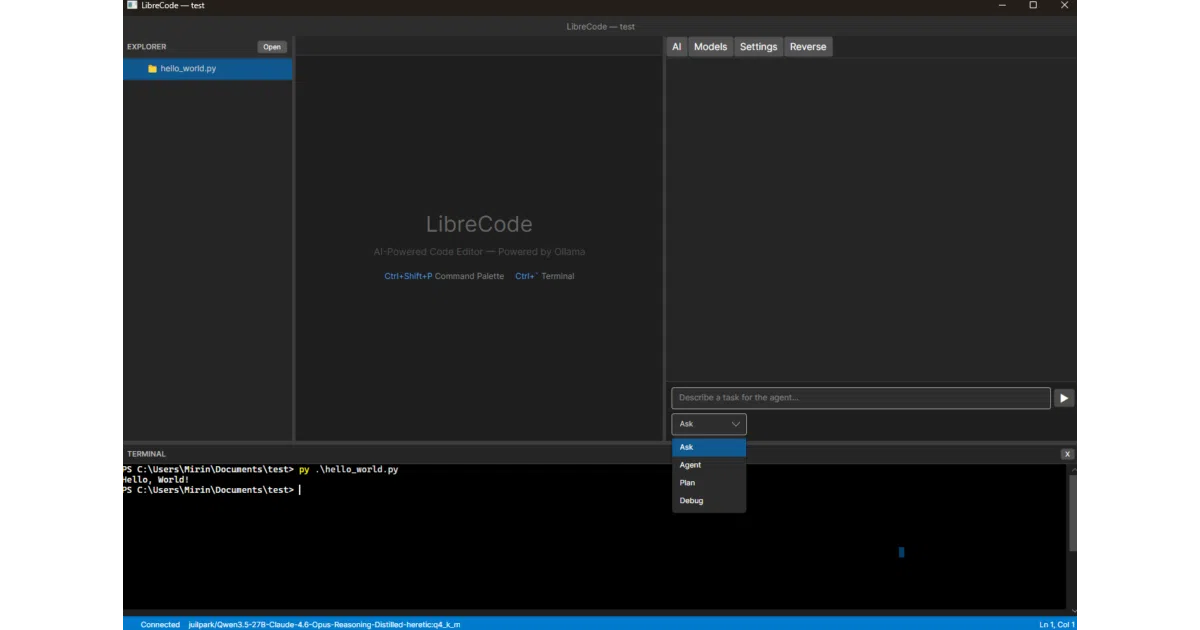
LibreCode is a cross-platform code editor built with Avalonia UI and .NET 10 that keeps everything local: it edits code, runs a terminal, and chats with an Ollama-powered AI assistant that can search your codebase using embeddings. The twist is a built-in reverse engineering workbench for .NET assemblies, WebAssembly binaries, and ELF shared objects, packing decompilers, disassemblers, hex viewers, and live bytecode interpreters into the same window.
The interesting bit
The reversing toolkit does not just display static output. It includes a live IL debugger that simulates the CLR evaluation stack, a Chrome DevTools Protocol bridge for debugging real browser WASM, and a “Stealth” scanner that detects anti-debugging traps and auto-generates evasion code—including ready-to-compile Harmony patches for .NET methods. Because its IL and WASM debuggers are interpreters rather than real debuggers, they naturally bypass in-process debugger detection.
Key highlights
- Native Avalonia UI with no Electron or web views; runs on Windows, Linux, and macOS.
- Local AI assistant with Ask, Agent, Plan, and Debug modes, plus project-wide RAG context via Ollama embeddings.
- Built-in model marketplace that lists Ollama models with parameter counts, VRAM estimates, and your detected GPU memory.
- Deep reversing suite: C# decompiler, IL/WAT/x86-64 disassembly, PE/ELF inspectors, hex editors, and live step-through debuggers for .NET IL and WASM bytecode.
- “Stealth” anti-debug analysis across .NET, WASM, and ELF that ranks threats and emits per-technique evasion playbooks or Harmony patches.
- CDP live debugging for WebAssembly running inside actual Chrome or Edge instances.
Caveats
- OLLVM deobfuscation is static and pattern-based; it flags and annotates obfuscation artifacts but does not rewrite the binary.
- ELF disassembly for non-x86/x86-64 architectures falls back to annotated hex dumps rather than full instruction decoding.
- All AI features require a running local Ollama instance; there is no cloud API fallback.
Verdict
Reverse engineers and security researchers who want decompilation, live debugging, and anti-debug evasion in the same tab as their code editor will feel right at home. Developers looking for a minimal, cloud-connected AI writing assistant will likely find the reversing toolkit overwhelming.
Frequently asked
- What is re4/LibreCode?
- A native, fully local AI code editor that treats reverse engineering and anti-debug evasion as first-class features instead of afterthoughts.
- Is LibreCode open source?
- Yes — re4/LibreCode is an open-source project tracked on heatdrop.
- What language is LibreCode written in?
- re4/LibreCode is primarily written in C#.
- How popular is LibreCode?
- re4/LibreCode has 82 stars on GitHub.
- Where can I find LibreCode?
- re4/LibreCode is on GitHub at https://github.com/re4/LibreCode.