oobabooga/textgen
A desktop LLM app that actually stays off the internet
TextGen wraps local model inference, vision, tool-calling, and an OpenAI-compatible API into a portable app with zero telemetry.
Not currently ranked — collecting fresh signals.
star history
What it does
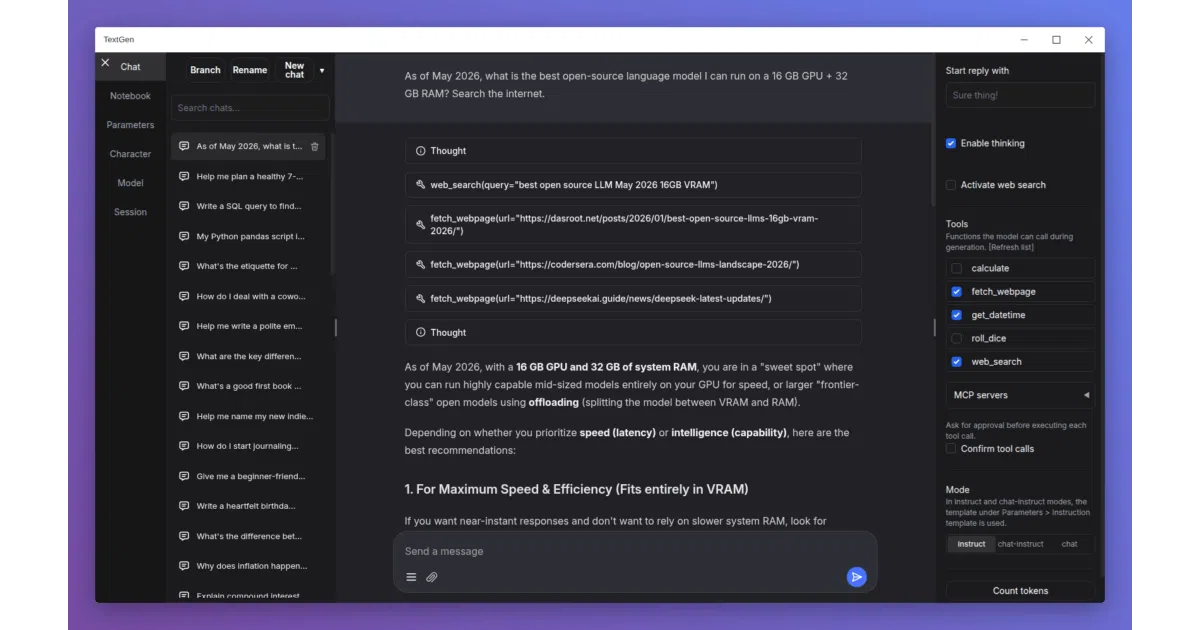
TextGen is a desktop application for running large language models entirely locally. Drop a GGUF file into a folder and it just works. The app bundles chat, vision, document upload, tool-calling, image generation, and even LoRA training behind a single interface. It also exposes an OpenAI/Anthropic-compatible API, so existing code can point at localhost instead of the cloud.
The interesting bit
The “portable build” is the quiet killer feature: download, unzip, double-click. No conda wrestling, no PyTorch version whack-a-mole. The full installation opens the floodgates to five different inference backends (llama.cpp, ExLlamaV3, Transformers, TensorRT-LLM, and a fork called ik_llama.cpp) with hot-swapping between them—no restart required.
Key highlights
- Portable builds for Linux, Windows, macOS with CUDA, Vulkan, ROCm, or CPU-only; dependencies included
- OpenAI/Anthropic-compatible API endpoints with tool-calling support for local drop-in replacement
- Vision models, PDF/.docx upload, web search, and math tools built into chat
- LoRA fine-tuning with resume support; image generation tab with 4-bit/8-bit quantization
- Zero telemetry, no remote update checks, no external resources phoned home
Caveats
- Full installation (for ExLlamaV3, Transformers, training, extensions) requires ~10GB disk space and manual conda/venv setup
- The README’s “1 minute” claim assumes the portable build and a pre-downloaded GGUF model; first-time setup is realistically longer
- Docker setup involves manual symlink creation and environment variable editing—not exactly one-click
Verdict
Grab this if you want a private, local ChatGPT alternative without wiring together a dozen tools. Skip it if you’re happy with API calls to OpenAI or need a headless server without the UI baggage.
Frequently asked
- What is oobabooga/textgen?
- TextGen wraps local model inference, vision, tool-calling, and an OpenAI-compatible API into a portable app with zero telemetry.
- Is textgen open source?
- Yes — oobabooga/textgen is open source, released under the AGPL-3.0 license.
- What language is textgen written in?
- oobabooga/textgen is primarily written in Python.
- How popular is textgen?
- oobabooga/textgen has 47.7k stars on GitHub.
- Where can I find textgen?
- oobabooga/textgen is on GitHub at https://github.com/oobabooga/textgen.