neka-nat/freecad-mcp
Claude can now CAD: an MCP bridge to FreeCAD
A Model Context Protocol server that lets Claude Desktop control FreeCAD through natural language, complete with FEM analysis and remote-workstation support.
Velocity · 7d
+17
★ / day
Trend
↘cooling
star history
What it does
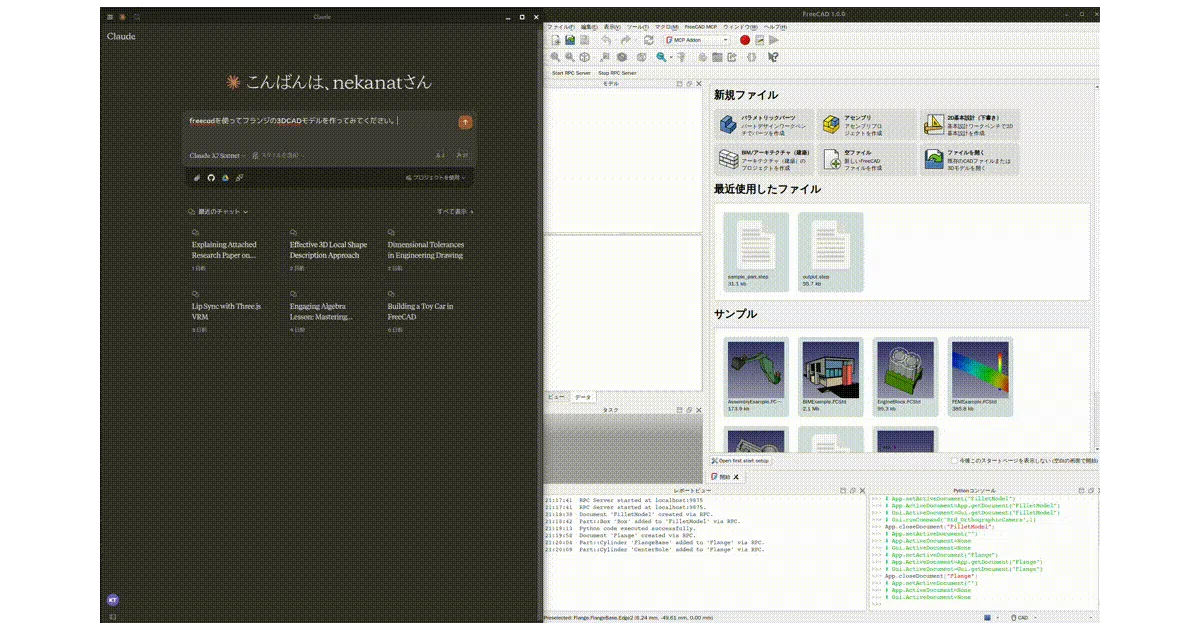
This is a two-part bridge: a FreeCAD workbench add-on that starts an RPC server inside the CAD application, and a Python MCP server that Claude Desktop talks to. The result is that you can describe a part in chat—“design a flange” or “make a toy car from this 2D drawing”—and Claude manipulates FreeCAD’s document tree, geometry, and even finite-element analysis runs on your behalf.
The interesting bit
The project treats FreeCAD as a headless geometry kernel that happens to have a GUI. Claude doesn’t just generate Python scripts; it calls structured tools (create_object, edit_object, execute_code, run_fem_analysis) and gets back screenshots or text summaries, closing the loop between intent and parametric model. The FEM tool is a nice surprise: it auto-creates a CalculiX solver setup if one is missing and returns max von Mises stress and displacement.
Key highlights
- Eleven exposed tools, from document creation to arbitrary Python execution inside FreeCAD’s interpreter
- Screenshot feedback (
get_view) so Claude can see what it built and iterate visually - Remote-control mode: run FreeCAD on a workstation and point Claude at it over the network, with IP allow-listing
- Auto-start RPC server option, persisted across FreeCAD sessions
- Optional
--only-text-feedbackflag to skip image tokens and keep API costs down - Includes an end-to-end cantilever FEM example
Caveats
- Setup is manual: install a FreeCAD add-on, restart, select the MCP workbench, start (or auto-start) the RPC server, then edit Claude Desktop’s JSON config
- The README is thorough on paths but doesn’t clarify what happens when Claude’s natural-language intent collides with FreeCAD’s parametric constraint failures
- Remote connection security is basic: IP allow-listing only, no TLS or authentication mentioned
Verdict
Worth a look if you do repetitive parametric modeling or want to experiment with LLM-driven CAD workflows. Skip it if you need production-grade reliability or a polished no-install experience; this is a capable integration layer, not a finished product.
Frequently asked
- What is neka-nat/freecad-mcp?
- A Model Context Protocol server that lets Claude Desktop control FreeCAD through natural language, complete with FEM analysis and remote-workstation support.
- Is freecad-mcp open source?
- Yes — neka-nat/freecad-mcp is open source, released under the MIT license.
- What language is freecad-mcp written in?
- neka-nat/freecad-mcp is primarily written in Python.
- How popular is freecad-mcp?
- neka-nat/freecad-mcp has 3.1k stars on GitHub and is currently cooling off.
- Where can I find freecad-mcp?
- neka-nat/freecad-mcp is on GitHub at https://github.com/neka-nat/freecad-mcp.