lucasastorian/llmwiki
Your research folder, ghostwritten by Claude
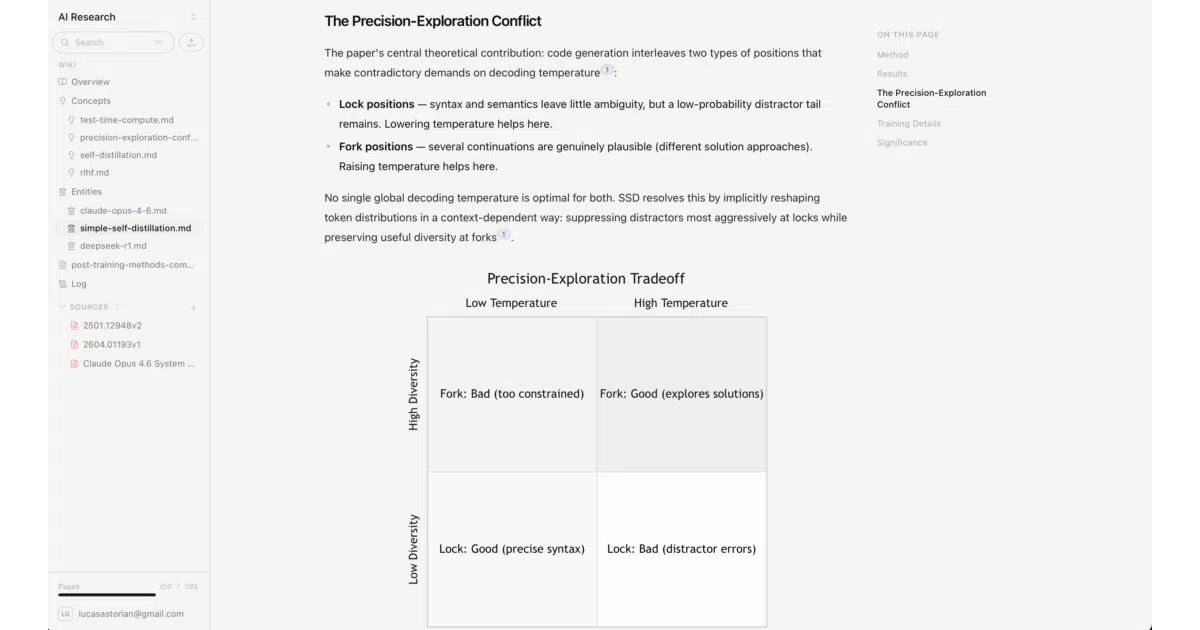
LLM Wiki turns a folder of PDFs and notes into a living markdown wiki by handing the tedious editing, linking, and citation work to an MCP-connected agent like Claude.
Velocity · 7d
+3.1
★ / day
Trend
→steady
star history
What it does
Point LLM Wiki at a folder full of PDFs, spreadsheets, and notes. It indexes everything into a local SQLite database, then exposes the contents to any MCP-capable agent—Claude, Cursor, or a local Llama model—via a stdio server. The agent reads your sources and writes ordinary markdown pages into a wiki/ directory, keeping cross-references and citations in sync while your original files stay completely untouched.
The interesting bit
The value is in the accumulating structure, not the chat. Instead of re-deriving summaries from scratch every session, the agent incrementally updates entity pages, fixes stale links, and flags contradictions across the workspace. The README nails the diagnosis: personal wikis die from maintenance fatigue, not lack of intent. This offloads the bookkeeping while leaving you in charge of the thinking.
Key highlights
- Runs fully offline by default; no cloud services or API keys needed for basic indexing and writing
- Filesystem is the source of truth:
wiki/pages are plain markdown editable anywhere, and the SQLite index is disposable and rebuildable - Works with any MCP client, not just Claude—opencode, Continue.dev, Cursor, or local models via Ollama
- Extracts text locally from PDFs, HTML, Excel, and more; optional Mistral OCR for table-heavy documents
- Self-hostable multi-tenant version available with Postgres, Supabase auth, and S3
Caveats
- Local search is SQLite FTS5 keyword search only—no semantic or vector search unless you switch to the hosted Postgres stack
- Default PDF table extraction is rough; prose works fine, but tables come through messy without the optional Mistral OCR upgrade
- No cross-process write locks, so concurrent edits from multiple MCP clients can overwrite each other
Verdict
Worth a look if your research folder is outgrowing your ability to maintain summaries and cross-references by hand. Look elsewhere if you need semantic search out of the box or a polished multi-user editing experience.
Frequently asked
- What is lucasastorian/llmwiki?
- LLM Wiki turns a folder of PDFs and notes into a living markdown wiki by handing the tedious editing, linking, and citation work to an MCP-connected agent like Claude.
- Is llmwiki open source?
- Yes — lucasastorian/llmwiki is open source, released under the Apache-2.0 license.
- What language is llmwiki written in?
- lucasastorian/llmwiki is primarily written in Python.
- How popular is llmwiki?
- lucasastorian/llmwiki has 1.7k stars on GitHub and is currently holding steady.
- Where can I find llmwiki?
- lucasastorian/llmwiki is on GitHub at https://github.com/lucasastorian/llmwiki.