jankais3r/LLaMA_MPS
LLaMA on Apple Silicon: Slow, Cool, and Power-Efficient
A PyTorch bridge that runs LLaMA and Alpaca on Apple Silicon GPUs so your MacBook can chat without sounding like a jet engine.
Not currently ranked — collecting fresh signals.
star history
What it does
LLaMA_MPS is a PyTorch wrapper that ports Meta’s LLaMA and Stanford’s Alpaca to Apple Silicon via the Metal Performance Shaders backend. It runs inference in either raw auto-complete mode or an instruction-following chat mode on a single Mac, provided you bring the original weights yourself. The repo also includes a resharding utility to merge the larger multi-file checkpoints into a single file so a lone GPU can load them.
The interesting bit
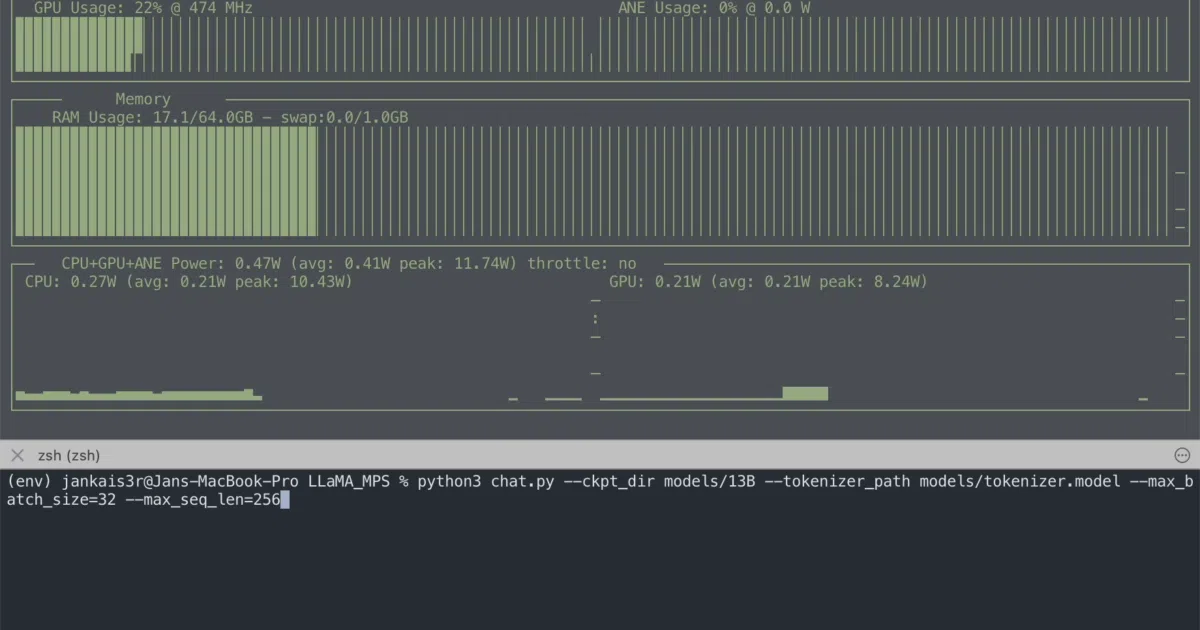
The README contains an unusually candid benchmark comparing this Python implementation against llama.cpp. While the C++ CPU version is slightly faster in raw tokens per second, LLaMA_MPS runs dramatically cooler and draws about a third of the power—10 W versus 35 W peak—because it targets the Apple Silicon GPU instead of burning CPU cycles. That makes it a pragmatic pick if you value lap temperature and battery life over raw throughput.
Key highlights
- Runs inference on Apple Silicon GPUs through PyTorch MPS rather than CPU
- Supports both base LLaMA and fine-tuned Alpaca chat modes
- Includes a resharding script to consolidate multi-part 13B, 30B, and 65B weights for single-GPU loading
- Published memory requirements are explicit: 16 GB RAM minimum for 7B, up to 96 GB recommended for 30B
- Repetition penalty and tunable batch size and sequence length for experimentation
Caveats
- Requires you to obtain and place the original Meta LLaMA weights manually; nothing is bundled
- 65B model support is listed but completely untested, with memory figures marked as unknown
- Slower tokens-per-second than llama.cpp; the speed-for-efficiency trade-off is real
Verdict
Mac users with plenty of unified memory who want a quieter, GPU-driven LLaMA experience should look here. If you need the fastest possible inference or have a lower-RAM machine, stick with llama.cpp instead.
Frequently asked
- What is jankais3r/LLaMA_MPS?
- A PyTorch bridge that runs LLaMA and Alpaca on Apple Silicon GPUs so your MacBook can chat without sounding like a jet engine.
- Is LLaMA_MPS open source?
- Yes — jankais3r/LLaMA_MPS is open source, released under the GPL-3.0 license.
- What language is LLaMA_MPS written in?
- jankais3r/LLaMA_MPS is primarily written in Python.
- How popular is LLaMA_MPS?
- jankais3r/LLaMA_MPS has 577 stars on GitHub.
- Where can I find LLaMA_MPS?
- jankais3r/LLaMA_MPS is on GitHub at https://github.com/jankais3r/LLaMA_MPS.