jacobgil/keras-grad-cam
X-ray specs for neural networks, circa 2016
A minimal Keras port of Grad-CAM that shows you exactly where your CNN is looking when it calls a cat a "tiger cat."
Not currently ranked — collecting fresh signals.
star history
What it does
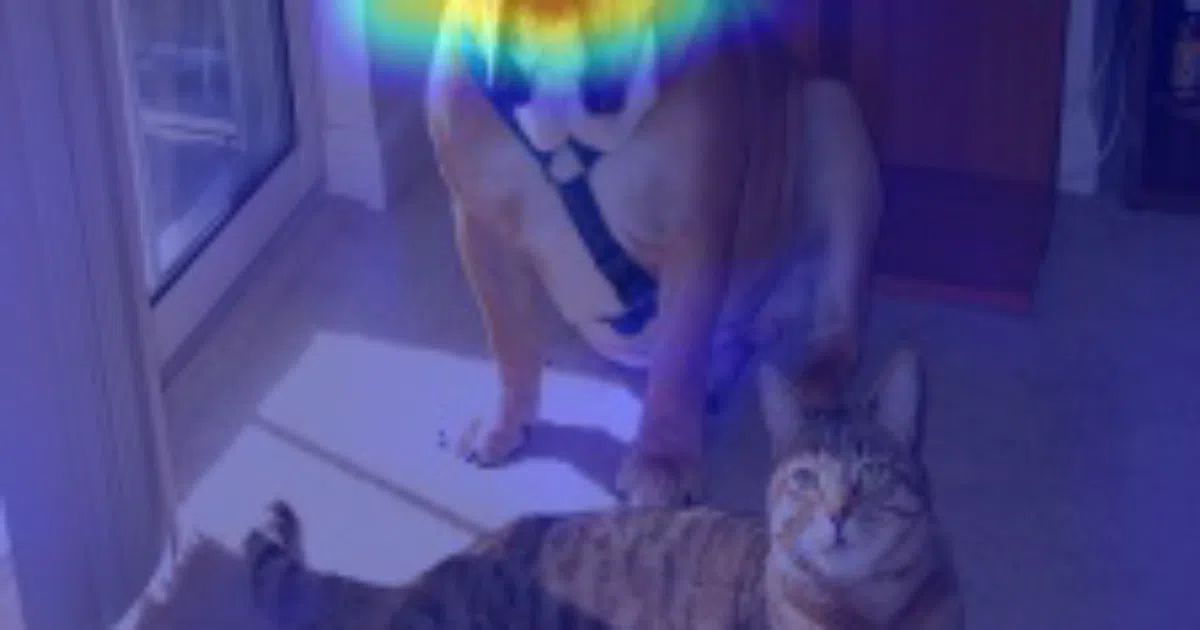
Feeds an image through VGG16, then overlays a heatmap of the class-specific gradients onto the original image. The hotter the pixel, the more it influenced the model’s decision. It’s a diagnostic tool: is your network looking at the cat’s face, or the decorative vase behind it?
The interesting bit
The original implementation was in Torch; this is a clean Keras/TensorFlow rewrite from the early days of mainstream deep learning. The “guided” variant (shown in examples) combines Grad-CAM with guided backprop for sharper visualizations — think of it as Grad-CAM with the blur filter turned off.
Key highlights
- Single-file implementation:
grad-cam.pyand a command-line invocation - Defaults to VGG16 from
keras.applications(weights auto-downloaded) - Includes both vanilla Grad-CAM and Guided Grad-CAM outputs
- Paper-correct: links directly to Selvaraju et al.’s 2016 arXiv preprint
- Example gallery covers boats, persian cats, and the classic cat-dog ambiguity set
Caveats
- Hard-coded to TensorFlow dimension ordering; Theano users need to adapt
- README doesn’t specify Keras/TensorFlow version compatibility — this is 2016-era code, so modern tf.keras may need tweaks
- No API or library packaging; it’s a script you copy and modify
Verdict
Worth a look if you’re teaching CNN interpretability or debugging a legacy Keras model. Skip it if you need a maintained, pip-installable tool — the ecosystem has moved on to packages like tf-keras-vis.
Frequently asked
- What is jacobgil/keras-grad-cam?
- A minimal Keras port of Grad-CAM that shows you exactly where your CNN is looking when it calls a cat a "tiger cat."
- Is keras-grad-cam open source?
- Yes — jacobgil/keras-grad-cam is open source, released under the MIT license.
- What language is keras-grad-cam written in?
- jacobgil/keras-grad-cam is primarily written in Python.
- How popular is keras-grad-cam?
- jacobgil/keras-grad-cam has 663 stars on GitHub.
- Where can I find keras-grad-cam?
- jacobgil/keras-grad-cam is on GitHub at https://github.com/jacobgil/keras-grad-cam.