google-gemini/gemini-cli
Google's terminal agent: free tier, real tools, no API key required
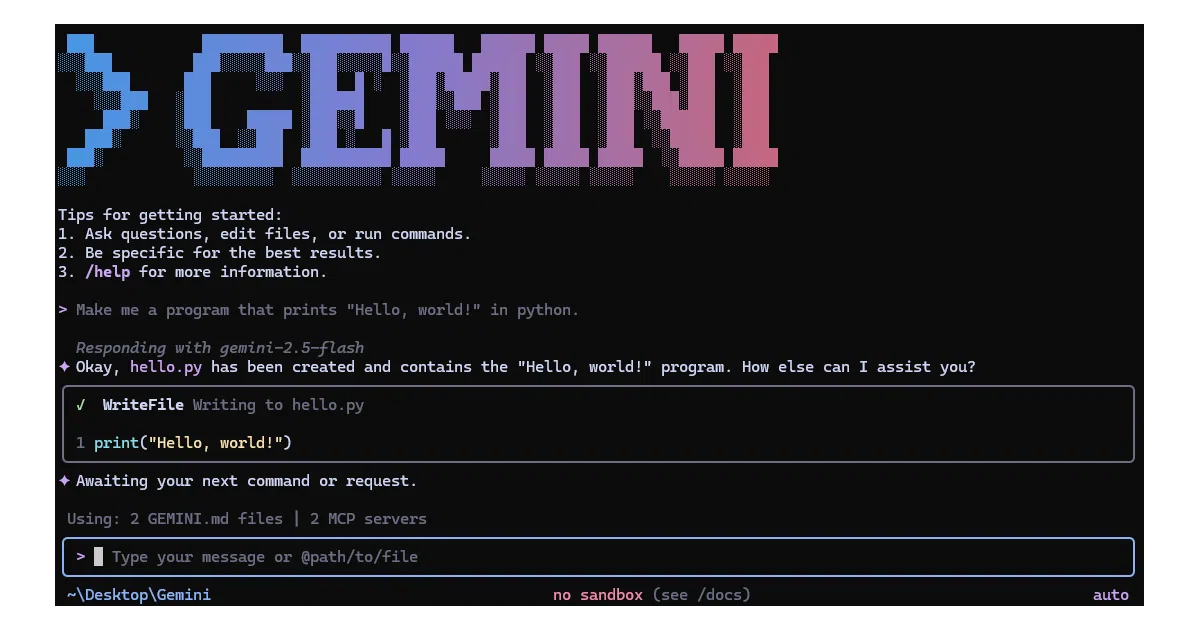
Gemini CLI is Google's bet that developers want an AI agent that actually lives in their shell, not just chats in a browser tab.
Velocity · 7d
+135
★ / day
Trend
↗accelerating
star history
What it does
Gemini CLI drops a conversational AI agent into your terminal with built-in access to file operations, shell commands, web fetching, and Google Search grounding. You can query codebases, generate projects from PDFs or sketches, automate GitHub workflows, or run headless in scripts with JSON output. It supports three auth paths: free Google sign-in (60 req/min, 1,000/day), API key, or Vertex AI for enterprise.
The interesting bit
The free tier requires zero API key management—just OAuth with a personal Google account. That’s unusually frictionless for a Google AI product. The MCP (Model Context Protocol) server support also means you can wire in arbitrary external tools—Slack, databases, even media generation—without waiting for official integrations.
Key highlights
- Free tier: 1,000 requests/day via Google sign-in, no credit card
- 1M token context window with Gemini 3 models
- Built-in tools: file system, shell execution, web fetch, Google Search
- MCP extensibility for custom tool servers
- Headless/scripting mode with
--output-format jsonandstream-json - Conversation checkpointing to resume complex sessions
GEMINI.mdcontext files for per-project behavior tuning- GitHub Action available for PR review and issue triage
Caveats
- Preview releases are explicitly “not fully vetted” and may contain regressions
- Nightly releases are published daily with “pending validations and issues”
- Enterprise/Vertex path requires Google Cloud project setup
Verdict
Worth a spin for terminal-dwelling developers who want an agent that can actually do things in their environment. Skip it if you’re already locked into another AI CLI with a workflow you like, or if you need guaranteed stability and can’t tolerate weekly release churn.
Frequently asked
- What is google-gemini/gemini-cli?
- Gemini CLI is Google's bet that developers want an AI agent that actually lives in their shell, not just chats in a browser tab.
- Is gemini-cli open source?
- Yes — google-gemini/gemini-cli is open source, released under the Apache-2.0 license.
- What language is gemini-cli written in?
- google-gemini/gemini-cli is primarily written in TypeScript.
- How popular is gemini-cli?
- google-gemini/gemini-cli has 108.4k stars on GitHub and is currently accelerating.
- Where can I find gemini-cli?
- google-gemini/gemini-cli is on GitHub at https://github.com/google-gemini/gemini-cli.