google-ai-edge/gallery
Test open-source LLMs on your phone without touching the cloud
It is a native mobile sandbox for downloading, benchmarking, and interacting with open-source LLMs and multimodal models entirely on-device.
Velocity · 7d
+13
★ / day
Trend
→steady
star history
What it does
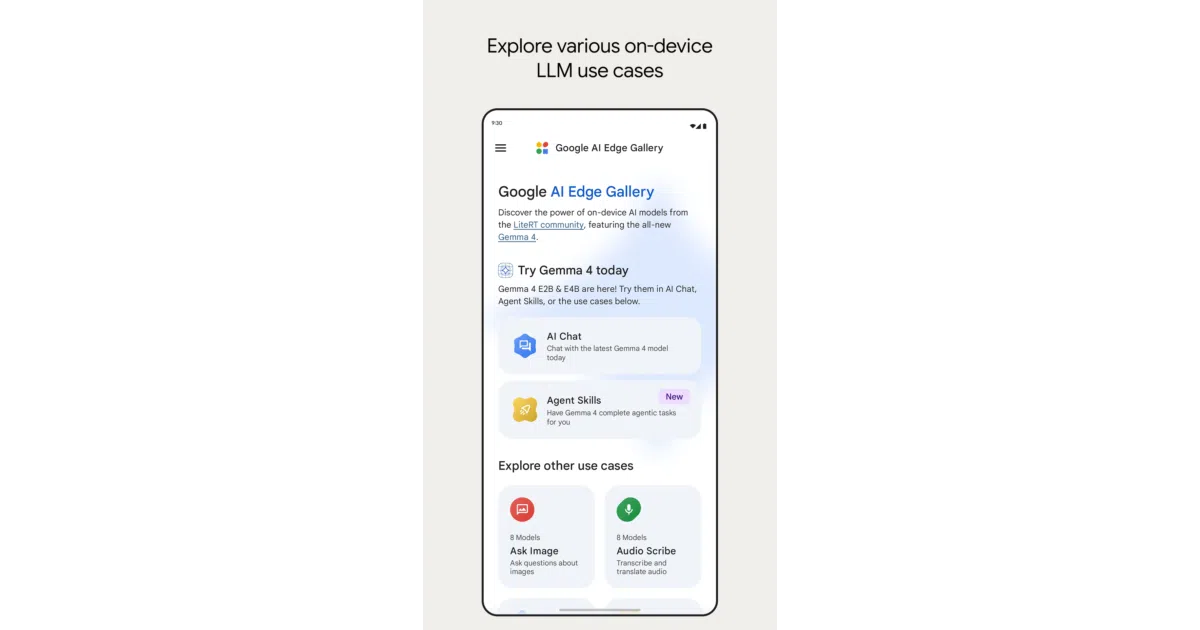
AI Edge Gallery is a native Android and iOS app that downloads and runs open-source generative models locally using Google AI Edge and LiteRT. It wraps inference into a set of interactive demos—chat with step-by-step reasoning visibility, multimodal image Q&A, audio transcription, and even phone automation via small function-calling models—so users can evaluate how models actually behave on specific mobile hardware without sending data to a server.
The interesting bit
The app treats your phone as a full evaluation lab rather than just a chat client. It includes a Prompt Lab for parameter tuning, hardware-specific benchmarking, and modular Agent Skills that can be loaded from a URL, effectively turning the device into a local, programmable assistant platform. The Thinking Mode that exposes Gemma 4’s reasoning chain is a nice diagnostic lens for debugging model logic on real silicon.
Key highlights
- Runs inference 100% on-device; no network required for prompts or model execution.
- Supports the Gemma 4 family, including a Thinking Mode that surfaces step-by-step reasoning for supported models.
- Multimodal tools: camera-based image Q&A, real-time voice transcription and translation, and a dedicated prompt-testing workspace with temperature and top-k control.
- Offline device automation via a fine-tuned FunctionGemma 270M model, including a whimsical natural-language gardening mini-game.
- Model management with built-in hardware benchmarking and support for loading custom models alongside the curated Hugging Face catalog.
Caveats
- The release is explicitly labeled experimental Beta, so rough edges and API churn are expected.
- Thinking Mode and some agent capabilities are currently tied to specific model families like Gemma 4, so not every downloaded model supports the full feature set.
- Requires Android 12 or iOS 17 and up, leaving older devices behind.
Verdict
Developers building on-device AI or evaluating open models for mobile deployment should install this immediately; if you are looking for a polished end-user assistant or cloud-scale throughput, this is still a testing ground, not a product.
Frequently asked
- What is google-ai-edge/gallery?
- It is a native mobile sandbox for downloading, benchmarking, and interacting with open-source LLMs and multimodal models entirely on-device.
- Is gallery open source?
- Yes — google-ai-edge/gallery is open source, released under the Apache-2.0 license.
- What language is gallery written in?
- google-ai-edge/gallery is primarily written in Kotlin.
- How popular is gallery?
- google-ai-edge/gallery has 25.1k stars on GitHub and is currently holding steady.
- Where can I find gallery?
- google-ai-edge/gallery is on GitHub at https://github.com/google-ai-edge/gallery.