github/copilot-cli
GitHub Copilot trades the IDE for a terminal tab
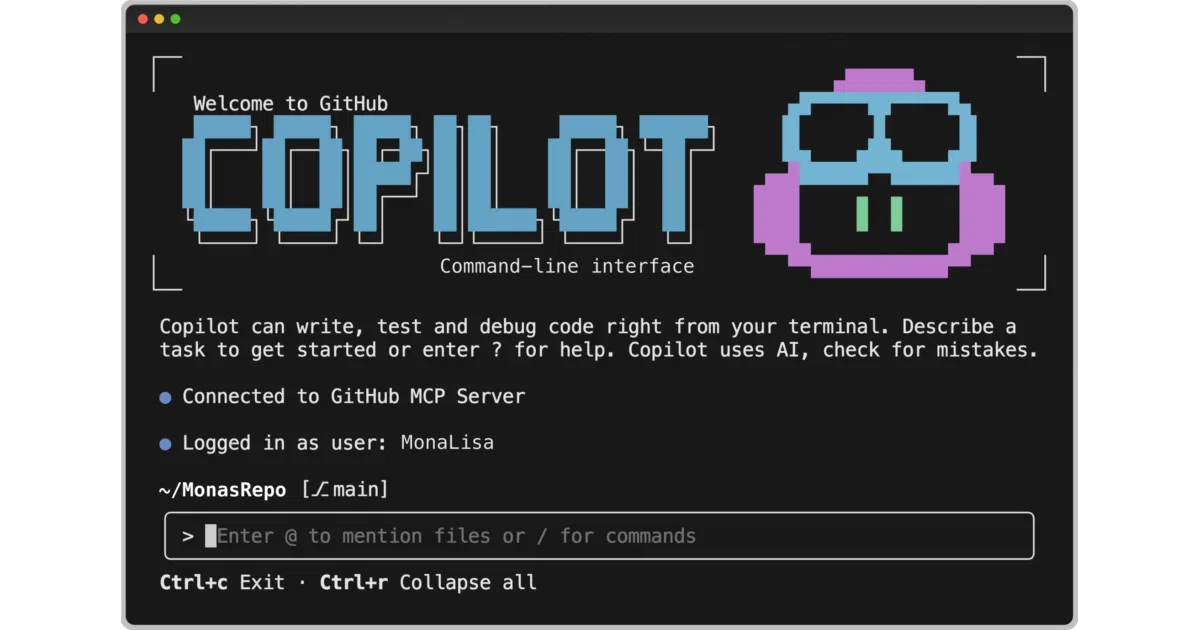
It brings GitHub's agentic Copilot assistant into your terminal, letting you build, debug, and refactor code through natural language without leaving your shell.
Velocity · 7d
+3.4
★ / day
Trend
→steady
star history
What it does
GitHub Copilot CLI is a terminal-native interface to the same agentic harness that powers GitHub Copilot. You chat in natural language to build, edit, debug, or refactor local code, and the agent previews every proposed action before executing it. It also hooks into your GitHub account to read repositories, issues, and pull requests.
The interesting bit
Unlike passive autocomplete, it runs an agentic backend that plans multi-step tasks, and it ships with GitHub’s MCP server by default while allowing custom MCP servers to extend its reach. Every prompt costs one premium request from your Copilot quota, so the meter is always running.
Key highlights
- Requires an active GitHub Copilot subscription; enterprise admins can disable access at the org level.
- Defaults to
Claude Sonnet 4.5, withClaude Sonnet 4andGPT-5available via the/modelcommand. - Supports LSP for go-to-definition and diagnostics, but you must install and configure language servers yourself in
~/.copilot/lsp-config.jsonor per-repo.github/lsp.json. - Includes an experimental “Autopilot” mode that nudges the agent to keep working until a task is finished.
- Actions are gated behind explicit user approval; nothing executes blindly.
Caveats
- The project is explicitly early-stage and iterating rapidly, so expect frequent changes and rough edges.
- Each prompt consumes a premium request, which could get expensive if you treat it like a casual shell assistant.
- LSP servers are not bundled, so out-of-the-box code intelligence depends on manual configuration.
Verdict
Worth a look if you already pay for Copilot and prefer living in the terminal over an IDE. Skip it if you expect a free, drop-in replacement for your shell or want fully autonomous agent execution.
Frequently asked
- What is github/copilot-cli?
- It brings GitHub's agentic Copilot assistant into your terminal, letting you build, debug, and refactor code through natural language without leaving your shell.
- Is copilot-cli open source?
- Yes — github/copilot-cli is an open-source project tracked on heatdrop.
- What language is copilot-cli written in?
- github/copilot-cli is primarily written in Shell.
- How popular is copilot-cli?
- github/copilot-cli has 11.3k stars on GitHub and is currently holding steady.
- Where can I find copilot-cli?
- github/copilot-cli is on GitHub at https://github.com/github/copilot-cli.