garrytan/gstack
A YC CEO’s open-source software factory for Claude Code
gstack turns Claude Code into a structured engineering team so a single founder can ship like a twenty-person startup without writing most of the code.
Feature · 13 Oct 2026
The YC President Open-Sourced His Engineering Org
gstack is Garry Tan's bet that the scarce resource in AI-assisted software is no longer code — it's process, and one person running a disciplined pipeline of agents can now do the work of a team.
Read the in-depth article →
Velocity · 7d
+123
★ / day
Trend
↘cooling
star history
What it does
gstack is a set of 23 opinionated slash-command skills—/office-hours, /review, /qa, /ship, and others—that turn Claude Code into a virtual engineering org. Each command adopts a persona—CEO, eng manager, designer, QA lead, security officer—and runs a specific phase of a product sprint, from reframing the problem to opening a real browser for end-to-end testing. The skills chain together automatically: a design doc written by /office-hours feeds into /plan-ceo-review, whose output feeds into /plan-eng-review, and so on until /ship opens the pull request. It is, in essence, a management methodology expressed as Markdown prompts and shell glue.
The interesting bit
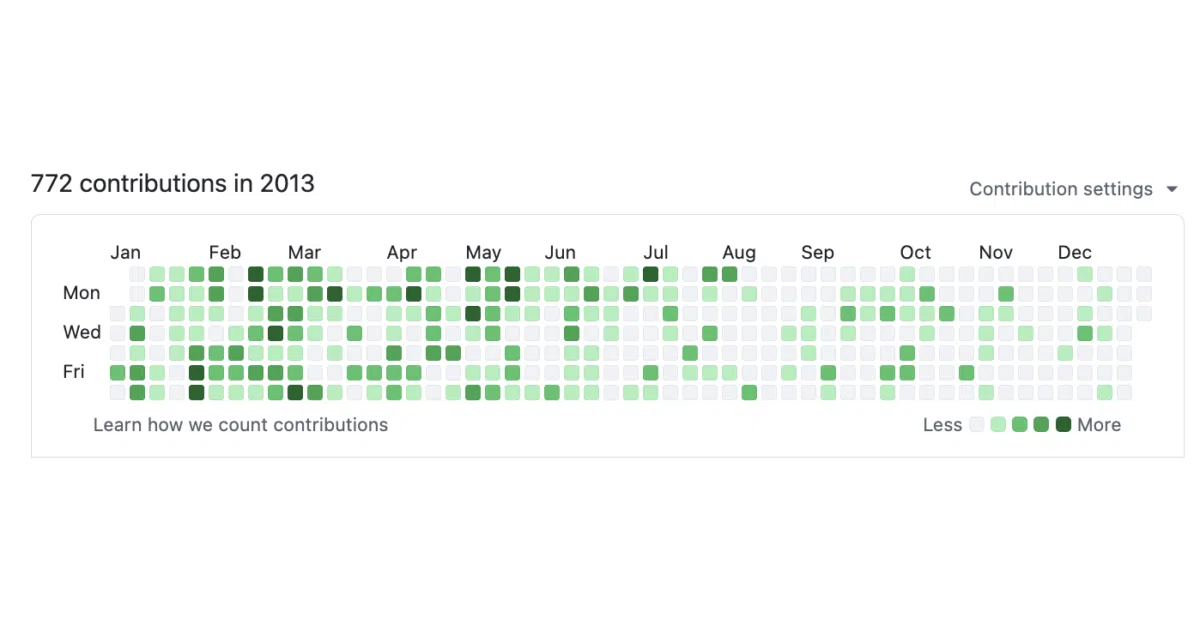
The project treats prompt engineering as organizational design. Tan claims his 2026 run rate is roughly 810× his 2013 pace—11,417 versus 14 logical code changes per day—measured across 40 repos, and he publishes the full methodology and caveats openly. The stack also auto-detects and installs into ten different AI agents, from OpenAI Codex to Cursor, though Claude Code is clearly the first-class citizen.
Key highlights
- 23 specialist roles mapped to slash commands (
/csofor security audits,/qafor real browser testing,/retrofor weekly reflection) - Skills chain sequentially: downstream commands automatically read artifacts produced by upstream ones
- Supports ten AI coding agents via host-specific installation, though Claude Code is the first-class citizen
- Team mode silently auto-updates skills for shared repositories without vendoring files
- Includes native OpenClaw skills for conversational planning and debugging without spawning a full coding session
Caveats
- The dramatic productivity metrics are self-reported and normalized by the author; the README includes a dedicated caveat page about LOC inflation
- It is fundamentally a prompt-and-process wrapper around Claude Code; if you do not use a supported agent, there is no standalone tool
- The workflow is aggressively opinionated—it will “push back on your framing”—so it assumes you want to be challenged, not just assisted
Verdict
Try it if you are a technical founder or staff engineer who already lives in Claude Code and wants a structured, opinionated workflow to force-multiply shipping. Skip it if you are looking for a generic IDE plugin or a coordination tool for human teams.
Frequently asked
- What is garrytan/gstack?
- gstack turns Claude Code into a structured engineering team so a single founder can ship like a twenty-person startup without writing most of the code.
- Is gstack open source?
- Yes — garrytan/gstack is open source, released under the MIT license.
- What language is gstack written in?
- garrytan/gstack is primarily written in TypeScript.
- How popular is gstack?
- garrytan/gstack has 137.7k stars on GitHub and is currently cooling off.
- Where can I find gstack?
- garrytan/gstack is on GitHub at https://github.com/garrytan/gstack.