dataelement/dsh-desktop
A Desktop Shell for DeepSeek’s Local Agent Runtime
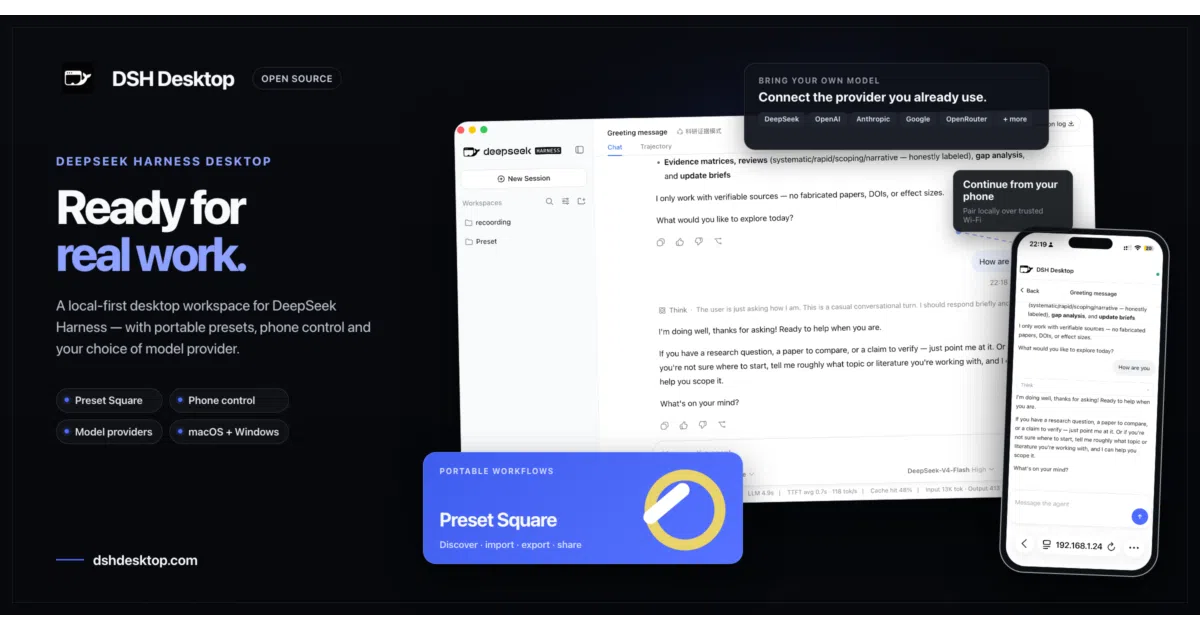
It wraps DeepSeek Harness in a hardened Electron shell so you can run a local-first AI agent without managing CLI child processes or loopback ports.
Feature · 07 Sep 2026
DSH Desktop: Making DeepSeek’s Agent Runtime a Native App
A community-built Electron shell turns DeepSeek Harness from a Node.js web service into a local-first desktop product with third-party model support and one-click deployment.
Read the in-depth article →
Velocity · 7d
+204
★ / day
Trend
↘cooling
star history
What it does
DSH Desktop is an Electron wrapper around DeepSeek Harness, the upstream agent runtime and Web UI. It launches the Harness backend as a managed child process, binds it to a random loopback port, and loads the interface in a hardened BrowserWindow. Your profiles, plugins, and sessions live outside the application directory so upgrades do not wipe them.
The interesting bit
The project does not reimplement Harness; it supplies the host capabilities the upstream web runtime lacks: an application-owned launch directory, graceful child-process lifecycle management, and renderer sandboxing with contextIsolation and Node.js privileges stripped. It also patches the upstream UI for desktop-specific onboarding and preset transfers using patch-package, because the pinned upstream release candidate is still evolving rapidly.
Key highlights
- Runs the full Harness web UI inside a hardened Electron shell with sandboxing and navigation restrictions.
- Automatically creates and reuses an internal launch directory, eliminating the usual first-run folder prompt.
- Imports and exports portable
.dshpresetpackages with conflict checks and a trust warning before installation. - Persists user data—profiles, sessions, and plugins—outside the app installation path to survive updates.
- macOS builds are code-signed and notarized; Windows x64 packaging is configured but runtime verification is still pending.
Caveats
- Still an early preview pinned to a rapidly evolving upstream release candidate (
@deepseek-ai/dsh@0.1.0-rc.6). - Runtime verification on macOS Intel and Windows x64 has not yet been completed; Windows ARM64 is not supported.
- Automatic update integration is not yet wired up, though the app can already check for updates.
Verdict Worth a look if you want DeepSeek Harness as a local desktop app without babysitting Node child processes. Skip it if you are looking for a fully reimplemented native client or need Windows ARM64.
Frequently asked
- What is dataelement/dsh-desktop?
- It wraps DeepSeek Harness in a hardened Electron shell so you can run a local-first AI agent without managing CLI child processes or loopback ports.
- Is dsh-desktop open source?
- Yes — dataelement/dsh-desktop is open source, released under the MIT license.
- What language is dsh-desktop written in?
- dataelement/dsh-desktop is primarily written in TypeScript.
- How popular is dsh-desktop?
- dataelement/dsh-desktop has 12.2k stars on GitHub and is currently cooling off.
- Where can I find dsh-desktop?
- dataelement/dsh-desktop is on GitHub at https://github.com/dataelement/dsh-desktop.