ayuayue/PiDeck
Your pi agents need a manager, not another terminal tab
PiDeck exists to unify scattered `pi` coding agent sessions into a single desktop workbench, importing Codex and Claude history so you don't have to manage AI context through terminal tabs alone.
Velocity · 7d
+17
★ / day
Trend
↗accelerating
star history
What it does
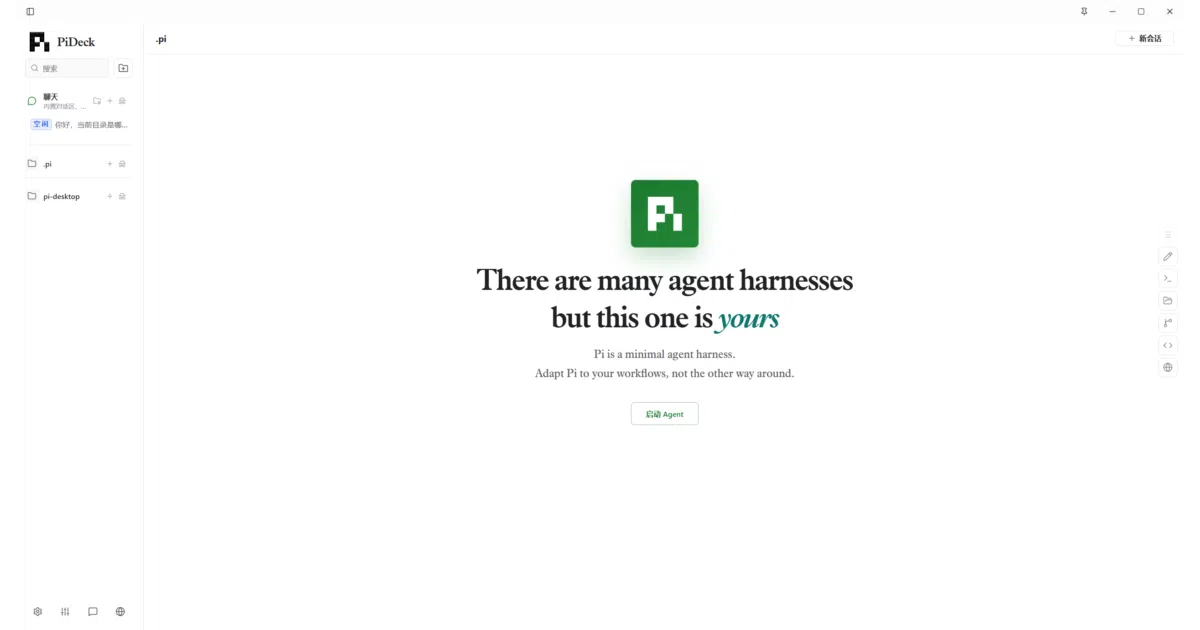
PiDeck is an Electron-based desktop shell that wraps the pi CLI coding agent. It spins up isolated pi --mode rpc processes per project tab, giving you a GUI to juggle multiple agent sessions, browse file trees, and manage configurations without drowning in terminal windows. It also imports local Codex and Claude sessions so you can migrate history into its unified sidebar.
The interesting bit
The architecture is deliberately thin: PiDeck handles the project workspace, chat UI, Git status, and terminal dock, but every actual agent capability—tool use, model calls, context management—stays inside pi’s own runtime. It’s more of a mission-control dashboard than a fork, which keeps the scope honest for a 503-star experimental project.
Key highlights
- Spawns one isolated
piRPC process per agent tab, keeping projects strictly separated - Imports and converts Codex and Claude local sessions into browsable, resumable history
- Bundles a file tree with Git branch switching, an inline terminal dock, and a built-in browser preview drawer
- Visual editors for pi’s JSON configs (
models.json,auth.json,settings.json) plus skill/extension management - LAN web server mode so nearby devices can connect, and a system-tray minimizer for background operation
Caveats
- Requires the
piCLI pre-installed and available in your systemPATH; it is strictly a shell, not a standalone agent - Marked experimental (v0.6.7), and the README notes that real IPC functionality only works inside Electron—browser preview mode uses mock data
Verdict
Worth a look if you’re already using pi across several repos and want a native desktop layer to track sessions, Git state, and history imports. If you don’t use pi, or prefer running agents inside your existing editor, this adds little.
Frequently asked
- What is ayuayue/PiDeck?
- PiDeck exists to unify scattered `pi` coding agent sessions into a single desktop workbench, importing Codex and Claude history so you don't have to manage AI context through terminal tabs alone.
- Is PiDeck open source?
- Yes — ayuayue/PiDeck is open source, released under the MIT license.
- What language is PiDeck written in?
- ayuayue/PiDeck is primarily written in TypeScript.
- How popular is PiDeck?
- ayuayue/PiDeck has 901 stars on GitHub and is currently accelerating.
- Where can I find PiDeck?
- ayuayue/PiDeck is on GitHub at https://github.com/ayuayue/PiDeck.