anomalyco/opencode
An open-source coding agent with a read-only conscience
It gives your terminal an AI pair programmer that can either build freely or explore cautiously without touching your files.
Feature · 10 Jun 2026
OpenCode's 160K Stars Hide a Messier Truth About Open-Source AI Agents
An open-source coding agent with staggering adoption and a privacy-first pitch, built on a foundation of breakneck releases, silent cloud calls, and a TypeScript monolith that chews through a gigabyte of RAM.
Read the in-depth article →
Velocity · 7d
+529
★ / day
Trend
↘cooling
star history
What it does
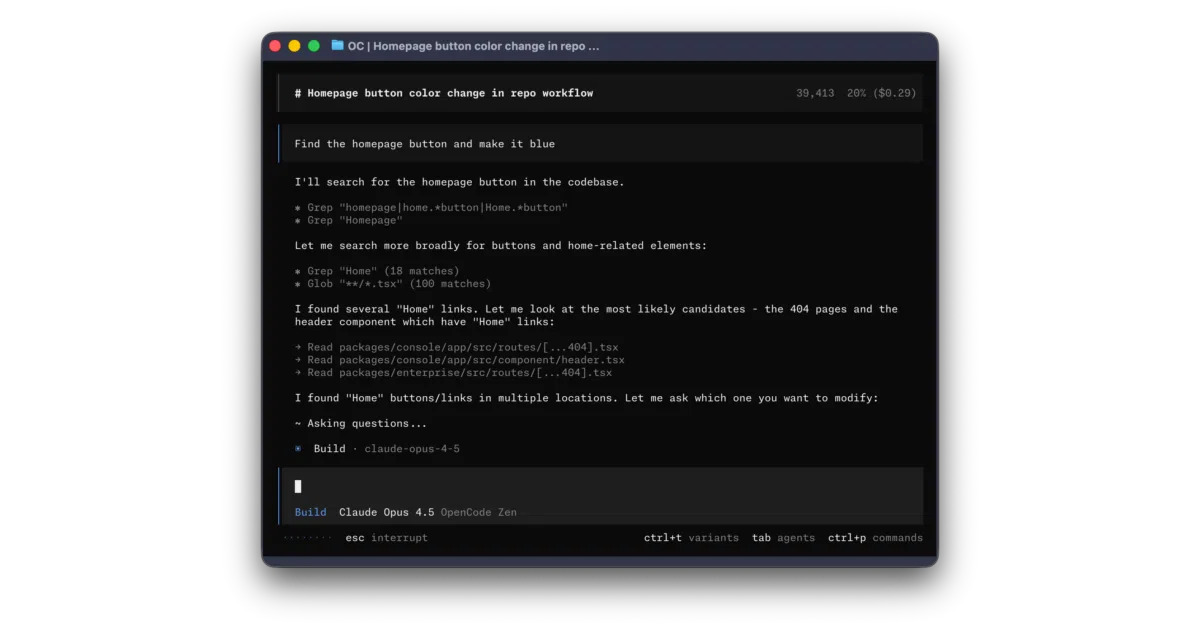
OpenCode is an open-source AI coding agent that lives in your terminal and, more recently, in a cross-platform desktop app. It edits code and runs commands through a chat interface, toggling between a default build agent with full file access and a plan agent that refuses edits and asks permission before executing shell commands. The README is notably quiet on architecture—what model powers it, how context is managed, or whether it works offline is never stated—so expect to do some spelunking to understand the engine beneath the UI.
The interesting bit
Most coding agents assume write access is the default; OpenCode treats read-only exploration as a first-class mode, switchable with the Tab key. There is also a hidden @general subagent for complex multi-step tasks, suggesting the authors view a single monolithic agent as insufficient for real-world codebases.
Key highlights
- Terminal-first workflow with a desktop app currently in beta for macOS, Windows, and Linux
- Two built-in agents:
build(full access) andplan(read-only, denies file edits by default) - A
generalsubagent invoked with@generalfor complex searches and multi-step operations - Distribution coverage is unusually broad, spanning registries, system package managers, and a one-line installer
- README translated into roughly twenty languages, from Bosnian to Vietnamese
Caveats
- The desktop app is explicitly labeled beta
- Technical details—model provider, context strategy, offline capability—are omitted from the README; you will need to consult the external docs or source code
- The maintainers already warn third-party projects to disclaim affiliation, suggesting ecosystem sprawl that could confuse users
Verdict
Worth a look if you want an open-source alternative to closed-source coding assistants and appreciate the safety of a read-only mode, but pass if you need deep technical transparency before installing; the README reads more like a distribution manifest than a design document.
Frequently asked
- What is anomalyco/opencode?
- It gives your terminal an AI pair programmer that can either build freely or explore cautiously without touching your files.
- Is opencode open source?
- Yes — anomalyco/opencode is open source, released under the MIT license.
- What language is opencode written in?
- anomalyco/opencode is primarily written in TypeScript.
- How popular is opencode?
- anomalyco/opencode has 221.6k stars on GitHub and is currently cooling off.
- Where can I find opencode?
- anomalyco/opencode is on GitHub at https://github.com/anomalyco/opencode.