agegr/pi-web
Your CLI coding agent, now with a visual memory and a mouse
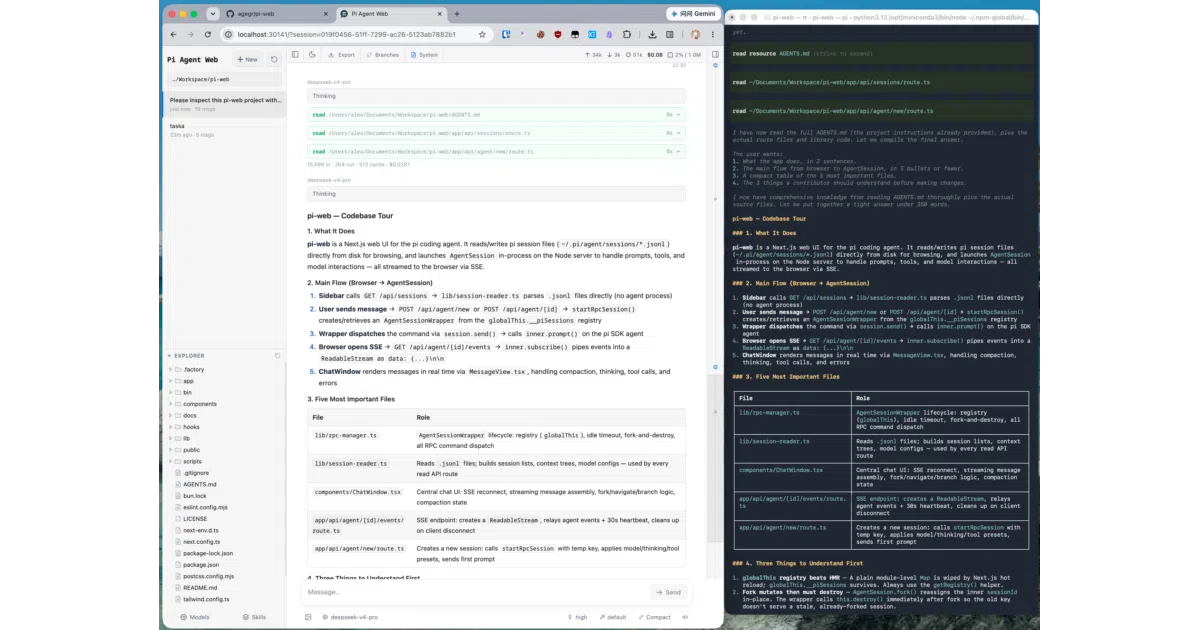
pi-web gives the pi coding agent a local browser UI so you can browse past sessions, fork conversations, and preview files instead of digging through terminal history.
Feature · 07 Aug 2026
The Browser Skin for a Terminal-Born Agent
agegr/pi-web turns the local pi coding agent’s JSONL session files into a structured, browsable workspace, giving a command-line tool the visual affordances of a modern IDE.
Read the in-depth article →
Velocity · 7d
+24
★ / day
Trend
↘cooling
star history
What it does
pi-web is a local dashboard for the pi coding agent. It reads the agent’s .jsonl session files from ~/.pi/agent/sessions and renders them into a browser workspace for browsing conversation history by project, chatting via Server-Sent Events, and previewing source files, images, PDFs, audio, and DOCX without leaving the tab. It turns the agent’s raw log files into a navigable project companion.
The interesting bit
Instead of replacing the CLI, it mirrors and extends it. The UI can switch Git worktrees from the sidebar, fork a conversation into a new .jsonl file, or branch mid-session inside the same log—treating conversation history like version control for your prompts. It also surfaces terminal state the CLI never had room for, like context usage, cost, and compaction status, in a persistent top bar.
Key highlights
- Browse and resume past pi sessions by project without digging through terminal history or encoded file paths.
- Fork conversations into new
.jsonlfiles or branch mid-session to try different directions safely. - Switch Git worktrees from the sidebar so new sessions follow the checkout you choose.
- Preview source, diffs, images, audio, PDFs, and DOCX files in a split-pane layout while chatting.
- Configure models, API keys, skills, and thinking levels from the web UI instead of editing config files by hand.
Verdict
Developers already running the pi coding agent and tired of scrolling through terminal output should try this; anyone not using pi-mono locally will find it has nothing to talk to.
Frequently asked
- What is agegr/pi-web?
- pi-web gives the pi coding agent a local browser UI so you can browse past sessions, fork conversations, and preview files instead of digging through terminal history.
- Is pi-web open source?
- Yes — agegr/pi-web is open source, released under the MIT license.
- What language is pi-web written in?
- agegr/pi-web is primarily written in TypeScript.
- How popular is pi-web?
- agegr/pi-web has 7.1k stars on GitHub and is currently cooling off.
- Where can I find pi-web?
- agegr/pi-web is on GitHub at https://github.com/agegr/pi-web.