MarkPDFdown/markpdfdown
PDF to Markdown by actually looking at the page
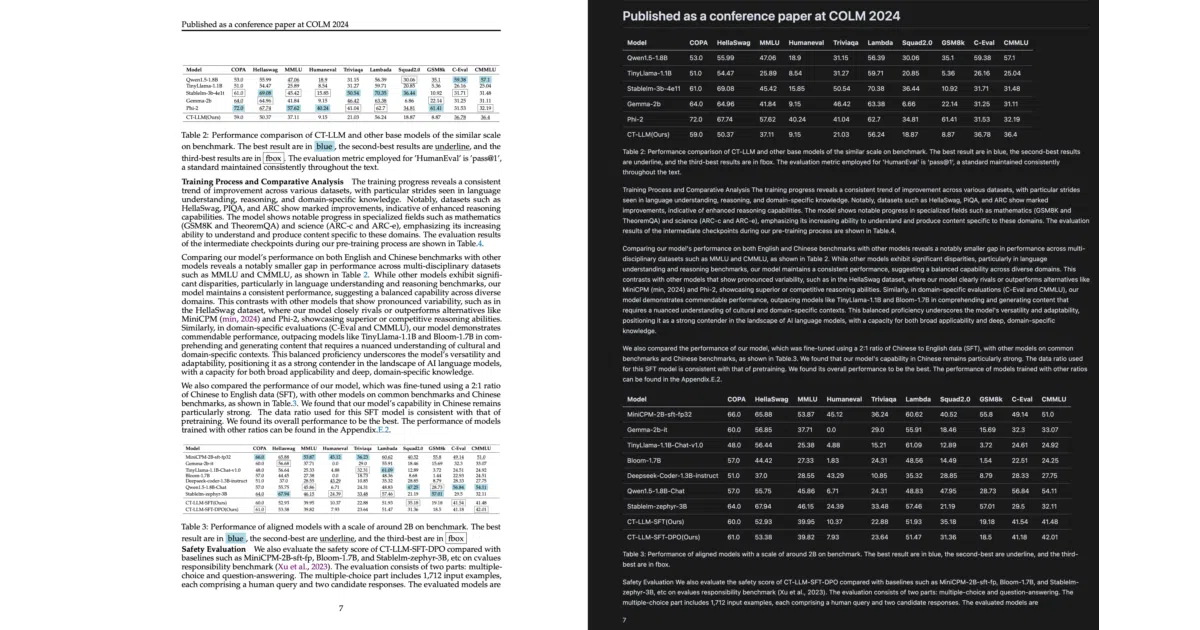
Uses multimodal LLMs to transcribe PDFs into Markdown, preserving complex layouts that traditional extractors mangle.
Not currently ranked — collecting fresh signals.
star history
What it does
MarkPDFdown converts PDFs (and images) into Markdown by rendering pages and sending them to multimodal LLMs through LiteLLM. It aims to preserve headings, lists, tables, and other structural formatting that conventional text-extraction tools often destroy.
The interesting bit
Instead of scraping hidden text layers, it treats each page as a screenshot and asks a vision model to transcribe what it sees. That makes it layout-aware enough to handle formulas and diagrams, though every page consumes API tokens.
Key highlights
- Routes to OpenAI or OpenRouter vision models via LiteLLM
- Supports file-based and pipe-based CLI usage
- Can target specific page ranges or convert standalone images
- Companion desktop GUI app lives in a separate repository
- Modular Python architecture with clean separation of concerns
Caveats
- Requires API keys for external LLM providers; cannot run fully offline
- README touts format preservation but offers no accuracy benchmarks or cost estimates
Verdict
Useful for developers or researchers fed up with broken PDF-to-text conversions and willing to rely on external vision APIs for better fidelity. Skip it if you need fully offline or local processing.
Frequently asked
- What is MarkPDFdown/markpdfdown?
- Uses multimodal LLMs to transcribe PDFs into Markdown, preserving complex layouts that traditional extractors mangle.
- Is markpdfdown open source?
- Yes — MarkPDFdown/markpdfdown is open source, released under the Apache-2.0 license.
- What language is markpdfdown written in?
- MarkPDFdown/markpdfdown is primarily written in Python.
- How popular is markpdfdown?
- MarkPDFdown/markpdfdown has 2.3k stars on GitHub.
- Where can I find markpdfdown?
- MarkPDFdown/markpdfdown is on GitHub at https://github.com/MarkPDFdown/markpdfdown.