EdjeElectronics/TensorFlow-Object-Detection-on-the-Raspberry-Pi
Object detection on a Pi: the tutorial that actually holds your hand
A step-by-step guide for running TensorFlow's Object Detection API on Raspberry Pi hardware that won't leave you guessing which protobuf version you need.
Not currently ranked — collecting fresh signals.
star history
What it does
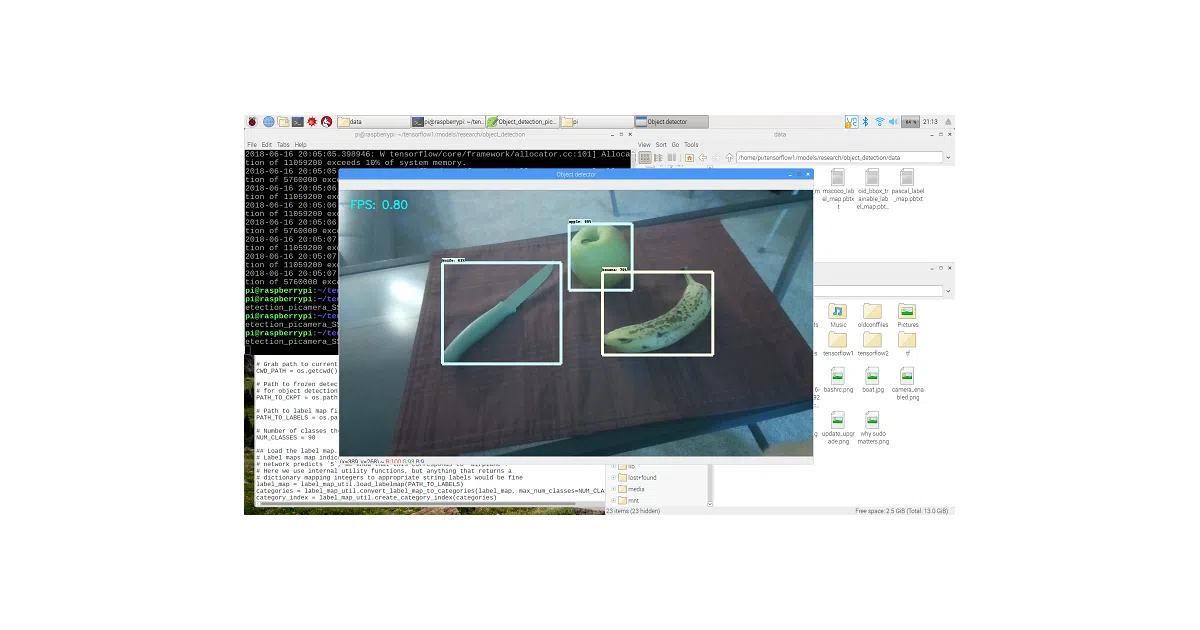
This repository is a tutorial, not a library. It walks you through installing TensorFlow, OpenCV, and Protocol Buffers on a Raspberry Pi, then wiring them together to detect objects in a live Picamera or USB webcam feed. The included Object_detection_picamera.py script loads a pre-trained model, initializes the camera, and draws bounding boxes on whatever it recognizes.
The interesting bit
The author updated the guide in 2019 to swap out the old nightmare installation path—compiling protobuf from source, fetching TensorFlow from a third-party repo—for simple pip3 install and apt-get commands. There’s also a “Pet Detector” bonus script that texts you when the cat wants out, which is either charming or a warning about feature creep in your home automation setup.
Key highlights
- Targets Raspberry Pi 3B with Raspbian Stretch, though newer setups “will likely work”
- Uses SSDLite-MobileNet, the fastest (and lowest-accuracy) model from Google’s model zoo, to squeeze >1 FPS out of the Pi’s CPU
- Supports swapping in custom trained models by editing three variables in the script
- Includes a playing card detector model as a drop-in example, hosted on Dropbox
Object_detection_picamera.pyworks with both Picamera and USB webcams via a--usbcamflag
Caveats
- Written for TensorFlow v1.8.0; the ecosystem has moved on significantly
- The “higher than 1 FPS” claim is modest—this is real-time only if your definition of real-time is generous
- Custom model integration requires hand-editing paths and class counts in the script; no configuration file
Verdict Grab this if you’ve got a Pi collecting dust and want a Saturday project with tangible results. Skip it if you’re looking for a maintained, production-ready edge inference pipeline—TensorFlow Lite and modern frameworks have left this approach behind.
Frequently asked
- What is EdjeElectronics/TensorFlow-Object-Detection-on-the-Raspberry-Pi?
- A step-by-step guide for running TensorFlow's Object Detection API on Raspberry Pi hardware that won't leave you guessing which protobuf version you need.
- Is TensorFlow-Object-Detection-on-the-Raspberry-Pi open source?
- Yes — EdjeElectronics/TensorFlow-Object-Detection-on-the-Raspberry-Pi is open source, released under the Apache-2.0 license.
- What language is TensorFlow-Object-Detection-on-the-Raspberry-Pi written in?
- EdjeElectronics/TensorFlow-Object-Detection-on-the-Raspberry-Pi is primarily written in Python.
- How popular is TensorFlow-Object-Detection-on-the-Raspberry-Pi?
- EdjeElectronics/TensorFlow-Object-Detection-on-the-Raspberry-Pi has 1.2k stars on GitHub.
- Where can I find TensorFlow-Object-Detection-on-the-Raspberry-Pi?
- EdjeElectronics/TensorFlow-Object-Detection-on-the-Raspberry-Pi is on GitHub at https://github.com/EdjeElectronics/TensorFlow-Object-Detection-on-the-Raspberry-Pi.