yynxxxxx/Codex-X
Tauri ops center for Codex CLI and its scattered configs
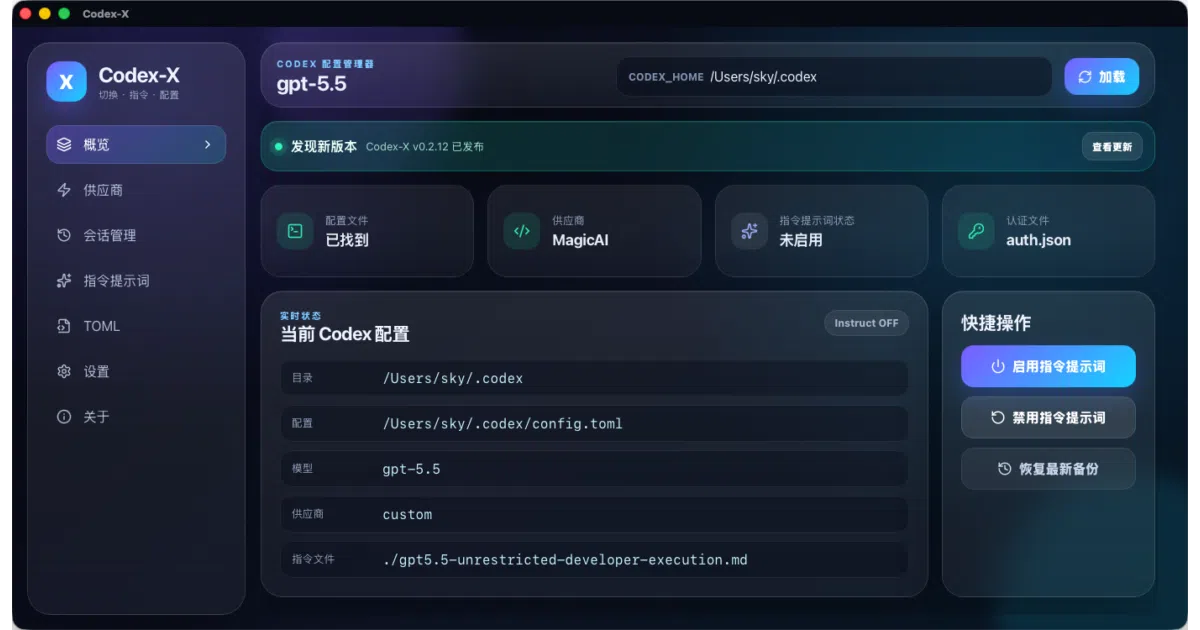
It corrals OpenAI Codex’s scattered configs—prompts, APIs, sessions, and TOML—into one desktop UI so you stop hand-editing files.
Velocity · 7d
+11
★ / day
Trend
→steady
star history
What it does
Codex-X is a cross-platform desktop manager built with Tauri and React that acts as a control panel for OpenAI Codex desktop and CLI. It gives you a GUI to swap prompt templates, switch between official and third-party API providers, tidy up local chat sessions, and manage Skills and MCP servers—all without manually touching config.toml or auth.json. Think of it as a settings dashboard for a tool that otherwise expects you to live in text editors and JSON files.
The interesting bit
The app ships with built-in prompt templates that lean heavily into security research and CTF workflows, including “unrestricted” jailbreak-style prompts and injection tests for SQLi and APK reverse engineering. That is a surprisingly specific niche for what looks like a generic config manager, and it suggests the author built this primarily to streamline their own red-teaming and reversing workflow around Codex.
Key highlights
- Prompt template library with 5 presets (3 offline, 2 synced from GitHub), including options to append or fully replace existing instructions
- Provider switching with live API health checks and automatic deduplication when importing from
cc-switch - Session manager that searches, groups by project, detects anomalies, and can permanently wipe selected conversations
- Centralized Skills and MCP management with ZIP import, enable/disable toggles, and update checks
- Visual TOML and
auth.jsoneditor with automatic backups before any write
Caveats
- Permanent session deletion is irreversible and requires closing active Codex windows first, so the cleanup tools are sharp-edged
- Several built-in prompt templates and screenshots reference jailbreak, NSFW, and injection testing scenarios that may not align with all use cases
- The README is primarily Chinese; English documentation exists but is not shown in the default view
Verdict
Grab it if you live in Codex CLI and need a GUI to switch providers, manage prompts, and clean up session cruft. Pass if you rarely touch Codex or prefer managing configs manually.
Frequently asked
- What is yynxxxxx/Codex-X?
- It corrals OpenAI Codex’s scattered configs—prompts, APIs, sessions, and TOML—into one desktop UI so you stop hand-editing files.
- Is Codex-X open source?
- Yes — yynxxxxx/Codex-X is open source, released under the MIT license.
- What language is Codex-X written in?
- yynxxxxx/Codex-X is primarily written in Rust.
- How popular is Codex-X?
- yynxxxxx/Codex-X has 4.3k stars on GitHub and is currently holding steady.
- Where can I find Codex-X?
- yynxxxxx/Codex-X is on GitHub at https://github.com/yynxxxxx/Codex-X.