u14app/neo-chat
Self-host Gemini with plugins and a 4 MB desktop sidekick
It wraps Google's Gemini models in a privacy-first, plugin-ready chat UI you can self-host in under a minute.
Not currently ranked — collecting fresh signals.
star history
What it does
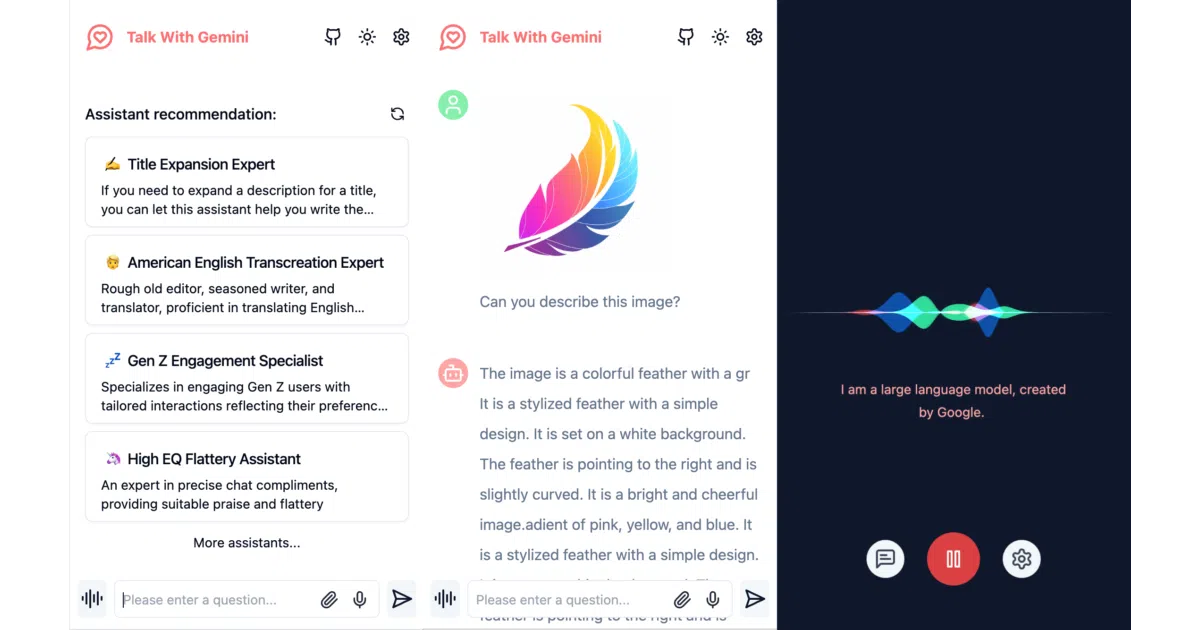
Gemini Next Chat is a Next.js interface for Google’s Gemini models. You can self-host it on Vercel, Cloudflare, or any static host, or run a ~4 MB cross-platform desktop app built with Tauri. It handles text, images, audio, and video through both standard and multimodal live APIs, and stores all conversation data locally in the browser.
The interesting bit
The project keeps all chat data in the browser, which is unusual for a tool that also offers function-calling plugins like web search, ArXiv lookup, and weather. That local-first storage paired with a cloud AI API creates a neat split-trust model—your history stays home while the reasoning happens elsewhere.
Key highlights
- Multimodal support including live voice and video via Gemini’s Multimodal Live API
- Built-in plugin system with web search, web reader, ArXiv search, and weather tools
- ~4 MB desktop client for Windows, macOS, and Linux that sits in the system tray
- All chat data stays in the browser; no server-side conversation persistence
- Assistant market with hundreds of pre-built system instructions
Caveats
- Networked Deep Research mode and a local knowledge base are on the roadmap but not yet implemented.
- Cloudflare deployment exists, but the README admits it requires following a separate guide rather than matching Vercel’s one-click flow.
- The optional server-side API key does not override the frontend key, so users still manage credentials in the UI unless the admin explicitly enables server-side proxying.
Verdict
Developers who want a self-hosted Gemini client with plugins and a tiny desktop app will find this a solid starting point. If you need deep research or a local knowledge base today, wait for the roadmap to catch up.
Frequently asked
- What is u14app/neo-chat?
- It wraps Google's Gemini models in a privacy-first, plugin-ready chat UI you can self-host in under a minute.
- Is neo-chat open source?
- Yes — u14app/neo-chat is open source, released under the MIT license.
- What language is neo-chat written in?
- u14app/neo-chat is primarily written in TypeScript.
- How popular is neo-chat?
- u14app/neo-chat has 1.9k stars on GitHub.
- Where can I find neo-chat?
- u14app/neo-chat is on GitHub at https://github.com/u14app/neo-chat.