sachinhosmani/torchvista
Interactive PyTorch forward-pass maps for notebook dwellers
torchvista turns PyTorch forward passes into interactive, explorable graphs inside notebooks so you can debug shape mismatches and nested modules visually instead of tracing them mentally.
Not currently ranked — collecting fresh signals.
star history
What it does
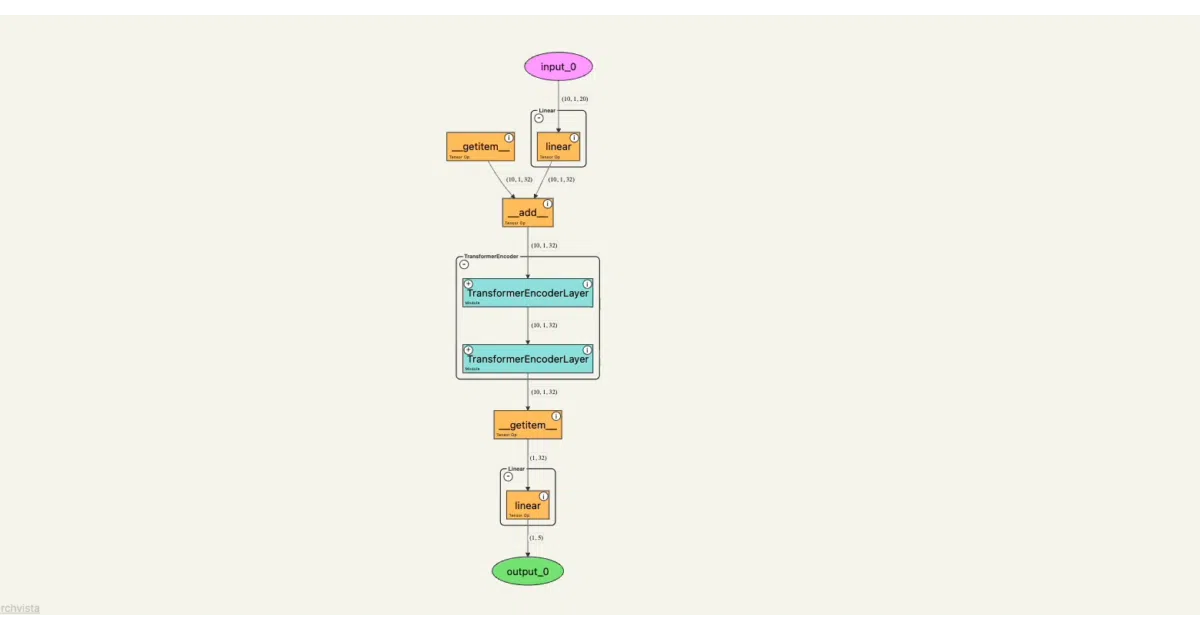
torchvista traces a PyTorch model as it runs on sample inputs and draws an interactive map of the forward pass inside web-based notebooks like Jupyter, Colab, Kaggle, and VS Code. The graph shows tensors, operations, and nested modules, and you can pan, zoom, or collapse nodes to inspect hierarchy without leaving the notebook environment. It can also export the visualization as PNG, SVG, or HTML if you need a static artifact.
The interesting bit
When a forward pass throws a shape mismatch, torchvista renders a partial graph up to the point of failure instead of leaving you with only a stack trace. It also collapses nested modules hierarchically, letting you zoom out to the architecture level or drill down into specific layers without rerunning the cell.
Key highlights
- Interactive, draggable graph rendered natively in Jupyter, Colab, Kaggle, and VS Code notebooks
- Collapsible nodes for hierarchical modules so you can toggle between overview and layer-level detail
- Error-tolerant partial visualization that still draws the graph up to the point of a forward-pass failure
- Click any node to inspect parameters, attributes, and shape info inline
- Exports to PNG, SVG, or HTML for sharing or documentation
Caveats
- Custom export paths currently work only for HTML; PNG and SVG exports must use the default path behavior.
- The experimental
show_compressed_viewfeature only recognizes repeating nodes insideSequentialandModuleList, and the README warns it can get expensive on large models. - It is explicitly built for web-based notebooks; there is no mention of support for standalone scripts or non-interactive environments.
Verdict
Worth a look if you spend more time squinting at print(model) outputs or tracing shape mismatches in notebooks than you’d like. If you already have a preferred standalone graph visualizer or rarely use notebooks, it probably won’t change your workflow.
Frequently asked
- What is sachinhosmani/torchvista?
- torchvista turns PyTorch forward passes into interactive, explorable graphs inside notebooks so you can debug shape mismatches and nested modules visually instead of tracing them mentally.
- Is torchvista open source?
- Yes — sachinhosmani/torchvista is open source, released under the GPL-3.0 license.
- What language is torchvista written in?
- sachinhosmani/torchvista is primarily written in Python.
- How popular is torchvista?
- sachinhosmani/torchvista has 763 stars on GitHub.
- Where can I find torchvista?
- sachinhosmani/torchvista is on GitHub at https://github.com/sachinhosmani/torchvista.