openai/mcp-extensions
OpenAI wants your MCP plugins to stop looking like guests
MCP Extensions adds ChatGPT-native UI hooks — sidebars, file viewers, composer mentions — to the Model Context Protocol.
Collecting fresh signals — velocity needs a few days of history.
collecting data…
star history
What it does
This repo extends MCP with ChatGPT-specific capabilities so a plugin can behave less like a bolt-on tool and more like part of the app. Concretely: your plugin can register a sidebar entrypoint, take over file viewing for file types it supports, surface its resources as @-mentions in the composer, and render richer elicitation forms (e.g. thumbnail pickers). There’s a TypeScript SDK (@openai/mcp-extensions) for MCP servers and Apps, plus a Python one (openai-mcp-extensions) for servers.
The interesting bit
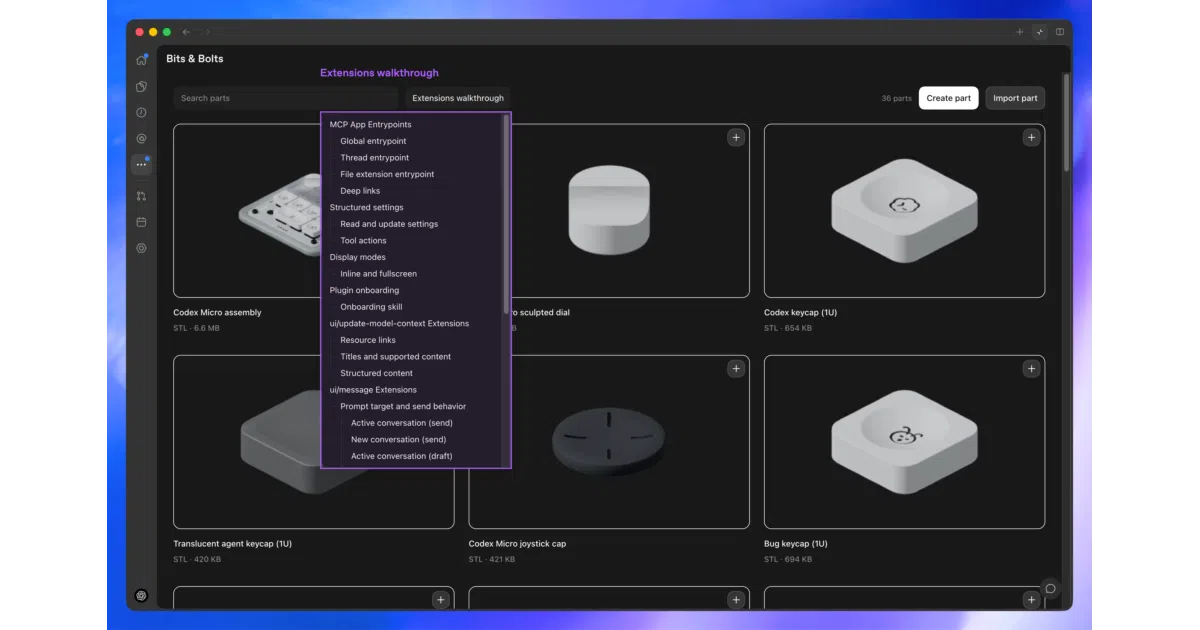
MCP standardizes how models call tools, but says nothing about UI — so plugins end up as chat-only oracles. These extensions fill that gap with actual surface area inside ChatGPT, which is a meaningful shift in what “plugin” means here. The spec lives in docs/spec.md, and the bundled Bits & Bolts CAD demo plugin shows the whole thing working end to end.
Key highlights
- Sidebar entrypoints so users reach your app without prompting
- Custom file viewers triggered by file extension
- Composer @-mentions that search and reference your plugin’s resources
- Extended elicitation forms with image/thumbnail choices
- Reference plugin (Bits & Bolts) plus a patterns doc for best practices
Caveats
- These are ChatGPT-specific extensions, not part of the MCP standard — portability to other MCP clients is unclear from the README
- The README leans on asking
@Plugin Creatorin Codex to get started; the docs beyond the spec links aren’t deep
Verdict
Worth a look if you’re building MCP plugins and want them to feel native in ChatGPT rather than conversational-only. If you target multiple MCP clients, the vendor-specific layer deserves a careful read first.
Frequently asked
- What is openai/mcp-extensions?
- MCP Extensions adds ChatGPT-native UI hooks — sidebars, file viewers, composer mentions — to the Model Context Protocol.
- Is mcp-extensions open source?
- Yes — openai/mcp-extensions is open source, released under the Apache-2.0 license.
- What language is mcp-extensions written in?
- openai/mcp-extensions is primarily written in TypeScript.
- How popular is mcp-extensions?
- openai/mcp-extensions has 1k stars on GitHub.
- Where can I find mcp-extensions?
- openai/mcp-extensions is on GitHub at https://github.com/openai/mcp-extensions.