nrl-ai/llama-assistant
A voice-activated assistant that refuses to call the cloud
Built for developers who want a hands-free desktop assistant without shipping a single byte to the cloud.
Not currently ranked — collecting fresh signals.
star history
What it does
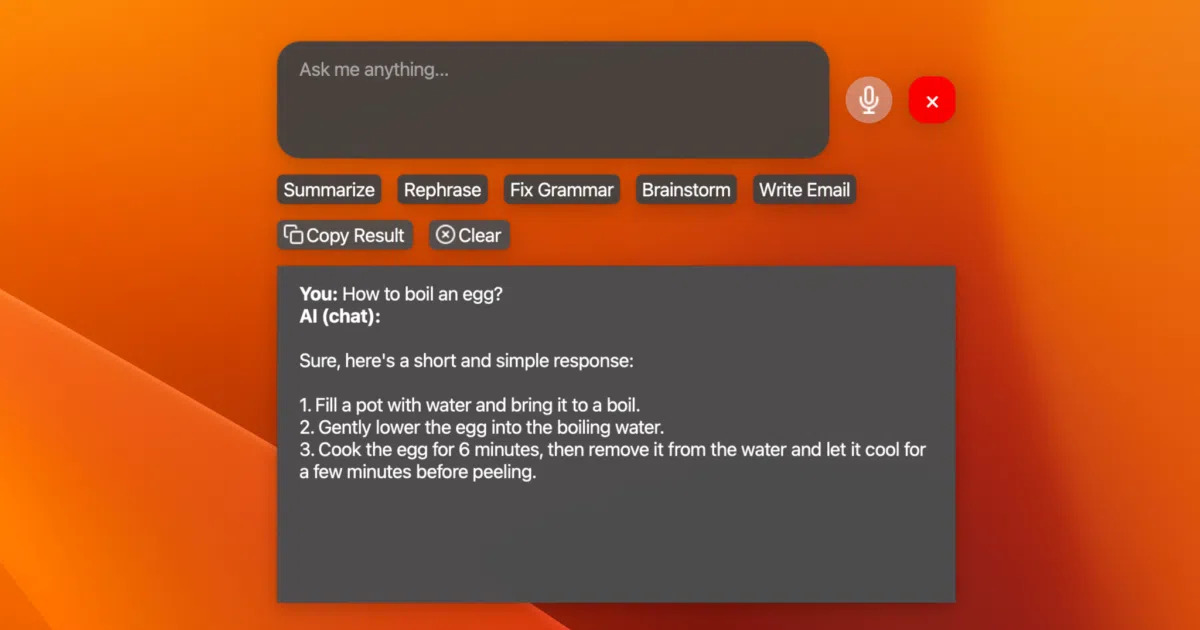
Llama Assistant is a PyQt desktop app that listens for a wake word or a global hotkey, then runs your voice through WhisperCPP and fires the resulting text into a local LLM via llama.cpp. It answers questions, summarizes text, rephrases sentences, and can be extended with custom action buttons that carry their own prompts. Everything stays on your machine: it pulls from HuggingFace GGUF models and claims to send nothing to external servers.
The interesting bit The project treats small quantized models—down to 0.5B parameters—as a viable personal staff. It bundles LlamaIndex for a local knowledge database and can capture your screen for OCR analysis, essentially trying to replicate a cloud assistant’s toolkit using only CPU or GPU cycles you already own. That is a lot of glue, but it is ambitious glue.
Key highlights
- Runs fully offline on Llama 3.2, DeepSeek-R1 distill, Qwen, Gemma, and other
llama.cpp-compatible GGUFs. - Voice input via offline WhisperCPP with a “Hey Llama!” wake word and a global hotkey (
Cmd+Shift+Spaceon macOS). - Custom action buttons let you create, reorder, and hide prompt-driven workflows from the UI.
- Includes LlamaIndex integration for a local knowledge base and screen-capture OCR via Screen Spot.
- Adjustable UI transparency and a settings JSON for tinkerers.
Caveats
- The README still marks image analysis as “(TODO)” even though multimodal models like Moondream2 and LLaVA are listed as supported, so it is unclear what actually works today.
- Packaging for Windows, Linux, and macOS is still on the TODO list; installation currently requires manual dependency wrangling like PortAudio and, on Windows, a MinGW-w64 toolchain.
- No automated tests or CI/CD pipeline yet, and several headline features—plugin system, email integration, multi-language support—remain unchecked.
Verdict Worth a look if you want a hackable, offline voice assistant and do not mind living on the bleeding edge of a pre-1.0 project. If you need something that installs cleanly or just works out of the box, check back after the packaging TODO is crossed off.
Frequently asked
- What is nrl-ai/llama-assistant?
- Built for developers who want a hands-free desktop assistant without shipping a single byte to the cloud.
- Is llama-assistant open source?
- Yes — nrl-ai/llama-assistant is open source, released under the GPL-3.0 license.
- What language is llama-assistant written in?
- nrl-ai/llama-assistant is primarily written in Python.
- How popular is llama-assistant?
- nrl-ai/llama-assistant has 529 stars on GitHub.
- Where can I find llama-assistant?
- nrl-ai/llama-assistant is on GitHub at https://github.com/nrl-ai/llama-assistant.