miaomiaosoft/PandaOCR
A Windows OCR Switchboard Hooking 20 Cloud APIs and Resellers
A free Windows utility that hotkeys screenshots through two dozen Chinese and international cloud APIs for OCR, translation, and text-to-speech.
★5.3k stars Computer Vision
Not currently ranked — collecting fresh signals.
star history
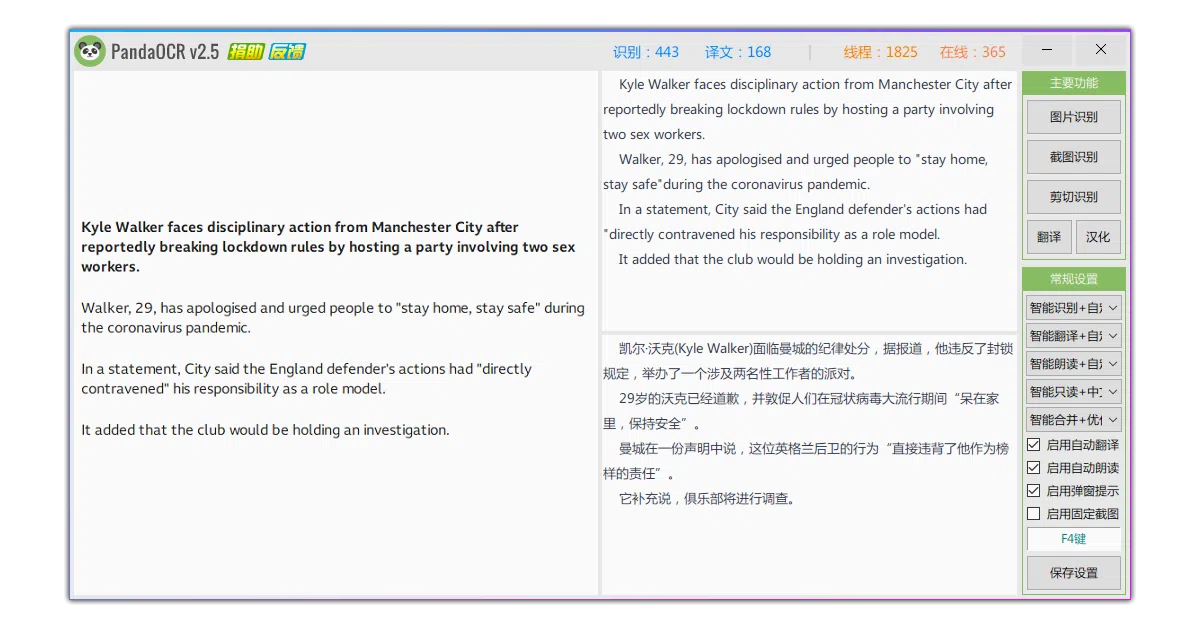
What it does PandaOCR is a Windows utility that snaps screenshots and routes them through a sprawling catalog of online services—OCR, formula recognition, table extraction, translation, and text-to-speech. It acts as a single hotkey-driven switchboard for domestic Chinese cloud APIs like Baidu, Tencent, and Alibaba alongside international options such as Google, DeepL, and Yandex. Beyond screenshots, it monitors the clipboard, previews results in a side popup, and can even attempt rudimentary localization of English-only software interfaces.
The interesting bit
The author treats cloud APIs like a buffet, letting users mix free demo tiers with paid keys across roughly twenty OCR providers, and hides extra features inside a CONFIG.INI file that never made it to the GUI. The README also devotes space to scolding Taobao resellers who sell this free tool, which is an oddly specific community grievance.
Key highlights
- Aggregates roughly 20 OCR engines, two dozen translation engines, and multiple TTS providers behind one screenshot workflow
- Specialized endpoints for formula and table recognition via Mathpix, Baidu, Tencent, and Alibaba
- Fixed-area capture and corner-of-screen triggers aimed at gamers translating Japanese visual novels or raw subtitles
- Maintenance-mode since 2022; the author now pushes PandaOCR.Pro as the actively developed successor
- Requires administrator privileges and global input hooks to keep hotkeys alive inside games
Caveats
- Entirely online: no offline engines, and the author explicitly warns against feeding it confidential or commercial data
- Known screenshot glitches on high-DPI displays and multi-monitor setups, requiring manual Windows DPI workarounds
- Effectively frozen; new feature development happens only in the closed-source Pro version
Verdict Useful if you are a Windows user already juggling multiple Chinese cloud OCR accounts or need quick subtitle translation for games and videos. Skip if you need offline processing, cross-platform support, or a tool that still receives new features.
Frequently asked
- What is miaomiaosoft/PandaOCR?
- A free Windows utility that hotkeys screenshots through two dozen Chinese and international cloud APIs for OCR, translation, and text-to-speech.
- Is PandaOCR open source?
- Yes — miaomiaosoft/PandaOCR is an open-source project tracked on heatdrop.
- How popular is PandaOCR?
- miaomiaosoft/PandaOCR has 5.3k stars on GitHub.
- Where can I find PandaOCR?
- miaomiaosoft/PandaOCR is on GitHub at https://github.com/miaomiaosoft/PandaOCR.