longy2k/obsidian-bmo-chatbot
Your Obsidian notes, now with a chatty sidekick
BMO Chatbot embeds LLMs directly into Obsidian so you can brainstorm, generate text, and query your current note without leaving your vault.
Not currently ranked — collecting fresh signals.
star history
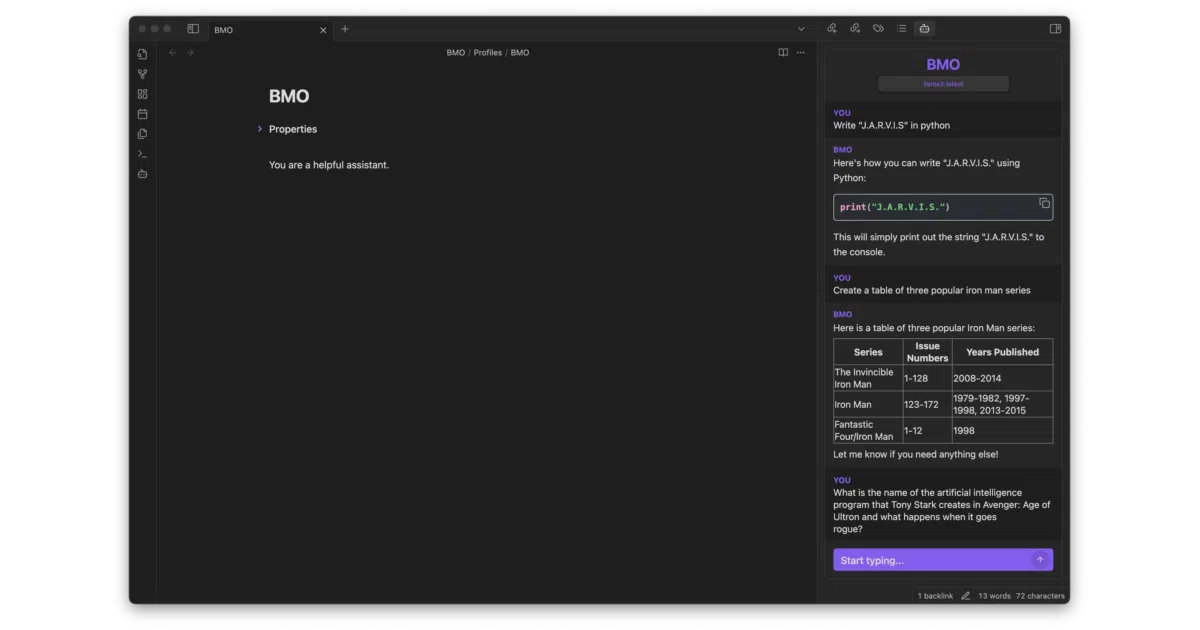
What it does BMO Chatbot is an Obsidian plugin that wires LLMs into your note-taking workflow. It adds a chat panel where you can talk to local models via Ollama or LM Studio, or cloud providers like OpenAI, Anthropic, Google Gemini, and Mistral. You can generate text from the editor, reference your current note in chat, save conversations as markdown, and even render Dataview blocks inside chat responses.
The interesting bit The “Prompt Select Generate” command lets you highlight text, fire a custom prompt at it, and insert the result—turning your editor into a lightweight AI-powered scratchpad. The profiles system is the other quietly useful piece: you can spin up different bots with their own system prompts, temperatures, and personalities for distinct tasks.
Key highlights
- Supports self-hosted models (Ollama, LM Studio, LocalAI) alongside commercial APIs
- Chat can reference and reason about the note you’re currently editing
- Slash commands for model switching, temperature tweaks, saving/loading chat history, and appending chats to notes
- Markdown rendering inside chat, including Obsidian plugins like Dataview
- Customizable bot names and profiles with per-bot presets
Caveats
- Anthropic models cannot be aborted mid-generation; the README warns you may need to reload the plugin if something goes sideways
- The maintainer notes they are “currently too busy to update the project,” so future development depends on community PRs
Verdict Worth a look if you want LLM assistance tightly integrated with your note-taking rather than bouncing between a browser and Obsidian. Skip it if you need a heavily maintained, enterprise-grade tool—this is a solo project running on spare time and community contributions.
Frequently asked
- What is longy2k/obsidian-bmo-chatbot?
- BMO Chatbot embeds LLMs directly into Obsidian so you can brainstorm, generate text, and query your current note without leaving your vault.
- Is obsidian-bmo-chatbot open source?
- Yes — longy2k/obsidian-bmo-chatbot is open source, released under the MIT license.
- What language is obsidian-bmo-chatbot written in?
- longy2k/obsidian-bmo-chatbot is primarily written in TypeScript.
- How popular is obsidian-bmo-chatbot?
- longy2k/obsidian-bmo-chatbot has 533 stars on GitHub.
- Where can I find obsidian-bmo-chatbot?
- longy2k/obsidian-bmo-chatbot is on GitHub at https://github.com/longy2k/obsidian-bmo-chatbot.