lgrammel/rubberduck-vscode
Rubberduck: ChatGPT in your sidebar, with a template engine
A VS Code extension that wires OpenAI into code edits, explanations, and chat—plus a drunken-pirate mode if you need it.
Not currently ranked — collecting fresh signals.
star history
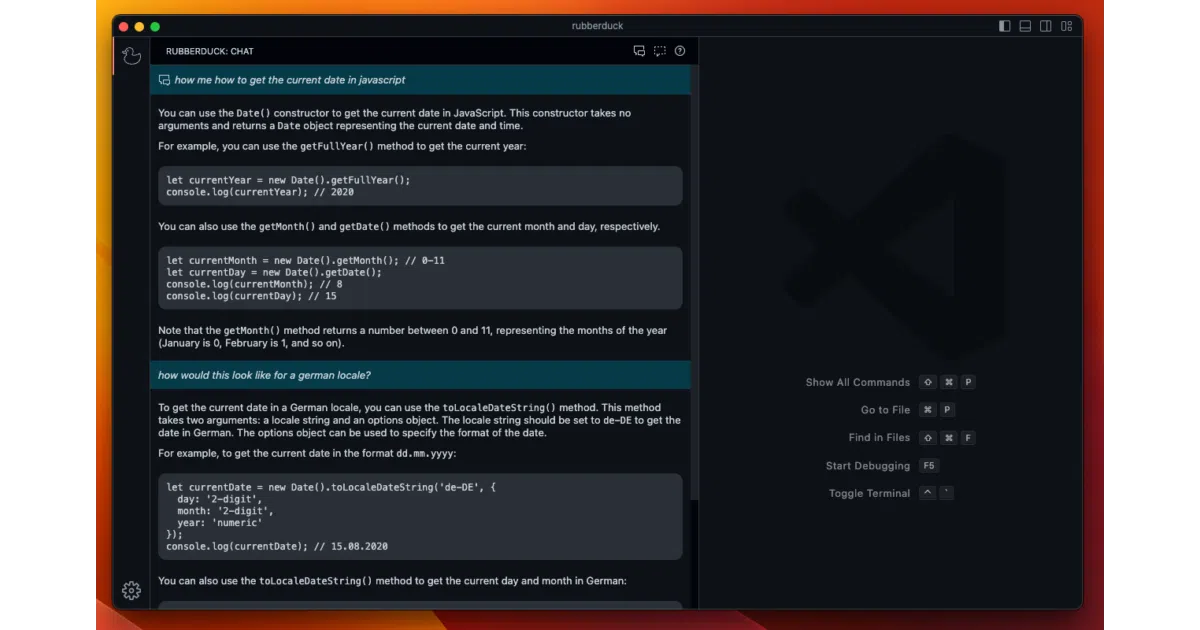
What it does Rubberduck drops an AI chat panel into VS Code’s sidebar and hooks it to your OpenAI API key. You can generate code, edit selections, explain functions, write tests, find bugs, or diagnose errors without leaving the editor. It also reads whatever code you have selected when a conversation starts, so context is automatic.
The interesting bit The extension exposes a template system for custom conversations. The README demos a “drunken pirate” template that describes your code in character—silly, but it shows the engine is open-ended. Under the hood it uses ModelFusion for AI orchestration and Prism.js for syntax highlighting in diffs.
Key highlights
- Requires your own OpenAI API key; no middleman subscription
- Built-in actions: generate, edit, explain, test, bug-hunt, error diagnosis
- Custom conversation templates via Markdown-like
.rdt.mdfiles - Available on both VS Code Marketplace and Open VSX Registry
- One config flag for VS Code theme-aware syntax highlighting (noted as “might not work with all themes”)
Caveats
- Only supports OpenAI; no mention of local models or other providers
- Theme color integration for diffs is flagged as potentially flaky
- 630 stars suggests modest adoption against the flood of AI coding tools
Verdict Worth a look if you want a lightweight, template-friendly ChatGPT sidebar and don’t mind bringing your own API key. Skip it if you need multi-provider support or deep IDE integration beyond chat-and-edit.
Frequently asked
- What is lgrammel/rubberduck-vscode?
- A VS Code extension that wires OpenAI into code edits, explanations, and chat—plus a drunken-pirate mode if you need it.
- Is rubberduck-vscode open source?
- Yes — lgrammel/rubberduck-vscode is open source, released under the MIT license.
- What language is rubberduck-vscode written in?
- lgrammel/rubberduck-vscode is primarily written in TypeScript.
- How popular is rubberduck-vscode?
- lgrammel/rubberduck-vscode has 630 stars on GitHub.
- Where can I find rubberduck-vscode?
- lgrammel/rubberduck-vscode is on GitHub at https://github.com/lgrammel/rubberduck-vscode.