kijai/ComfyUI-LivePortraitKJ
Face puppetry in ComfyUI, minus the ONNX tax
These nodes exist to run LivePortrait inside ComfyUI without forcing you to trust pickle files, wrestle with ONNX, or rely on a strictly non-commercial face detector.
Not currently ranked — collecting fresh signals.
star history
What it does
Wraps KwaiVGI’s LivePortrait model in ComfyUI nodes so you can animate a static portrait from a webcam or video feed. The author converted the original pickle weights to safetensors, replaced the ONNX landmark runner with a PyTorch .pth model, and added MediaPipe and face-alignment as alternatives to the default Insightface detector. It handles image-to-video, video-to-video, and near-realtime webcam pipelines, auto-skipping frames when no face is found.
The interesting bit
The rework is aggressively pragmatic: it eliminates the ONNX runtime dependency entirely, sidesteps Insightface’s non-commercial license trap, and still hits ~80–100 ms delay inside ComfyUI. The author even admits you “just have to trust me” on the converted landmark model—a refreshingly honest note in a space full of opaque binary blobs.
Key highlights
- Near-realtime webcam face reenactment inside ComfyUI with ~80–100 ms latency.
- All weights converted from pickle to
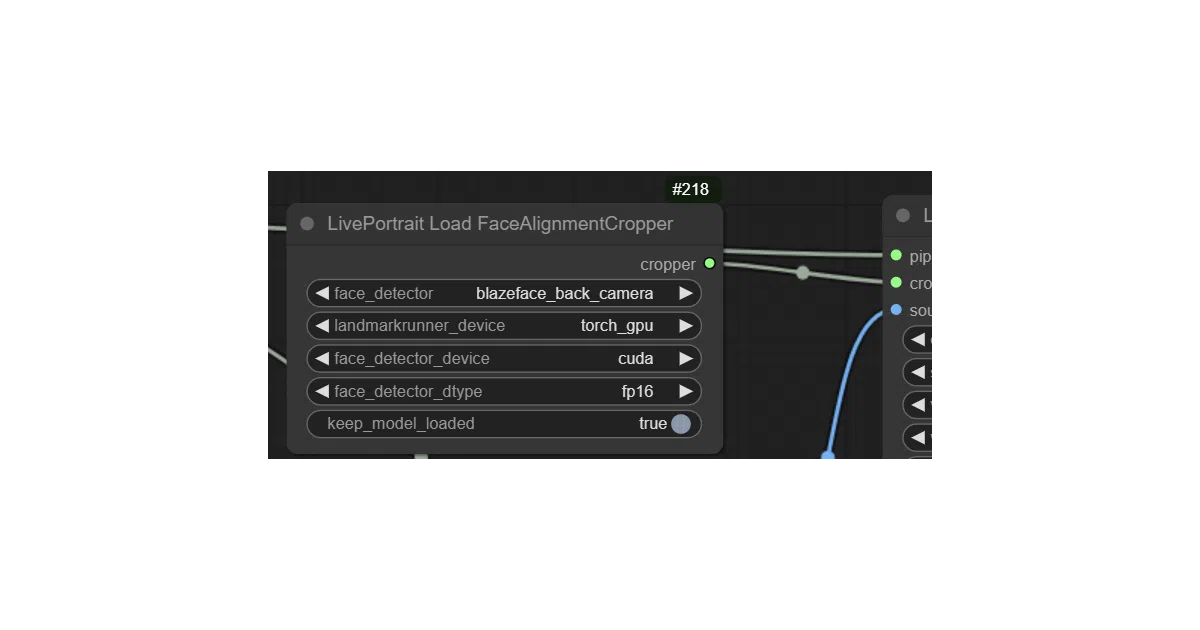
safetensors; models auto-download toComfyUI/models/liveportrait. - Three face detector options: Insightface (default, non-commercial only), Google MediaPipe (CPU-only on Windows, faster on CPU than Insightface), and
face-alignmentwith BlazeFace back-camera model (better for small faces, long first-run warmup). - Proper video-to-video mode with a smoothing algorithm.
- Improved Apple Silicon (MPS) support and auto-skipping of frames with no face detected.
Caveats
- The recent main-branch rework broke legacy workflows; old projects need the
legacybranch. - Insightface remains strictly non-commercial and is notoriously finicky to install, while MediaPipe is weaker and cannot use the GPU on Windows.
- The converted PyTorch landmark model comes with no ONNX verification; the author admits you just have to trust it.
Verdict
Worth a look if you want LivePortrait inside a ComfyUI pipeline without wrestling with pickle files or license ambiguity. Skip it if you need production-grade Windows GPU face detection out of the box, or if you are still maintaining pre-rework workflows.
Frequently asked
- What is kijai/ComfyUI-LivePortraitKJ?
- These nodes exist to run LivePortrait inside ComfyUI without forcing you to trust pickle files, wrestle with ONNX, or rely on a strictly non-commercial face detector.
- Is ComfyUI-LivePortraitKJ open source?
- Yes — kijai/ComfyUI-LivePortraitKJ is open source, released under the MIT license.
- What language is ComfyUI-LivePortraitKJ written in?
- kijai/ComfyUI-LivePortraitKJ is primarily written in Python.
- How popular is ComfyUI-LivePortraitKJ?
- kijai/ComfyUI-LivePortraitKJ has 2.2k stars on GitHub.
- Where can I find ComfyUI-LivePortraitKJ?
- kijai/ComfyUI-LivePortraitKJ is on GitHub at https://github.com/kijai/ComfyUI-LivePortraitKJ.