jbexta/AgentPilot
A desktop control tower for LLM workflows with branching and time-travel
AgentPilot wraps the chaos of multi-agent pipelines into a visual desktop app where you can branch, rerun, and schedule workflows from "every 5 minutes" to "every leap year."
Not currently ranked — collecting fresh signals.
star history
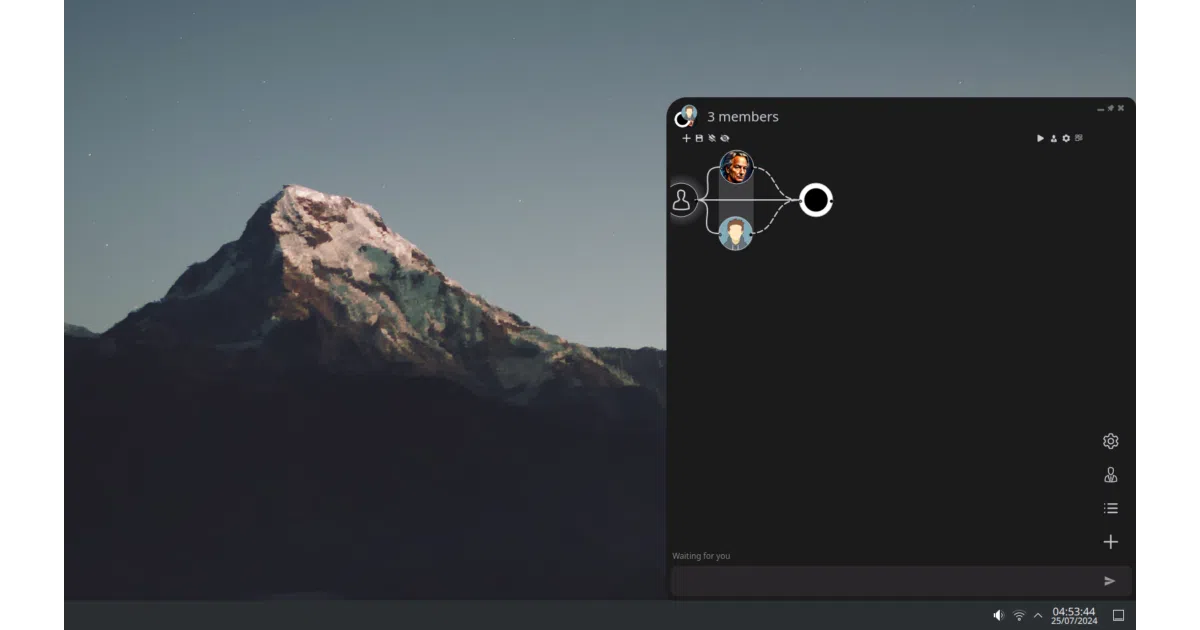
What it does AgentPilot is a Python desktop app for building and running AI workflows. You assemble agents, code blocks, prompts, and tools into graphs where vertical members run in parallel. It chats with single LLMs or nested multi-member teams, saves everything into folders, and lets you branch conversations by editing and re-running any message or tool call.
The interesting bit
The branching model is the standout: instead of linear chat history, you can rewind to any point, tweak a message or code block, and rerun from there. Combined with reusable “blocks” (text snippets, code, or entire sub-workflows dropped via {block-name}), this turns prompt engineering into something closer to version-controlled scripting. The scheduler parsing “every 2nd Tuesday” via natural language is a nice touch, though it’s gated behind a premium tier.
Key highlights
- Graph workflows with parallel execution and infinitely nestable sub-workflows
- Branching chats: edit any message/tool/code and re-run from that point
- 100+ models via LiteLLM integration (OpenAI, Anthropic, Gemini, Ollama, etc.)
- Code execution in 9 languages through Open Interpreter integration
- Structured outputs powered by Instructor library
- Runtime-editable parameters on tools create automatic branch points for iteration
- Custom UI framework for building config pages, hot-reloadable while the app runs
Caveats
- Several features are disabled or “coming soon”: CrewAI plugins, voice, AI-generated agents/pages
- Auto-run code can trigger unexpectedly if code is the last message in a chat
- Windows build requires console window visible due to an unresolved bug
- Linux venv creation fails to install pip in some cases
Verdict Worth a look if you want a visual, desktop-first alternative to coding agents in raw Python or YAML. Skip it if you need a mature, server-deployable orchestrator or if the half-built features (voice, CrewAI, AI generation) are dealbreakers for your use case.
Frequently asked
- What is jbexta/AgentPilot?
- AgentPilot wraps the chaos of multi-agent pipelines into a visual desktop app where you can branch, rerun, and schedule workflows from "every 5 minutes" to "every leap year."
- Is AgentPilot open source?
- Yes — jbexta/AgentPilot is open source, released under the AGPL-3.0 license.
- What language is AgentPilot written in?
- jbexta/AgentPilot is primarily written in Python.
- How popular is AgentPilot?
- jbexta/AgentPilot has 570 stars on GitHub.
- Where can I find AgentPilot?
- jbexta/AgentPilot is on GitHub at https://github.com/jbexta/AgentPilot.