imanoop7/Ollama-OCR
OCR by prompt: extracting text with local vision models
A Python wrapper that turns Ollama vision models into format-aware OCR engines for images and PDFs.
Not currently ranked — collecting fresh signals.
star history
What it does
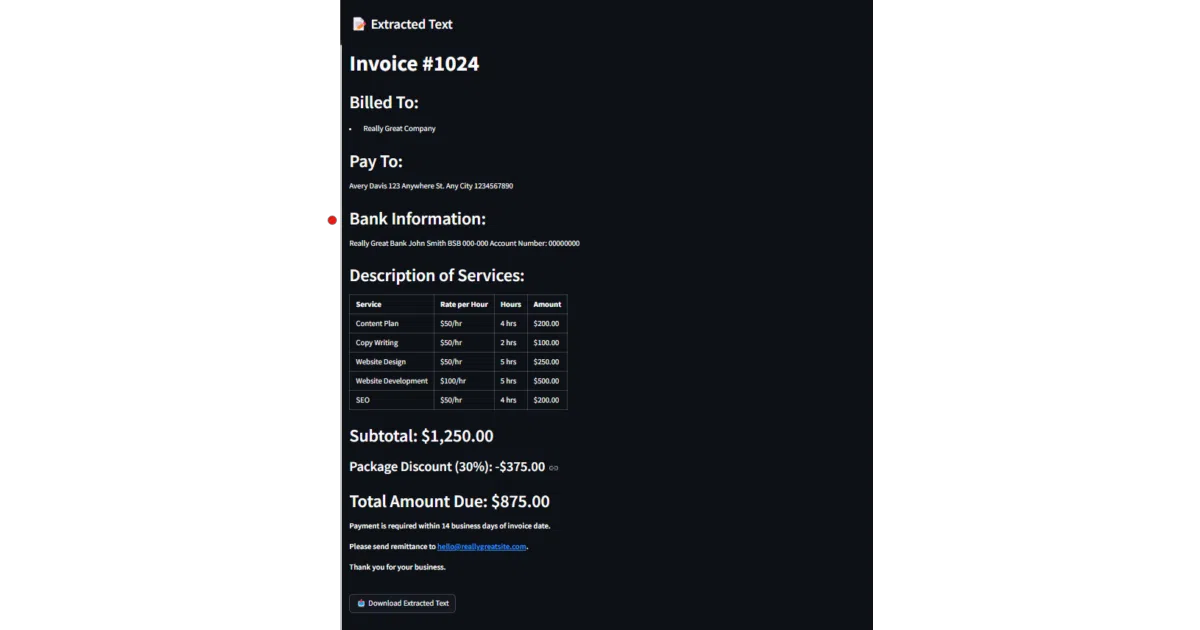
Ollama-OCR is a thin Python wrapper around Ollama’s vision-language models. It feeds images and PDFs to local models such as llama3.2-vision, granite3.2-vision, or moondream and asks them to return the text in a specific format—plain text, markdown, JSON, tables, or key-value pairs. It also ships with a Streamlit web app and can chew through folders of files in parallel.
The interesting bit
Instead of a traditional OCR pipeline, it treats text extraction as a prompting exercise: you tell the model how to structure its reading, and it complies (or tries to). That means you can request a markdown table from a screenshot or labeled fields from a form, all without shipping data to a cloud API.
Key highlights
- Supports multiple local vision models, including Llama 3.2 Vision, Granite3.2-vision, Moondream, and MiniCPM-V
- Six output formats: plain text, markdown, JSON, structured data, key-value pairs, and tables
- Batch processing with parallel workers, progress tracking, and optional image preprocessing
- Includes a Streamlit app with drag-and-drop uploads and language selection
- Example notebooks for Google Colab, AutoGen, and LangGraph
Caveats
- The README explicitly warns that the LLaVA model “can generate wrong output sometimes”
- Requires a running Ollama instance and model pulls; it is not a self-contained executable
- No accuracy benchmarks or comparisons against conventional OCR engines are provided
Verdict
Worth a look if you want local, promptable OCR with flexible formatting and already run Ollama. If you need battle-tested accuracy or a zero-dependency binary, stick with Tesseract or a commercial API.
Frequently asked
- What is imanoop7/Ollama-OCR?
- A Python wrapper that turns Ollama vision models into format-aware OCR engines for images and PDFs.
- Is Ollama-OCR open source?
- Yes — imanoop7/Ollama-OCR is open source, released under the MIT license.
- What language is Ollama-OCR written in?
- imanoop7/Ollama-OCR is primarily written in Jupyter Notebook.
- How popular is Ollama-OCR?
- imanoop7/Ollama-OCR has 2.3k stars on GitHub.
- Where can I find Ollama-OCR?
- imanoop7/Ollama-OCR is on GitHub at https://github.com/imanoop7/Ollama-OCR.