hang-jin/editaplot
A Codex skill that turns your data tables into editable Origin figures
EditaPlot has the AI explain your columns, propose a chart, get your sign-off, then drive local Origin to produce OPJU plus publication exports.
Collecting fresh signals — velocity needs a few days of history.
collecting data…
star history
What it does
EditaPlot is a Codex skill for scientific plotting on Windows. You hand it a CSV/XLS/XLSX, it explains what each column is for, recommends 1–3 chart types, and asks you to confirm units, errors, and visual elements before drawing anything. Once confirmed, it drives your local Origin/OriginPro install and delivers an editable OPJU alongside PNG, PDF, and TIF exports, plus verification reports.
The interesting bit
The whole design is built around not fabricating science: it won’t invent missing peaks, error bars, or measurements that aren’t in your data, and the plotting layer refuses to do fitting, peak-finding, or model training on its own. The confirmation checklist explicitly sorts columns into plotted, auxiliary, retained-but-not-plotted, and needs-clarification — a refreshingly honest division of labor where you make the scientific calls and the program handles the rendering.
Key highlights
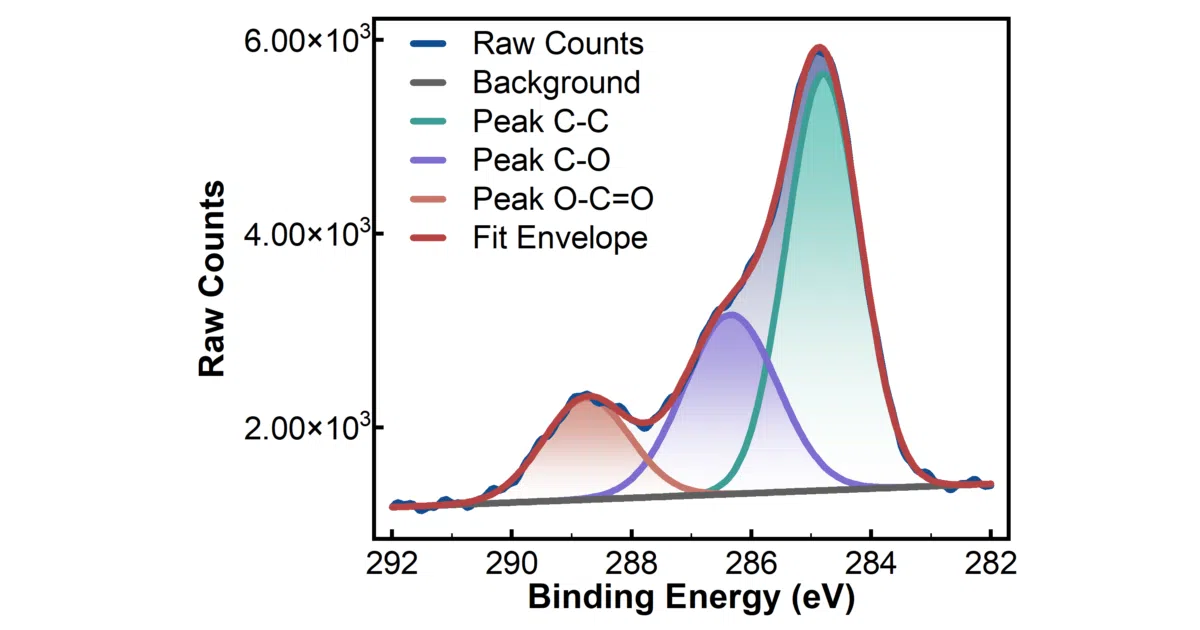
- 45 maintained plotting routes covering XPS, XRD, ROC curves, SHAP dashboards, FLIM phasors, time-frequency matrices, and more
- Three styling modes: template defaults, reference-figure suggestions, or exact custom specs (colors, line widths, canvas size) — with unsupported parameters reported as rejected rather than silently ignored
- Runs fully local; the runtime and Origin automation don’t upload your data
- Minimal permissions by design: no admin rights, no registry/DCOM changes, no mouse control
- Chinese column names and file paths supported throughout
Caveats
- Windows 10/11 x64 physical machines only — Mac, Linux, WSL, and VMs are explicitly unsupported, and you need a licensed local Origin (2021–2026b; not every version/template combo is verified)
- It won’t auto-detect PHI in medical data; de-identification is your job
- Some visual cleanup (legend overlap) is left for manual adjustment afterward
Verdict
Worth a look if you’re a Windows-based researcher already paying for Origin and tired of hand-tuning figures — the confirm-then-render workflow is genuinely thoughtful. Everyone else (Mac/Linux users, matplotlib devotees) can skip it.
Frequently asked
- What is hang-jin/editaplot?
- EditaPlot has the AI explain your columns, propose a chart, get your sign-off, then drive local Origin to produce OPJU plus publication exports.
- Is editaplot open source?
- Yes — hang-jin/editaplot is open source, released under the Apache-2.0 license.
- What language is editaplot written in?
- hang-jin/editaplot is primarily written in Python.
- How popular is editaplot?
- hang-jin/editaplot has 1k stars on GitHub.
- Where can I find editaplot?
- hang-jin/editaplot is on GitHub at https://github.com/hang-jin/editaplot.