elevenyellow/handcrafted-persona-engine
A full-stack AI VTuber that ships as a double-clickable .exe
It exists to bundle an entire AI VTuber pipeline—listening, thinking, speaking, and lip-sync—into a single Windows application.
Not currently ranked — collecting fresh signals.
star history
What it does
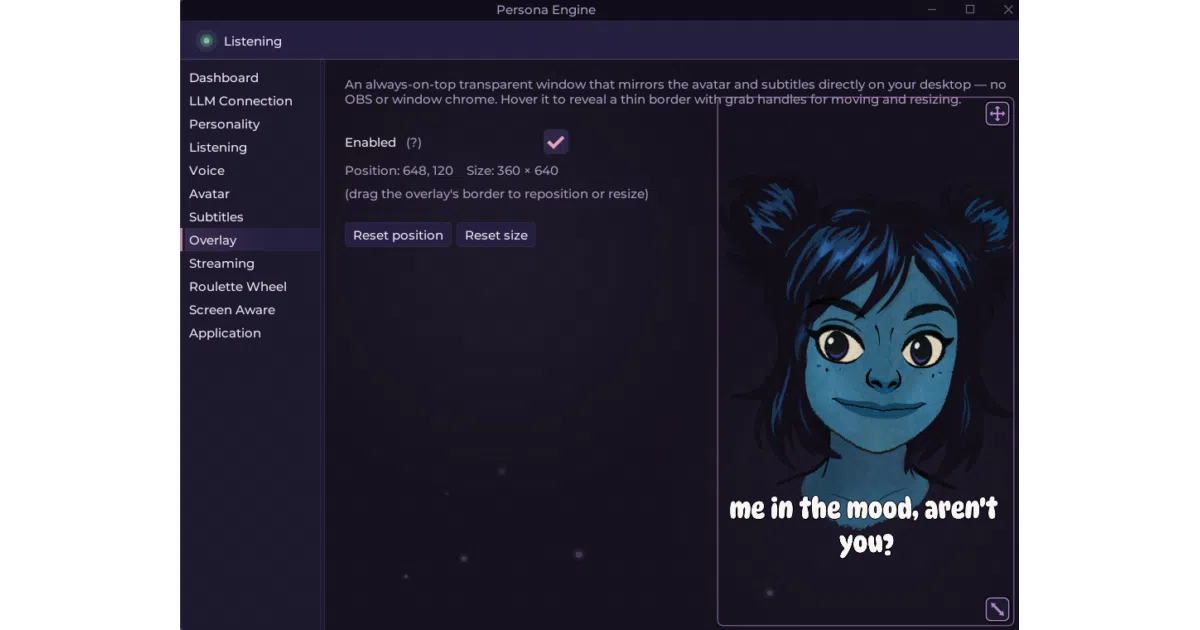
Persona Engine listens through your microphone, transcribes speech with a dual-Whisper pipeline (fast barge-in detection plus accurate transcription), forwards the text to an OpenAI-compatible LLM guided by a personality file, synthesizes a response with either the Kokoro or Qwen3 TTS engine, optionally retargets the voice through real-time RVC voice cloning, and animates a Live2D avatar with lip-sync via VBridger or Audio2Face. Output appears in a built-in transparent overlay or feeds directly into OBS through Spout streams.
The interesting bit
Most AI avatar projects are fragile research artifacts; this one ships as a packaged Windows binary with an in-app profile picker, SHA-256 verification, and automatic CUDA runtime bootstrapping. The README is unusually direct about the hardware lock-in: Windows x64 and NVIDIA CUDA are mandatory, with no CPU or AMD path.
Key highlights
- Complete pipeline in one binary: ASR (Silero VAD + dual Whisper), LLM reasoning, TTS (Kokoro or Qwen3), optional RVC voice cloning, and Live2D animation with emotion tagging
- Three install profiles (“Try it out,” “Stream with it,” “Build with it”) that trade download size for model quality, up to roughly 16 GB for the full production stack
- OBS-ready via dedicated Spout streams for avatar, subtitles, and roulette; no window capture needed
- Supports custom Live2D models beyond the included Aria rig, provided they meet the VBridger parameter spec
- OpenAI-compatible LLM endpoints including local (Ollama) and cloud (Groq, OpenAI), though the project recommends a fine-tuned model for naturalistic output
Caveats
- Windows x64 and NVIDIA CUDA are strictly required; ASR, TTS, and RVC run on ONNX Runtime with no CPU, AMD, or Intel support
- The “Build with it” profile downloads the largest models but does not automatically enable them in the UI, so you must manually toggle Expressive voice, Accurate listening, and Audio2Face lip-sync after installation
- Experimental screen awareness and profanity filtering are noted as extras, suggesting they may not be fully baked
Verdict
Streamers and VTubers who want a packaged AI avatar stack without wrangling dependencies should look here; anyone on macOS, Linux, or non-NVIDIA hardware is explicitly excluded.
Frequently asked
- What is elevenyellow/handcrafted-persona-engine?
- It exists to bundle an entire AI VTuber pipeline—listening, thinking, speaking, and lip-sync—into a single Windows application.
- Is handcrafted-persona-engine open source?
- Yes — elevenyellow/handcrafted-persona-engine is an open-source project tracked on heatdrop.
- What language is handcrafted-persona-engine written in?
- elevenyellow/handcrafted-persona-engine is primarily written in C#.
- How popular is handcrafted-persona-engine?
- elevenyellow/handcrafted-persona-engine has 1.4k stars on GitHub.
- Where can I find handcrafted-persona-engine?
- elevenyellow/handcrafted-persona-engine is on GitHub at https://github.com/elevenyellow/handcrafted-persona-engine.