diivi/aseprite-mcp
An MCP server that turns Claude into a pixel artist
123 tools that let an LLM drive Aseprite end-to-end — sprites, animation, palettes, and the shading tricks that make pixel art actually look good.
Collecting fresh signals — velocity needs a few days of history.
collecting data…
star history
What it does
It’s a Python MCP server that exposes Aseprite’s scripting API to AI assistants: canvas creation, drawing, layers, animation frames, palettes, tilemaps, slices, and export. The model can also read pixels back (read_rows returns an ASCII-art-style grid), so it can inspect and iteratively edit its own work rather than drawing blind.
The interesting bit
The toolset is deliberately opinionated about good pixel art: shading ramps with hue shifting, Bayer 4×4 ordered dithering, retro palette presets with quantization, outlines, onion-skin renders, and frame diffing so the model can critique its own animation. There’s even a text system — Aseprite’s Lua API has none, so glyphs are rasterized server-side from bitmap sprite-sheet fonts. And a raw Lua escape hatch covers whatever the 122 other tools miss.
Key highlights
- 123 tools across 18 categories, from
draw_iso_boxto tweening with easing draw_rowslets the model place detail as character grids with a color legend — compact for faces and hands- Visual feedback tools: sprite previews the model can see, bounds checks, lint, color statistics
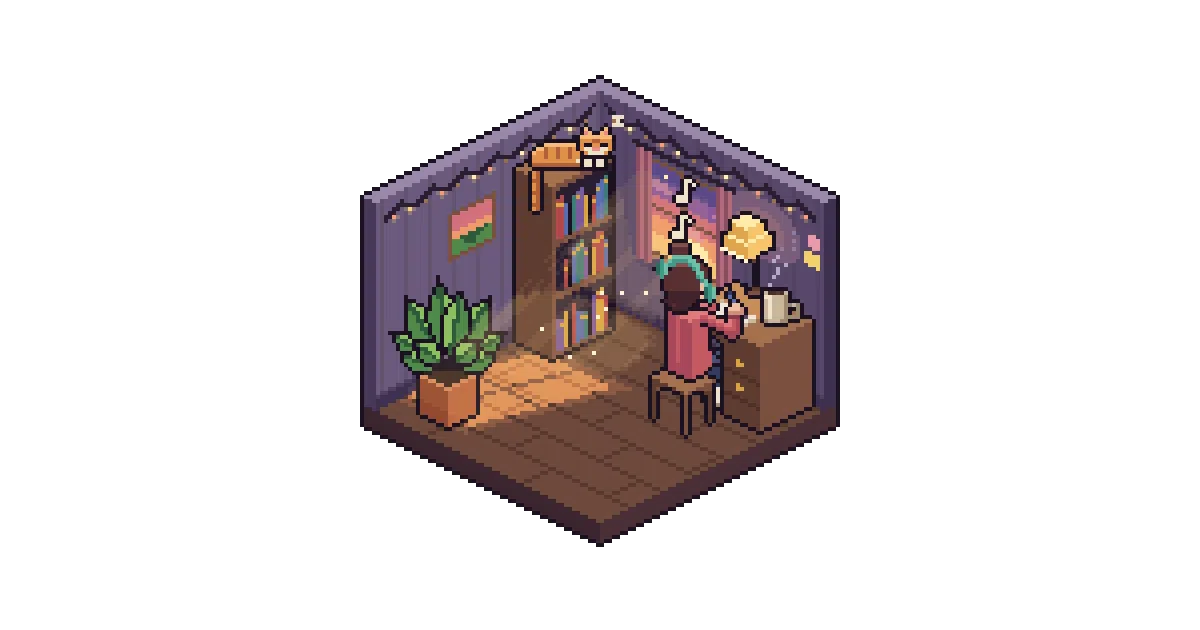
- The README shows genuinely impressive output: an animated isometric lofi bedroom, a 43-frame bouncing slime with squash and stretch
- Inspired partly by Lj Miranda’s “Draw Me a Swordsman” benchmark, which found LLMs struggle with pixel art without the right tooling
Caveats
- Requires Aseprite (a paid app, though the source is available) — this is glue over its Lua API, not a standalone renderer
- Bitmap fonts need to be set up in
~/.aseprite-mcp/fontswith hand-authoredfont.jsonmetadata
Verdict
Game developers and pixel-art-curious AI tinkerers should absolutely try this — it’s one of the more thoughtful MCP servers out there. If you don’t own Aseprite or don’t care about AI-generated art, move on.
Frequently asked
- What is diivi/aseprite-mcp?
- 123 tools that let an LLM drive Aseprite end-to-end — sprites, animation, palettes, and the shading tricks that make pixel art actually look good.
- Is aseprite-mcp open source?
- Yes — diivi/aseprite-mcp is open source, released under the MIT license.
- What language is aseprite-mcp written in?
- diivi/aseprite-mcp is primarily written in Python.
- How popular is aseprite-mcp?
- diivi/aseprite-mcp has 787 stars on GitHub.
- Where can I find aseprite-mcp?
- diivi/aseprite-mcp is on GitHub at https://github.com/diivi/aseprite-mcp.