chflame163/ComfyUI_LayerStyle
Stop alt-tabbing to Photoshop
A node pack that migrates Photoshop-style compositing, masking, and color correction into ComfyUI so you can generate and edit without leaving the canvas.
Not currently ranked — collecting fresh signals.
star history
What it does
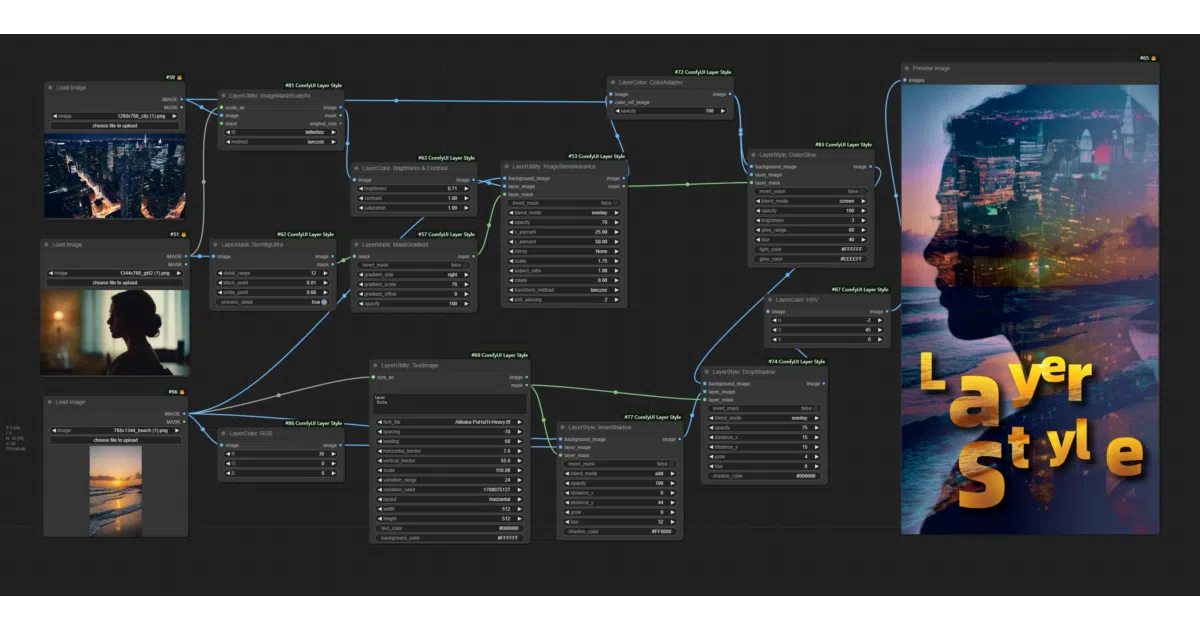
ComfyUI_LayerStyle is a sprawling collection of custom nodes that replicates basic Photoshop functionality—layer effects, blend modes, masks, color adjustments, and filters—inside ComfyUI. The stated goal is to keep generative-AI workflows from bouncing between apps for routine compositing and touch-ups. It covers everything from drop shadows and LUTs to segmentation masks and halftone dithering.
The interesting bit
The project treats ComfyUI less like a pure inference engine and more like a node-based image editor, grafting on utilities—rounded rectangles, text presets, batch list juggling, even a PurgeVRAM node—that have nothing to do with diffusion itself but everything to do with finishing an image without alt-tabbing.
Key highlights
- Photoshop-style layer effects: drop shadow, inner/outer glow, stroke, gradient overlay, and standard blend modes.
- Extensive mask tooling, including trimap edge refinement, segformer segmentation, and
rembgintegration. - Color-correction nodes: levels, color balance, auto-adjust, temperature, and channel splits/merges.
- Utility nodes for batch handling, image scaling with aspect-ratio protection, and a
PurgeVRAMnode for GPU hygiene. - Recently split dependency-heavy AI nodes (SAM2, Florence-2, JoyCaption2, etc.) into a separate
ComfyUI_LayerStyle_Advancerepo to reduce breakage.
Caveats
- The README spends as much space on troubleshooting as on features; expect dependency friction with
opencv-contrib-python,transformers, andonnxruntime. - The recent split into a base and “Advance” repo means existing workflows may break if you do not install the companion plugin.
Verdict
Worth a look if you live in ComfyUI and want Photoshop-like compositing without exporting to another app. Skip it if you prefer lightweight, single-purpose custom nodes; this is a broad toolbox that will clutter your node menu.
Frequently asked
- What is chflame163/ComfyUI_LayerStyle?
- A node pack that migrates Photoshop-style compositing, masking, and color correction into ComfyUI so you can generate and edit without leaving the canvas.
- Is ComfyUI_LayerStyle open source?
- Yes — chflame163/ComfyUI_LayerStyle is open source, released under the MIT license.
- What language is ComfyUI_LayerStyle written in?
- chflame163/ComfyUI_LayerStyle is primarily written in Python.
- How popular is ComfyUI_LayerStyle?
- chflame163/ComfyUI_LayerStyle has 3.2k stars on GitHub.
- Where can I find ComfyUI_LayerStyle?
- chflame163/ComfyUI_LayerStyle is on GitHub at https://github.com/chflame163/ComfyUI_LayerStyle.