camenduru/comfyui-colab
Pre-baked ComfyUI notebooks for the GPU-poor
Curated Colab notebooks that run ComfyUI with specific Stable Diffusion models and extensions pre-installed, sparing you the local CUDA headache.
Not currently ranked — collecting fresh signals.
star history
What it does
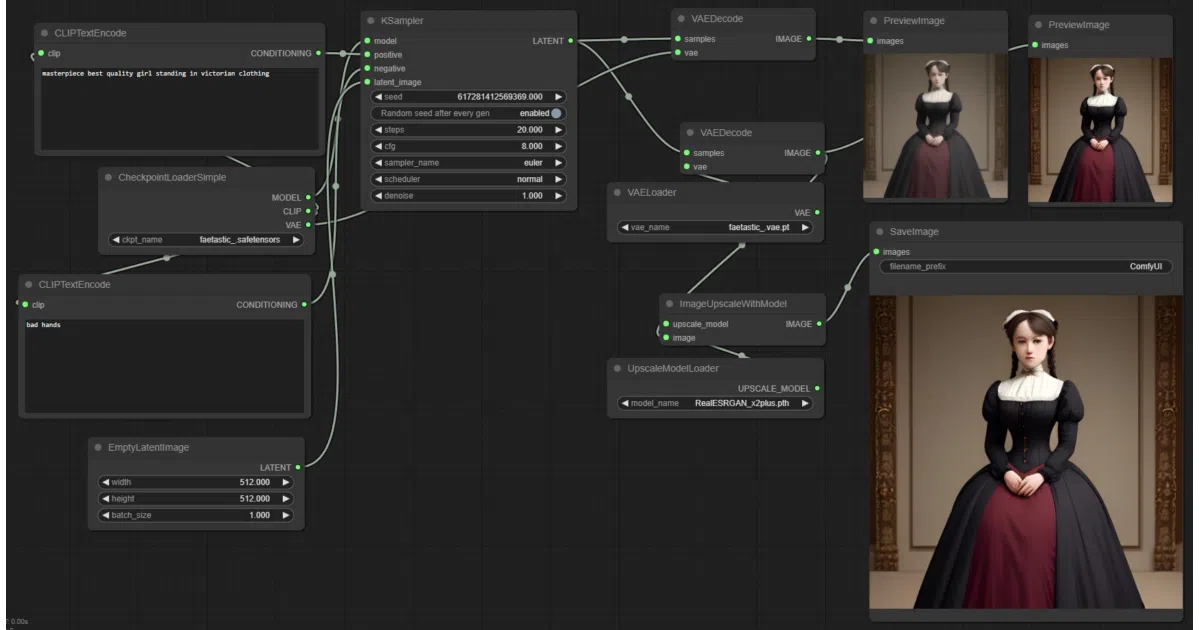
This repository is a catalog of Jupyter notebooks for Google Colab that install and launch ComfyUI—the node-based Stable Diffusion interface—already loaded with specific models, ControlNet weights, and community extensions. You select a notebook matching your desired model and stability tier, and Colab provides the GPU.
The interesting bit
The maintainer has pre-solved the dependency puzzle for many popular fine-tuned models (Waifu Diffusion, Arcane style, Midjourney-v4, etc.) and offers three freshness tiers—lite, stable, and nightly—so you can pick frozen reliability or a bleeding-edge daily build. It is essentially a remote GPU rental agency with the paperwork already filled out.
Key highlights
- Three stability tiers:
lite(minimal stable setup),stable(adds ControlNet), andnightly(latest ComfyUI, PyTorch 2.0, and daily extension updates) - Pre-configured notebooks for specific artistic models (e.g., Mo-Di Diffusion, Cyberpunk Anime, PaperCut) with prompt tokens documented in the README
- Includes JSON workflow templates and a YouTube tutorial video
- Runs via Google Colab, so the actual GPU compute is handled remotely
Caveats
- Explicitly marked as 🚦 WIP 🚦, so notebooks and extension versions may shift
- The
nightlytrack uses daily extension updates and the latest ComfyUI, which implies higher volatility than theliteorstabletracks - The README is mostly a grid of badges and model links; documentation beyond the tutorial video is thin
Verdict
Ideal for Stable Diffusion experimenters who want to try ComfyUI and niche fine-tuned models without a local GPU. Not for developers who already have a working CUDA environment and prefer to manage their own dependencies.
Frequently asked
- What is camenduru/comfyui-colab?
- Curated Colab notebooks that run ComfyUI with specific Stable Diffusion models and extensions pre-installed, sparing you the local CUDA headache.
- Is comfyui-colab open source?
- Yes — camenduru/comfyui-colab is open source, released under the Unlicense license.
- What language is comfyui-colab written in?
- camenduru/comfyui-colab is primarily written in Jupyter Notebook.
- How popular is comfyui-colab?
- camenduru/comfyui-colab has 551 stars on GitHub.
- Where can I find comfyui-colab?
- camenduru/comfyui-colab is on GitHub at https://github.com/camenduru/comfyui-colab.