arunponnusamy/object-detection-opencv
YOLO without the framework bloat
A minimal Python script that runs YOLO v3 inference through OpenCV's built-in DNN module, no PyTorch or TensorFlow installation required.
Not currently ranked — collecting fresh signals.
star history
What it does
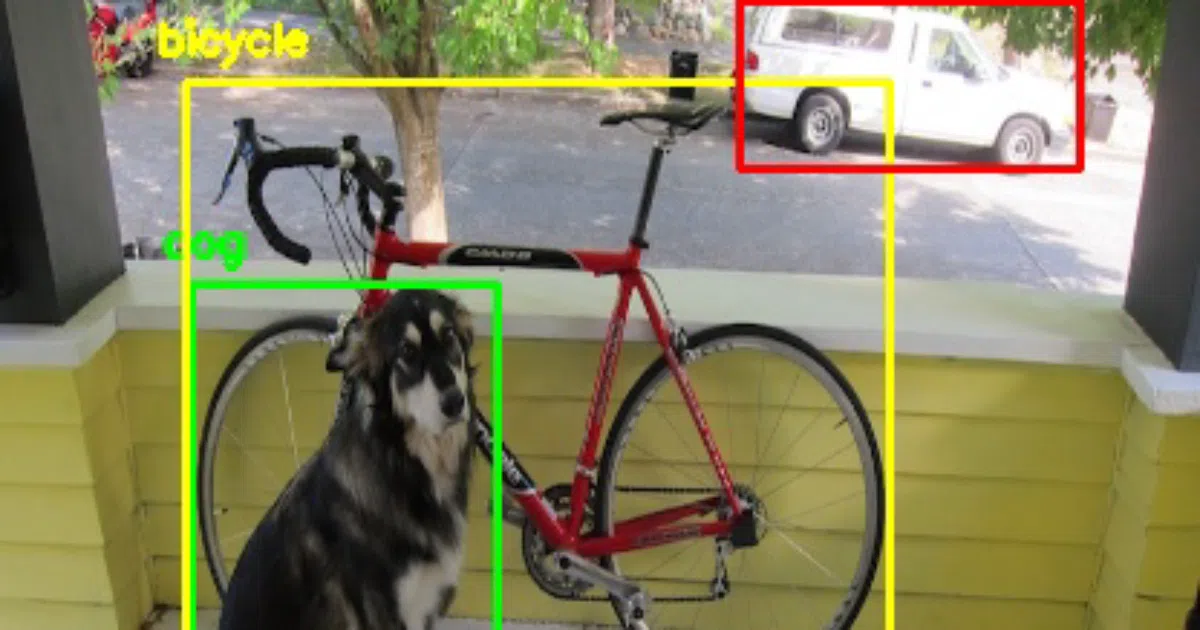
This is a single-file Python script (yolo_opencv.py) that loads a pre-trained YOLO v3 model and runs object detection on an image using OpenCV’s dnn module. You supply four files: an image, the YOLO config, the weights, and a class list. It draws bounding boxes and labels on the output.
The interesting bit
OpenCV’s DNN module can run inference directly on models from Caffe, Torch, and TensorFlow — including DarkNet/YOLO since a relatively recent addition. That means you can do GPU-accelerated-ish object detection without installing a full deep learning framework stack. The README notes SSD and Faster R-CNN examples are “coming soon,” but only YOLO is implemented here.
Key highlights
- Single dependency stack: just
numpyandopencv-python - Runs on pre-trained YOLO v3 weights downloaded directly from pjreddie.com
- Command-line interface with explicit paths for image, config, weights, and classes
- Includes a sample output image showing detected objects with bounding boxes
- Author’s follow-up library
cvlibwraps this in a one-liner (detect_common_objects())
Caveats
- Python 2.x compatibility is explicitly not tested
- SSD and Faster R-CNN examples mentioned but not yet implemented
- No video/webcam support shown in the README; image files only
Verdict
Worth a look if you need a quick, dependency-light YOLO demo or want to understand how OpenCV’s DNN module handles model loading. Skip it if you need production pipelines, real-time video processing, or training capabilities — this is strictly inference glue.
Frequently asked
- What is arunponnusamy/object-detection-opencv?
- A minimal Python script that runs YOLO v3 inference through OpenCV's built-in DNN module, no PyTorch or TensorFlow installation required.
- Is object-detection-opencv open source?
- Yes — arunponnusamy/object-detection-opencv is open source, released under the MIT license.
- What language is object-detection-opencv written in?
- arunponnusamy/object-detection-opencv is primarily written in Python.
- How popular is object-detection-opencv?
- arunponnusamy/object-detection-opencv has 512 stars on GitHub.
- Where can I find object-detection-opencv?
- arunponnusamy/object-detection-opencv is on GitHub at https://github.com/arunponnusamy/object-detection-opencv.