ardha27/AI-Waifu-Vtuber
Glue your own VTuber together with OpenAI and a prayer
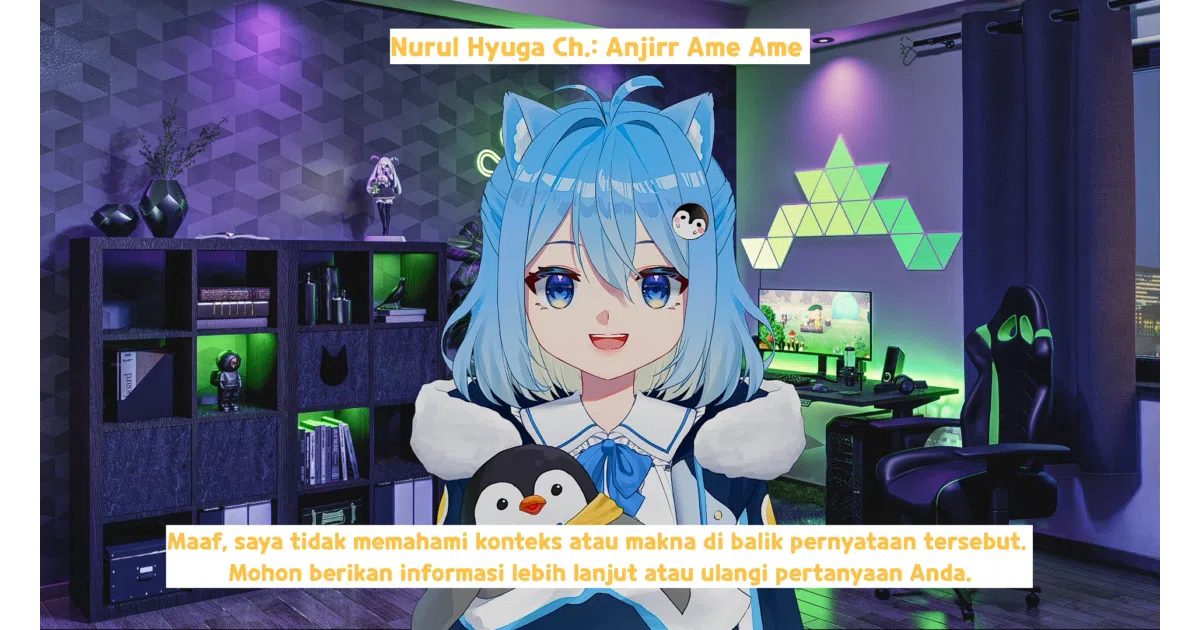
A Python script that wires Whisper, ChatGPT, and VoiceVox into a Twitch-chatting anime avatar—because hiring a voice actor is expensive.
Not currently ranked — collecting fresh signals.
star history
What it does
This is a Python orchestration script that listens to your microphone (or Twitch chat), sends the text to OpenAI’s GPT, then pipes the reply through a text-to-speech engine and into VTubeStudio. The result: an anime avatar that responds to you and your viewers in real time, complete with lip sync.
The interesting bit
The whole pipeline is held together with virtual audio cables and commented-out code blocks. You swap TTS engines by uncommenting lines, route desktop audio into VTubeStudio as a fake microphone, and pray the legacy openai==0.28.1 package never breaks. It’s less a product and more a working schematic—useful precisely because it shows you where the wires go.
Key highlights
- Voice input via OpenAI Whisper; character replies via GPT with lore-driven identity files
- Japanese TTS through VoiceVox (dockerized or Colab-hosted); multilingual TTS via Silero for Russian, German, Hindi, Tatar, and others
- Twitch IRC integration with user blacklists for bot management
- Real-time caption files (
chat.txt,output.txt) for OBS overlay - Translation layer: DeepL, DeepLx (no API key), or Google Translate, with forced Japanese conversion for VoiceVox compatibility
Caveats
- Pinned to
openai==0.28.1; upgrading breaks everything because the code uses the pre-1.0openai.Audioandopenai.ChatCompletionAPIs - Mecab dependency is described as “a little bit tricky to install” with a documented workaround of just deleting the katakana conversion feature
- Configuration is scattered across
config.py,run.py,utils/TTS.py,utils/twitch_config.py, and acharacterConfig/Pina/identity.txtfile
Verdict
Worth a look if you’re building a VTuber pipeline and want to see how the pieces connect before writing your own. Skip it if you need something polished, maintained, or that won’t break when you pip install --upgrade.
Frequently asked
- What is ardha27/AI-Waifu-Vtuber?
- A Python script that wires Whisper, ChatGPT, and VoiceVox into a Twitch-chatting anime avatar—because hiring a voice actor is expensive.
- Is AI-Waifu-Vtuber open source?
- Yes — ardha27/AI-Waifu-Vtuber is an open-source project tracked on heatdrop.
- What language is AI-Waifu-Vtuber written in?
- ardha27/AI-Waifu-Vtuber is primarily written in Python.
- How popular is AI-Waifu-Vtuber?
- ardha27/AI-Waifu-Vtuber has 1.1k stars on GitHub.
- Where can I find AI-Waifu-Vtuber?
- ardha27/AI-Waifu-Vtuber is on GitHub at https://github.com/ardha27/AI-Waifu-Vtuber.