T8RIN/ImageToolbox
The 379K-line Kotlin argument for all-in-one Android image editing
A free Android image editor that packs dozens of tools—from basic crops to OCR, EXIF editing, and AI upscaling—into one open-source package.
Velocity · 7d
+17
★ / day
Trend
↗accelerating
star history
What it does
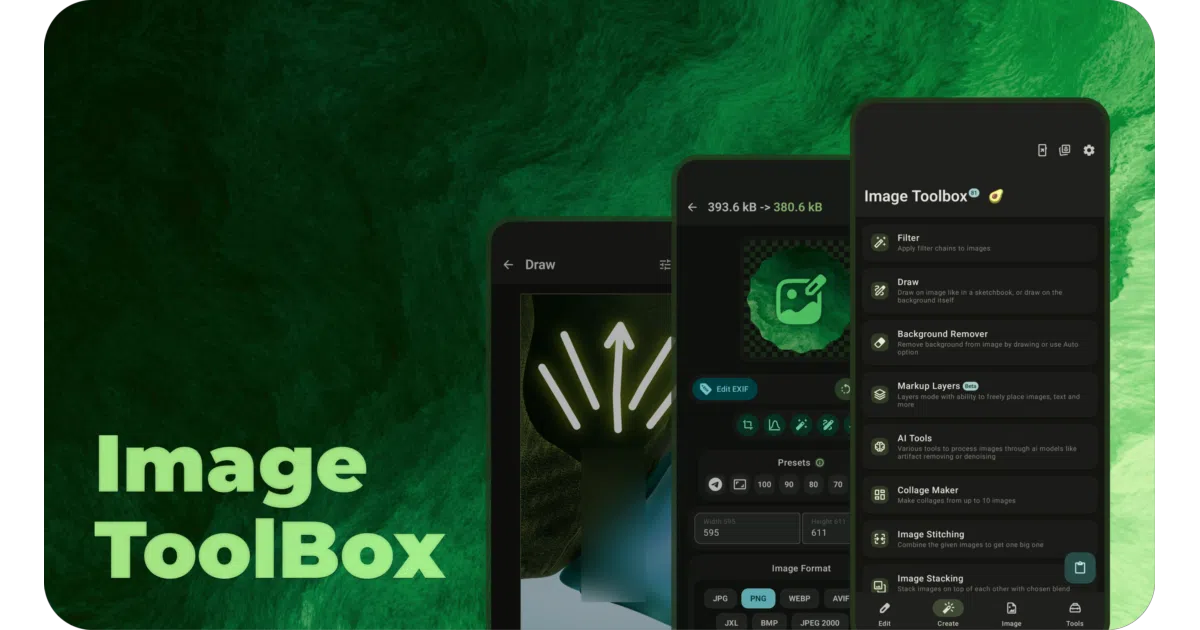
ImageToolbox is a comprehensive Android image editor written in Kotlin and Jetpack Compose. It bundles basic operations like cropping and drawing with heavier features such as background removal, EXIF editing, PDF generation, OCR, and AI upscaling. The app targets API 24+ and presents everything through a Material You interface.
The interesting bit
The repository clocks in at roughly 379,000 lines of Kotlin, making it less a casual utility and more a stress test for Jetpack Compose at scale. Because the entire application is free and open source, it also serves as a rare, fully inspectable reference for building complex media UIs on Android.
Key highlights
- Ships via Google Play, F-Droid, and GitHub Releases
- Supports niche workflows: JXL and PSD handling, QR scanning, photo collages, and EXIF manipulation
- Uses Material You and Jetpack Compose, offering a real-world UI reference for Android developers
- The README mentions AI enhancement and background removal, though it does not clarify whether models run on-device or in the cloud
Caveats
- The README is heavy on download badges and donation links but light on architecture details, contribution guidelines, or technical documentation
- It is an end-user application, not a library; developers looking for reusable components will need to disassemble it themselves
Verdict
Worth exploring if you are an Android developer studying large Compose codebases, or a user who wants a free, feature-dense image editor. Skip it if you need a modular image-processing SDK to drop into your own project.
Frequently asked
- What is T8RIN/ImageToolbox?
- A free Android image editor that packs dozens of tools—from basic crops to OCR, EXIF editing, and AI upscaling—into one open-source package.
- Is ImageToolbox open source?
- Yes — T8RIN/ImageToolbox is open source, released under the Apache-2.0 license.
- What language is ImageToolbox written in?
- T8RIN/ImageToolbox is primarily written in Kotlin.
- How popular is ImageToolbox?
- T8RIN/ImageToolbox has 15.2k stars on GitHub and is currently accelerating.
- Where can I find ImageToolbox?
- T8RIN/ImageToolbox is on GitHub at https://github.com/T8RIN/ImageToolbox.