Sylinko/Everywhere
A desktop AI that actually reads your screen, not your clipboard
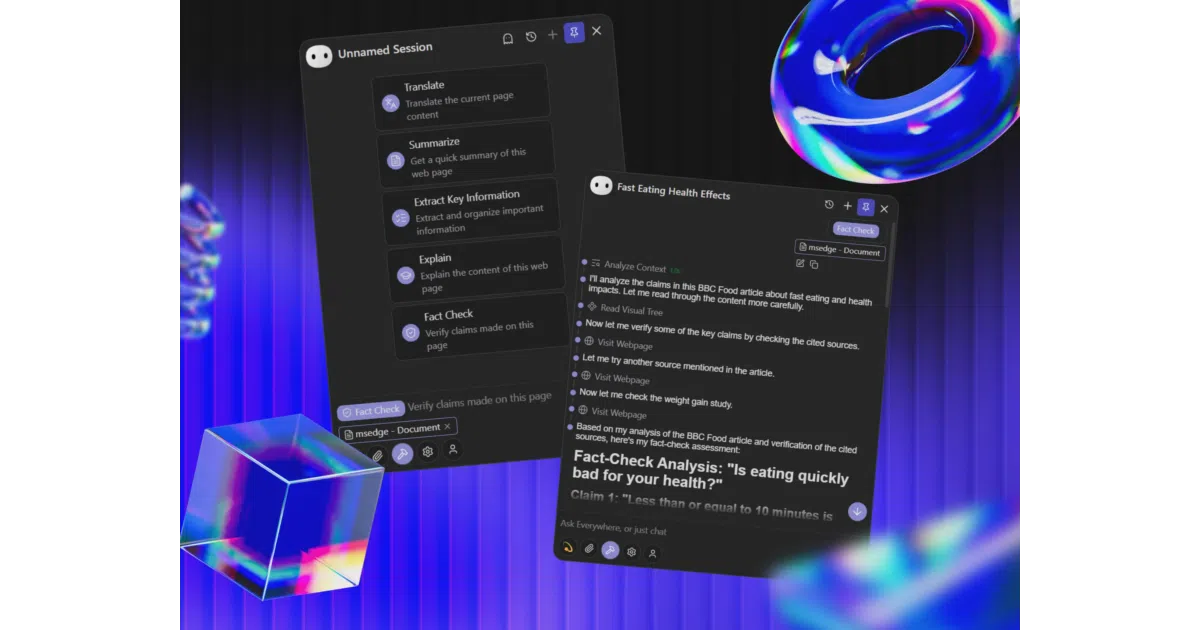
Everywhere pops up wherever you're working and understands the app underneath it—no copy-paste relay required.
Not currently ranked — collecting fresh signals.
star history
What it does Everywhere is a C# / Avalonia desktop assistant for Windows and macOS that binds to a global hotkey. Hit it, and the frosted-glass window appears over your current app, reads the underlying UI context via accessibility APIs, and lets you ask an LLM about what’s actually on screen—error dialogs, articles, draft emails, whatever. It supports OpenAI, Claude, Gemini, DeepSeek, Kimi, MiniMax, Ollama, and custom endpoints, plus MCP tools, sub-agents, browser automation, and local file access.
The interesting bit The “Strategy Engine” is the project’s bet: instead of the usual select-copy-switch-paste dance, it tries to infer your intent from the active application and push a tailored execution strategy automatically. The README calls this “true state of flow”; whether it achieves that is unclear, but the underlying accessibility integration is deeper than the usual screenshot-and-OCR approach.
Key highlights
- Context awareness via native accessibility / UI automation APIs, not just screen grabs
- Pluggable model ecosystem with local (Ollama) and cloud options
- Agent capabilities: browser, terminal scripts, file system, sub-agents, MCP tools
- Frosted-glass UI with markdown and math rendering
- Windows 10+ and macOS 12+; Linux marked “in development”
- Business Source License 1.1 (not OSI-open; source available)
Caveats
- Linux support is unfinished
- Memory system is listed as “work in progress”
- Mouse shortcuts and voice interaction also pending
- License is BSL 1.1, so check the terms before commercial redistribution
Verdict Worth a look if you live in Windows or macOS and want an LLM assistant that meets you inside your workflow rather than in a browser tab. Skip it if you need Linux, strict FOSS licensing, or are allergic to “flow state” marketing.
Frequently asked
- What is Sylinko/Everywhere?
- Everywhere pops up wherever you're working and understands the app underneath it—no copy-paste relay required.
- Is Everywhere open source?
- Yes — Sylinko/Everywhere is an open-source project tracked on heatdrop.
- What language is Everywhere written in?
- Sylinko/Everywhere is primarily written in C#.
- How popular is Everywhere?
- Sylinko/Everywhere has 6.3k stars on GitHub.
- Where can I find Everywhere?
- Sylinko/Everywhere is on GitHub at https://github.com/Sylinko/Everywhere.