Helixform/CodeCursor
Cursor's AI, without leaving VS Code
A third-party extension that ports Cursor's GPT-powered coding features into the editor you already use.
Not currently ranked — collecting fresh signals.
star history
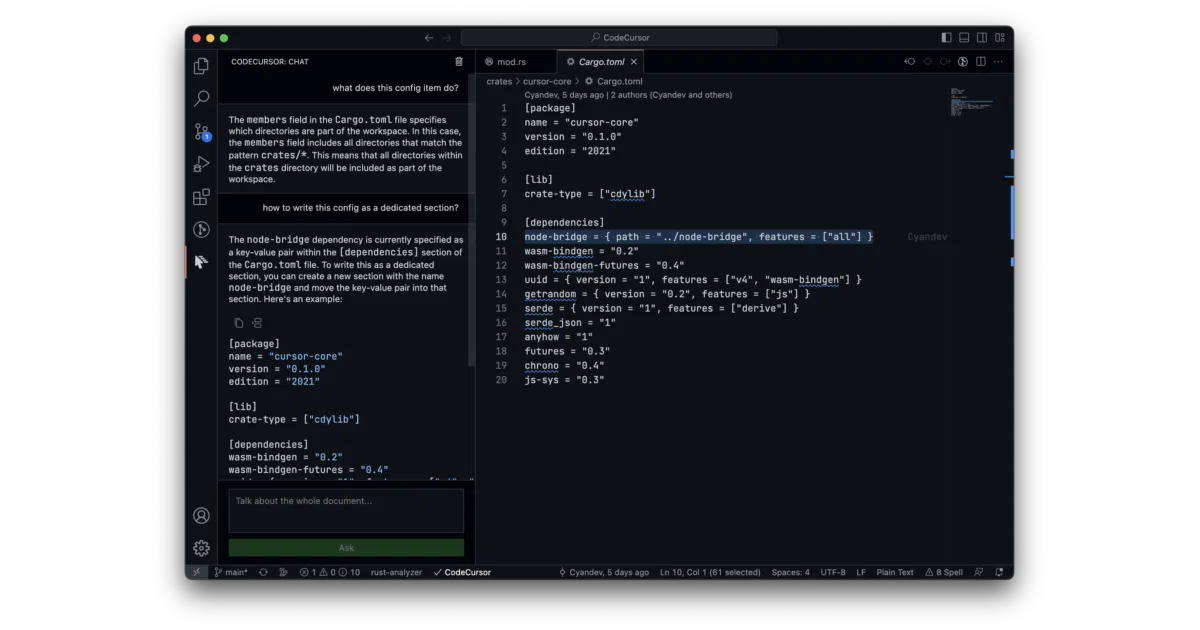
What it does CodeCursor is a VS Code extension that replicates core Cursor features—code generation, project generation, and chat—inside Visual Studio Code. You sign into your Cursor account or supply your own OpenAI API key, then invoke commands from the palette or chat via a sidebar panel. Generated code streams in as a live diff; you accept or reject changes with a click.
The interesting bit Cursor’s own team has “no plans to develop extensions for other editors,” so this is essentially an unofficial bridge built by outsiders. The extension even carries a Rust component (for performance-critical bits, presumably), though you can debug the UI alone by skipping it.
Key highlights
- Generate entire projects via AI inside an existing workspace, with a warning if files already exist
- Edit existing code by selecting text before invoking generation
- Chat panel in the Activity Bar for GPT-style Q&A about open documents or selections
- Supports custom OpenAI API keys and model selection when Cursor’s servers are overloaded
- Claims no telemetry: only the target document is sent to Cursor’s servers
Caveats
- Automatic continuation for long code generation is currently broken due to Cursor API changes
- Triggering multiple project generations simultaneously causes “undefined behavior”
- Your custom API key gets forwarded to Cursor’s servers, not used client-side
Verdict Worth a look if you want Cursor’s AI conveniences but can’t abandon your VS Code setup. Skip it if you need reliable long-form generation or prefer first-party integrations.
Frequently asked
- What is Helixform/CodeCursor?
- A third-party extension that ports Cursor's GPT-powered coding features into the editor you already use.
- Is CodeCursor open source?
- Yes — Helixform/CodeCursor is open source, released under the MIT license.
- What language is CodeCursor written in?
- Helixform/CodeCursor is primarily written in TypeScript.
- How popular is CodeCursor?
- Helixform/CodeCursor has 1.8k stars on GitHub.
- Where can I find CodeCursor?
- Helixform/CodeCursor is on GitHub at https://github.com/Helixform/CodeCursor.