HaujetZhao/CapsWriter-Offline
CapsLock is your push-to-talk key for offline Windows dictation
An offline Windows voice typist that turns your CapsLock key into a microphone trigger and keeps every recording under local lock and key.
Not currently ranked — collecting fresh signals.
star history
What it does
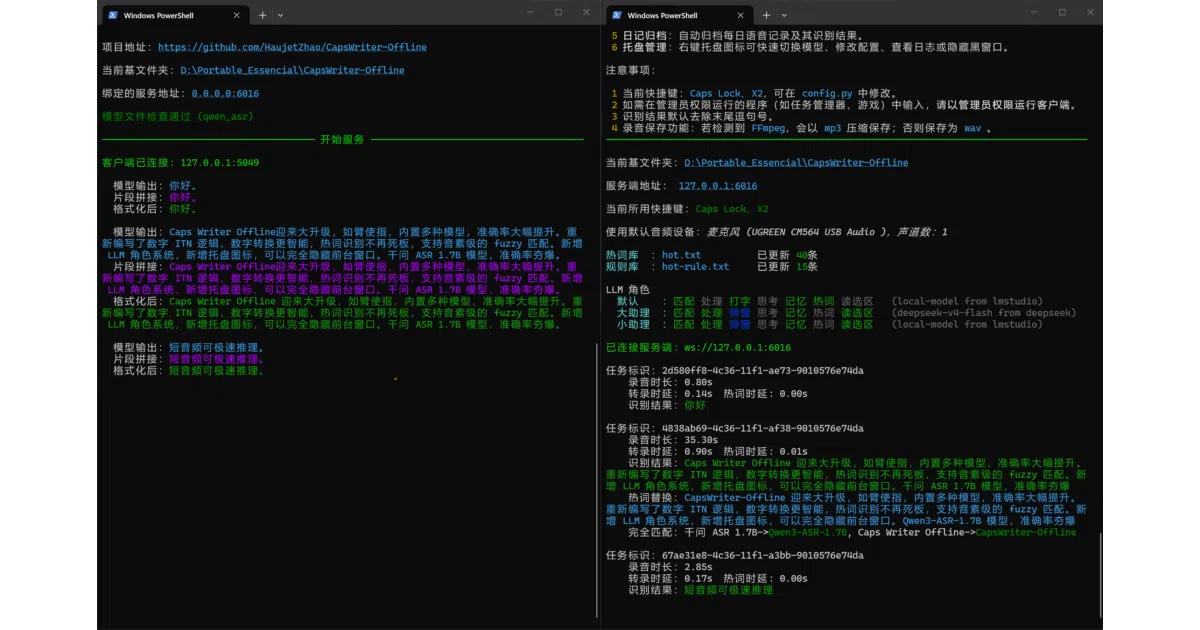
CapsWriter-Offline is a Windows-only voice input utility that runs entirely on your machine. Hold CapsLock or mouse side button X2, speak, and release to have the transcript dumped into whatever text field is focused. It also transcribes audio and video files dragged onto the client, producing .srt, .txt, and timestamped .json without network access.
The interesting bit
The project splits client and server, so even an underpowered machine can run the input frontend while a beefier one hosts the ASR model. The author treats accuracy as a tuning problem: phoneme-based fuzzy hotword matching and regex rules brute-force correct ASR quirks, and optional LLM roles can polish or rewrite the transcript when the output starts with a trigger phrase.
Key highlights
- Four ASR engines are supported, trading accuracy for speed: from the fast
ParaformerandSenseVoice-Smallto the slower but sharperQwen3-ASR. - On an RTX 5050,
SenseVoice-Smallprocesses 20 seconds of audio in 0.15 s; the most accurateQwen3-ASR-1.7Btakes 1.0 s. - Built-in ITN converts spoken numbers like 「十五六个」into formatted ranges such as
15~16个. - Every utterance and its transcript is archived locally by date; the author pitches the tool as portable enough to run from a USB stick on air-gapped machines.
- The README is refreshingly honest about its limits, pointing Windows-less users to rivals like LazyTyper and 闪电说 for cross-platform support and prettier GUIs.
Caveats
- Windows 10/11 64-bit only. macOS is explicitly unsupported because the underlying
keyboardlibrary dropped it, and Linux builds are untested. - The client-server split is pragmatic, but the README notes Win7 machines cannot run the server model at all, so “C/S” is not a magic portability wand.
Verdict
Windows users who want cloud-free, low-latency dictation with a tinkerer’s toolkit of hotword rules and local LLM polish should grab it. If you live on macOS or need a slick cross-platform GUI, the author themselves suggests looking elsewhere.
Frequently asked
- What is HaujetZhao/CapsWriter-Offline?
- An offline Windows voice typist that turns your CapsLock key into a microphone trigger and keeps every recording under local lock and key.
- Is CapsWriter-Offline open source?
- Yes — HaujetZhao/CapsWriter-Offline is open source, released under the MIT license.
- What language is CapsWriter-Offline written in?
- HaujetZhao/CapsWriter-Offline is primarily written in Python.
- How popular is CapsWriter-Offline?
- HaujetZhao/CapsWriter-Offline has 6.9k stars on GitHub.
- Where can I find CapsWriter-Offline?
- HaujetZhao/CapsWriter-Offline is on GitHub at https://github.com/HaujetZhao/CapsWriter-Offline.