CoWork-OS/CoWork-OS
An AI desktop that shows its work and waits for permission
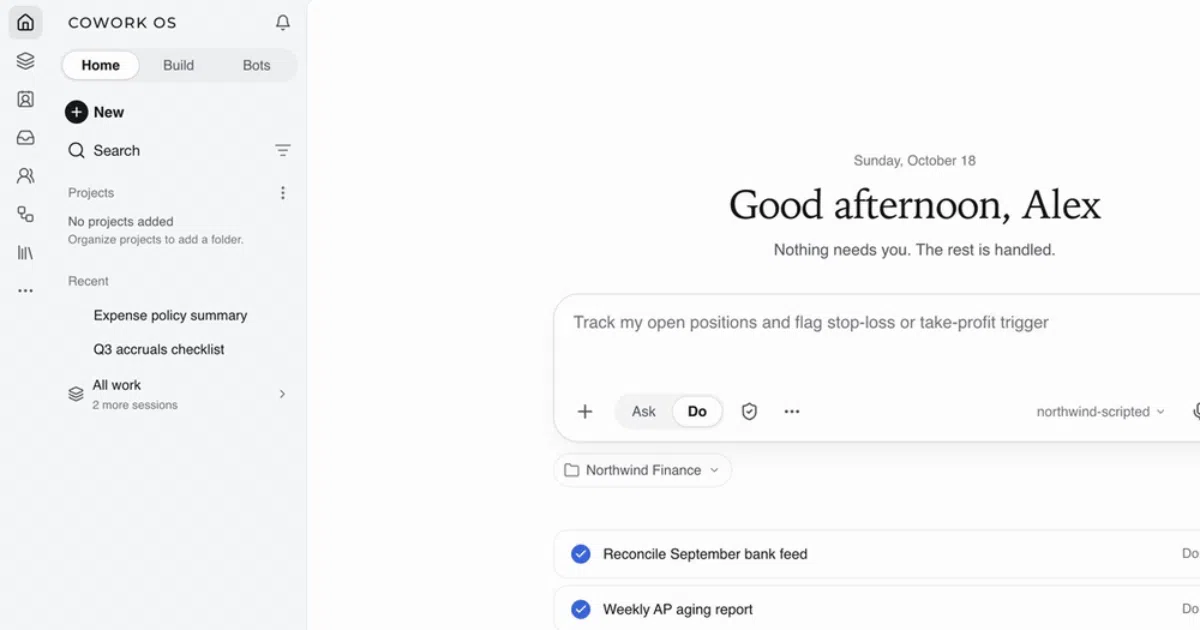
CoWork OS is an open-source desktop agent that does real work — files, inbox, browser, bots — while every risky step pauses for your approval.
Collecting fresh signals — velocity needs a few days of history.
collecting data…
star history
What it does
CoWork OS is a free, MIT-licensed desktop app (macOS and Windows, Electron/TypeScript) where an AI agent handles actual tasks: turning folders of invoices into spreadsheets, triaging your inbox, browsing for research, and running scheduled bots on Telegram, Slack, Discord or WhatsApp. The core idea is visibility — a timeline shows every file read, command and edit as it happens, and the default access profile lets the agent work freely inside your workspace but stops it before anything that leaves: sending, network access, credentials, exports. Results open as editable documents beside the chat rather than as text you copy-paste.
The interesting bit
The memory is plain markdown in a local git folder — readable, editable, syncable, deletable. That’s a refreshingly honest take on “what does the AI know about me.” It also imports existing Hermes Agent or OpenClaw setups without touching them, showing a dry-run preview first.
Key highlights
- Access profiles (Ask for approval, Approve for me, Full access, Custom) with hard limits that hold even if you approve
- Model-agnostic: OpenRouter free models, ChatGPT sign-in, API keys for Claude/OpenAI/Gemini/Groq, or fully local via Ollama/LM Studio
- Bots with their own memory, model and schedule, reachable across chat platforms
- Browser workbench you can watch and take over mid-task; inbox drafts that never send without you
- 17,000+ automated tests and an independent security assessment linked in the README
Caveats
- Releases aren’t notarized by Apple or code-signed for Windows, so first-run downloads need a manual bypass
- Model providers may charge for usage and receive the data needed for your tasks — “own everything else” has that asterisk
- The README’s comparisons to Cursor, ChatGPT and friends are self-authored “fit notes,” not independent reviews
Verdict
Worth a look if you want a terminal-style agent with visible guardrails and local-first memory, in a GUI. Skip it if you live in the CLI and don’t need inbox, browser or bot features — your existing agent already does the code part.
Frequently asked
- What is CoWork-OS/CoWork-OS?
- CoWork OS is an open-source desktop agent that does real work — files, inbox, browser, bots — while every risky step pauses for your approval.
- Is CoWork-OS open source?
- Yes — CoWork-OS/CoWork-OS is open source, released under the MIT license.
- What language is CoWork-OS written in?
- CoWork-OS/CoWork-OS is primarily written in TypeScript.
- How popular is CoWork-OS?
- CoWork-OS/CoWork-OS has 507 stars on GitHub.
- Where can I find CoWork-OS?
- CoWork-OS/CoWork-OS is on GitHub at https://github.com/CoWork-OS/CoWork-OS.