tonyqinatcmu/SlideBot-AI
When your meeting notes become the deck
An open-source AI pipeline that turns voice recordings, documents, and rough ideas into styled presentation images—because nobody enjoys copy-pasting bullet points.
Not currently ranked — collecting fresh signals.
star history
What it does
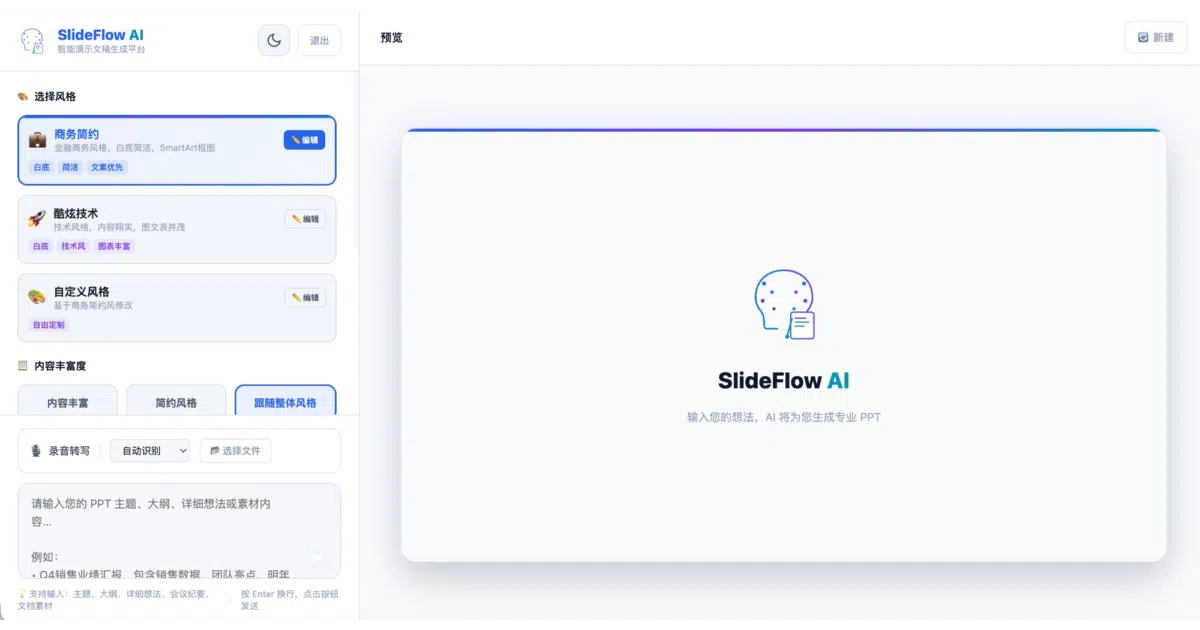
SlideBot AI is a full-stack generator that takes a topic, voice recording, or uploaded document and produces a complete slide deck as a ZIP of images or a PDF. It runs a React frontend against a FastAPI backend, orchestrating an LLM for outline generation, design planning, and per-page image creation via Google Gemini. Users can tweak outlines, set per-page themes, and embed Excel charts or screenshots at specific slots before the AI renders the final visuals.
The interesting bit
The pipeline is deliberately staged: outline → design scheme → per-page image generation, with human-in-the-loop editing at each step. That structure trades instant gratification for control, which is rare in a space crowded with one-shot generators. The recent addition of per-page “micro-adjustment” mode—regenerate just one element while keeping the rest intact—suggests the authors actually use this for real client work.
Key highlights
- Accepts voice recordings, PDF/Word/PPT/Excel uploads, and raw text prompts as starting material
- Embeds user-supplied charts, tables, and screenshots into designated pages during generation
- Per-page theme controls and interactive outline editing before any pixels are rendered
- Outputs ZIP archives of JPEG-compressed slides or PDF; explicitly suggests WPS for further PPT conversion
- MIT-licensed, with deployed demo instances (invite code required)
Caveats
- The output is static images, not an editable .pptx; the README literally tells you to use WPS PDF-to-PPT for that
- Demo servers are bare IP addresses with no HTTPS mentioned, which feels more “internal tool” than “public service”
- Vector formats (SVG, EMF) rejected for logos and templates; stick to raster
Verdict
Worth a look if you build internal tools for sales or consulting teams that churn out repetitive decks with mixed source material. Skip it if you need native PowerPoint files or are allergic to self-hosting Python services.
Frequently asked
- What is tonyqinatcmu/SlideBot-AI?
- An open-source AI pipeline that turns voice recordings, documents, and rough ideas into styled presentation images—because nobody enjoys copy-pasting bullet points.
- Is SlideBot-AI open source?
- Yes — tonyqinatcmu/SlideBot-AI is open source, released under the MIT license.
- What language is SlideBot-AI written in?
- tonyqinatcmu/SlideBot-AI is primarily written in JavaScript.
- How popular is SlideBot-AI?
- tonyqinatcmu/SlideBot-AI has 1.2k stars on GitHub.
- Where can I find SlideBot-AI?
- tonyqinatcmu/SlideBot-AI is on GitHub at https://github.com/tonyqinatcmu/SlideBot-AI.