sligter/LandPPT
LandPPT: the full-stack slide factory nobody asked for
A self-hostable platform that turns documents into AI-generated presentations, complete with speaker notes, voiceover videos, and enough export formats to confuse your entire org.
Not currently ranked — collecting fresh signals.
star history
What it does
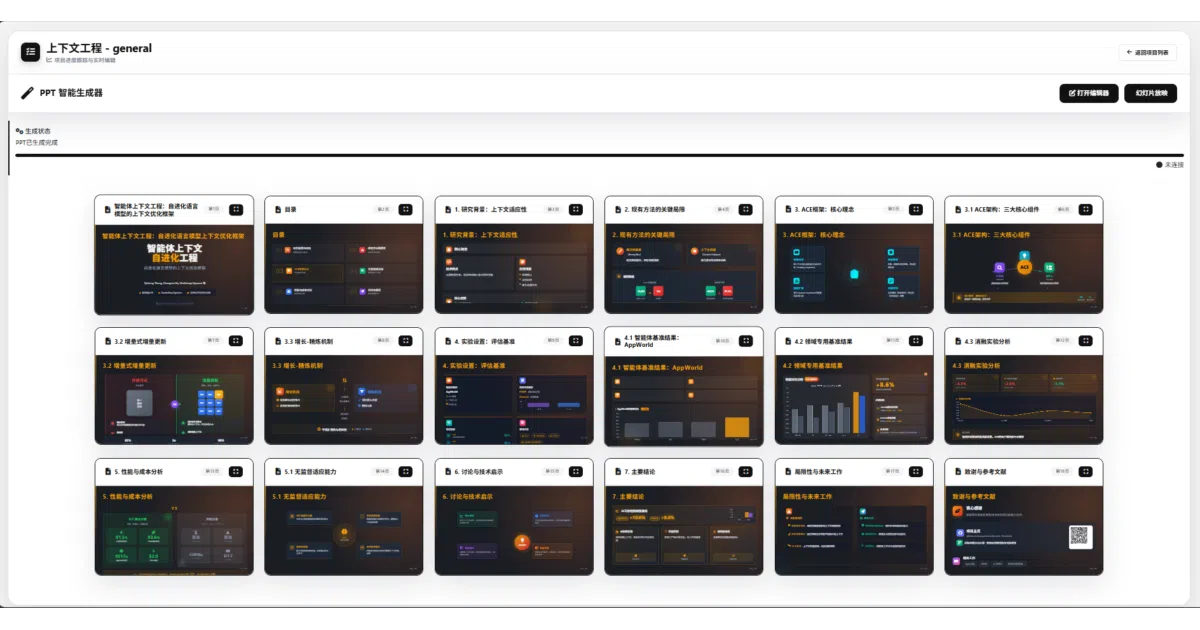
LandPPT is a FastAPI-based web app that ingests documents (PDF, Word, Markdown, Excel, etc.), researches the topic via search engines, generates an outline, and produces a complete slide deck with AI-matched images. It also generates speaker scripts, text-to-speech narration, and can export synchronized 1080p video. Think of it as a presentation assembly line with LLMs at every station.
The interesting bit
The project doesn’t just call an API and dump text into slides. It runs a four-stage workflow (requirements → outline → task tracking → generation) with stage recovery, parallel slide generation, and a dual-export pipeline: standard PPTX via Apryse, or image-based PPTX for complex HTML/CSS layouts that would otherwise break. There’s also an OpenAI-compatible API endpoint so you can hook it into n8n or CI pipelines.
Key highlights
- Supports 6+ AI providers (OpenAI, Claude, Gemini, Azure, Ollama, DeepSeek-compatible) with per-function model selection for cost control
- Multi-source image pipeline: stock photo search (Pixabay, Unsplash), AI generation (DALL-E, etc.), or local uploads with visual reference analysis
- Full-stack deployment options: single-file SQLite + memory cache for local use, or Docker Compose with PostgreSQL + Valkey for production
- Built-in auth system with GitHub/Linux Do OAuth, registration rate-limiting, and optional Cloudflare Turnstile
- Exports: standard PPTX, image-based PPTX, PDF, HTML, DOCX/Markdown speaker notes, PNG slides, and narrated MP4 video with subtitles
Caveats
- The README mentions models like “GPT-5.5” and “Claude-4” that don’t exist yet; likely aspirational or typo-prone
- Requires ffmpeg for video export and multiple API keys for full functionality—this is not a “drop a file and forget” tool
- Auto-migration on startup is convenient but the docs warn it should be disabled for multi-node deployments, suggesting some operational roughness
Verdict
Worth a look if you regularly produce structured presentations from source material and want to self-host rather than pay per-slide SaaS fees. Skip it if you just need occasional one-off decks; the setup overhead (API keys, model configs, optional Docker stack) only pays off at volume.
Frequently asked
- What is sligter/LandPPT?
- A self-hostable platform that turns documents into AI-generated presentations, complete with speaker notes, voiceover videos, and enough export formats to confuse your entire org.
- Is LandPPT open source?
- Yes — sligter/LandPPT is an open-source project tracked on heatdrop.
- What language is LandPPT written in?
- sligter/LandPPT is primarily written in Python.
- How popular is LandPPT?
- sligter/LandPPT has 3.6k stars on GitHub.
- Where can I find LandPPT?
- sligter/LandPPT is on GitHub at https://github.com/sligter/LandPPT.