qwersyk/Newelle
A GTK4 AI assistant that lives in your GNOME desktop
It wraps AI chat, local models, and terminal commands into a native GTK4 app so Linux users can ditch the browser.
Not currently ranked — collecting fresh signals.
star history
What it does
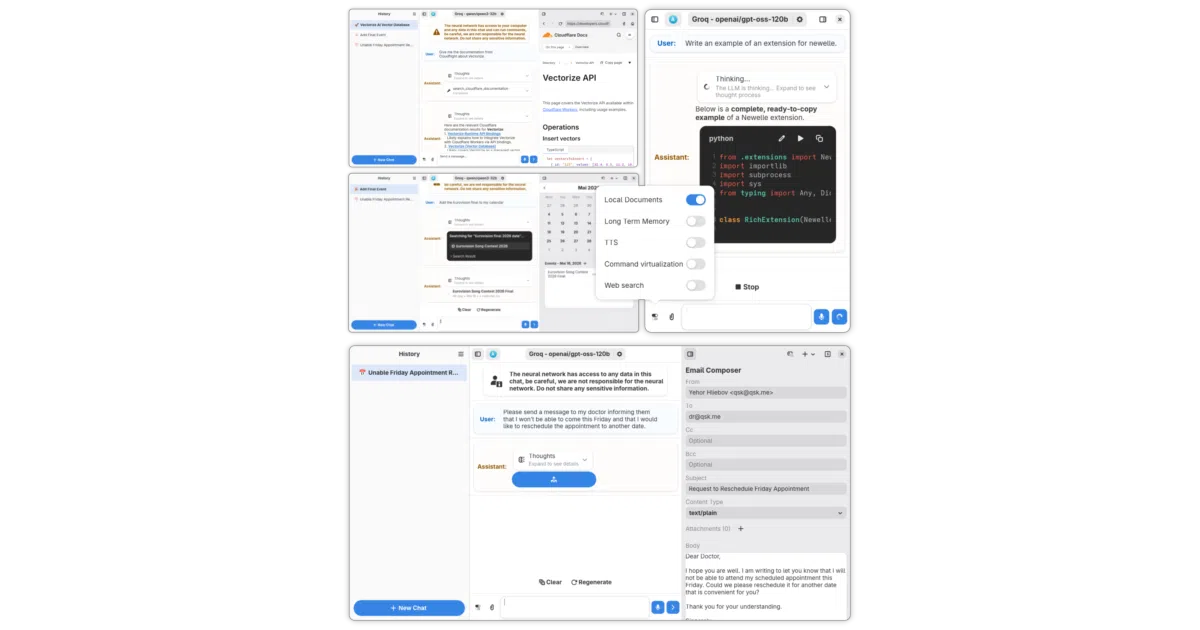
Newelle is a Python-based desktop AI assistant built with GTK4 and Adwaita for the Linux ecosystem. It offers a chat interface that connects to remote AI providers or runs local models via Llama.cpp and Ollama, while also suggesting and executing terminal commands, searching the web, reading documents, and managing files. The application supports voice interaction, real-time call mode, long-term memory across sessions, branching conversations, and a lightweight mini-window mode for quick access.
The interesting bit
The project treats the AI assistant as an operating system utility rather than a web toy. It bundles file permissions, scheduled background tasks, an extension system with MCP server support, and even a built-in file manager into the same chat window where you ask it to summarize a PDF or run ls. That breadth turns the app into a control panel for model-driven desktop automation rather than just a prettier frontend for a chat API.
Key highlights
- Native GTK4/Adwaita interface with a lightweight mini-window mode triggered by hotkeys.
- Supports both remote providers and local inference via Llama.cpp or Ollama, with model downloads handled inside the app.
- Can suggest and execute terminal commands, search the web, read documents, and scrape websites by prefixing a URL with
#https://. - Extensible via an extension system and MCP servers; supports skills imported from Claude and Codex.
- Flatpak sandboxed by default, with explicit (and warned-about) escape hatches for home-directory access and session-bus integration.
Caveats
- The Flathub sandbox restricts the app to its own
.varfolder; escaping it requires manual permission overrides that the authors warn reduce security. - GitHub Actions beta builds currently ship without working localizations.
- It is firmly a Linux/GNOME ecosystem project; there is no indication it targets other platforms.
Verdict
Newelle is worth a look if you live in GNOME and want a single native hub for AI chat, local model inference, and light system automation. If you are not on Linux, prefer browser-based AI tools, or are uncomfortable managing Flatpak sandbox permissions, it is not for you.
Frequently asked
- What is qwersyk/Newelle?
- It wraps AI chat, local models, and terminal commands into a native GTK4 app so Linux users can ditch the browser.
- Is Newelle open source?
- Yes — qwersyk/Newelle is open source, released under the GPL-3.0 license.
- What language is Newelle written in?
- qwersyk/Newelle is primarily written in Python.
- How popular is Newelle?
- qwersyk/Newelle has 1.5k stars on GitHub.
- Where can I find Newelle?
- qwersyk/Newelle is on GitHub at https://github.com/qwersyk/Newelle.