pyannote/pyannote-audio
Who spoke when? This toolkit actually knows.
Open-source speaker diarization with pretrained PyTorch models that run locally or via API.
Not currently ranked — collecting fresh signals.
star history
What it does
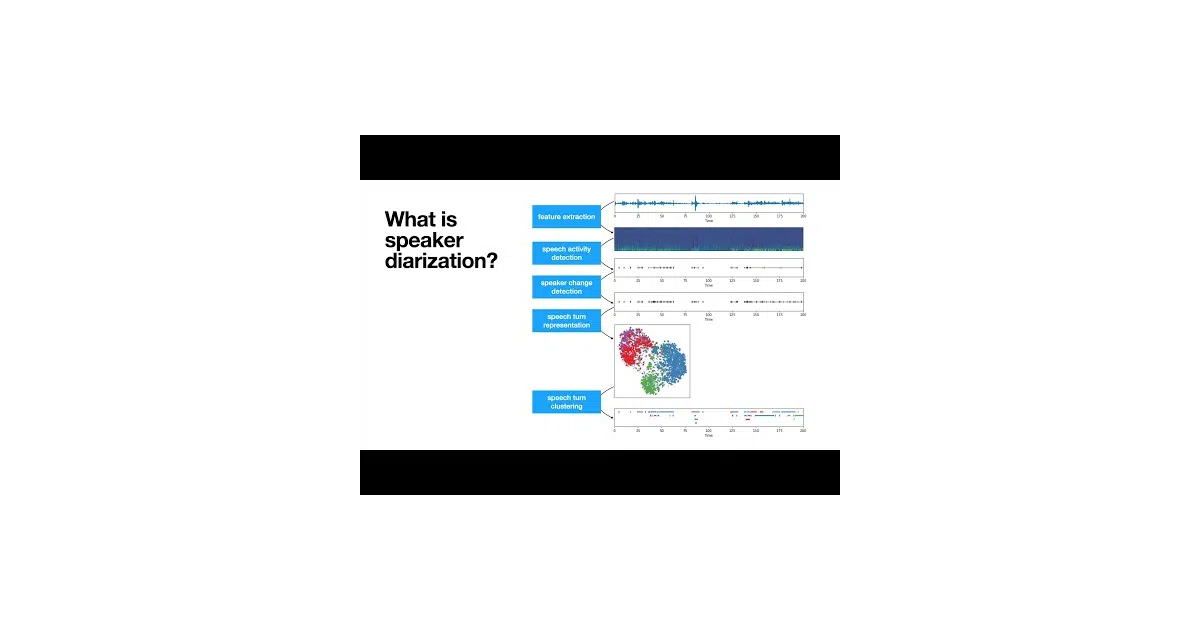
pyannote.audio figures out who is speaking when in an audio recording. It handles the whole messy pipeline: detecting speech, spotting speaker changes, finding overlapping talkers, and clustering voices into distinct speakers. Everything ships as pretrained PyTorch models you can run locally or finetune on your own data.
The interesting bit
The project straddles open source and commercial API without being sneaky about it. The community-1 pipeline runs entirely offline with a Hugging Face token, while precision-2 offloads to pyannoteAI servers—or self-hosts if you want the speedup. Benchmarks are refreshingly specific: diarization error rates across a dozen datasets, plus wall-clock seconds per hour of audio on an H100.
Key highlights
- Pretrained pipelines and models hosted on Hugging Face, ready to use
- Local GPU inference via
Pipeline.from_pretrained()with progress hooks - Multi-GPU training support through pytorch-lightning
- Telemetry is opt-in, anonymized, and granularly configurable
- Extensive tutorial and video archive, though some tutorials lag behind current versions
Caveats
- Community tutorials note they “should be updated” for newer versions
- Local pipeline requires accepting Hugging Face model terms and token setup
- Premium
precision-2needs separate pyannoteAI API key
Verdict
Worth a look if you need speaker diarization in a Python stack and want pretrained models that actually benchmark well. Skip if you’re expecting a polished GUI or turnkey deployment without token wrangling.
Frequently asked
- What is pyannote/pyannote-audio?
- Open-source speaker diarization with pretrained PyTorch models that run locally or via API.
- Is pyannote-audio open source?
- Yes — pyannote/pyannote-audio is open source, released under the MIT license.
- What language is pyannote-audio written in?
- pyannote/pyannote-audio is primarily written in Jupyter Notebook.
- How popular is pyannote-audio?
- pyannote/pyannote-audio has 10.7k stars on GitHub.
- Where can I find pyannote-audio?
- pyannote/pyannote-audio is on GitHub at https://github.com/pyannote/pyannote-audio.